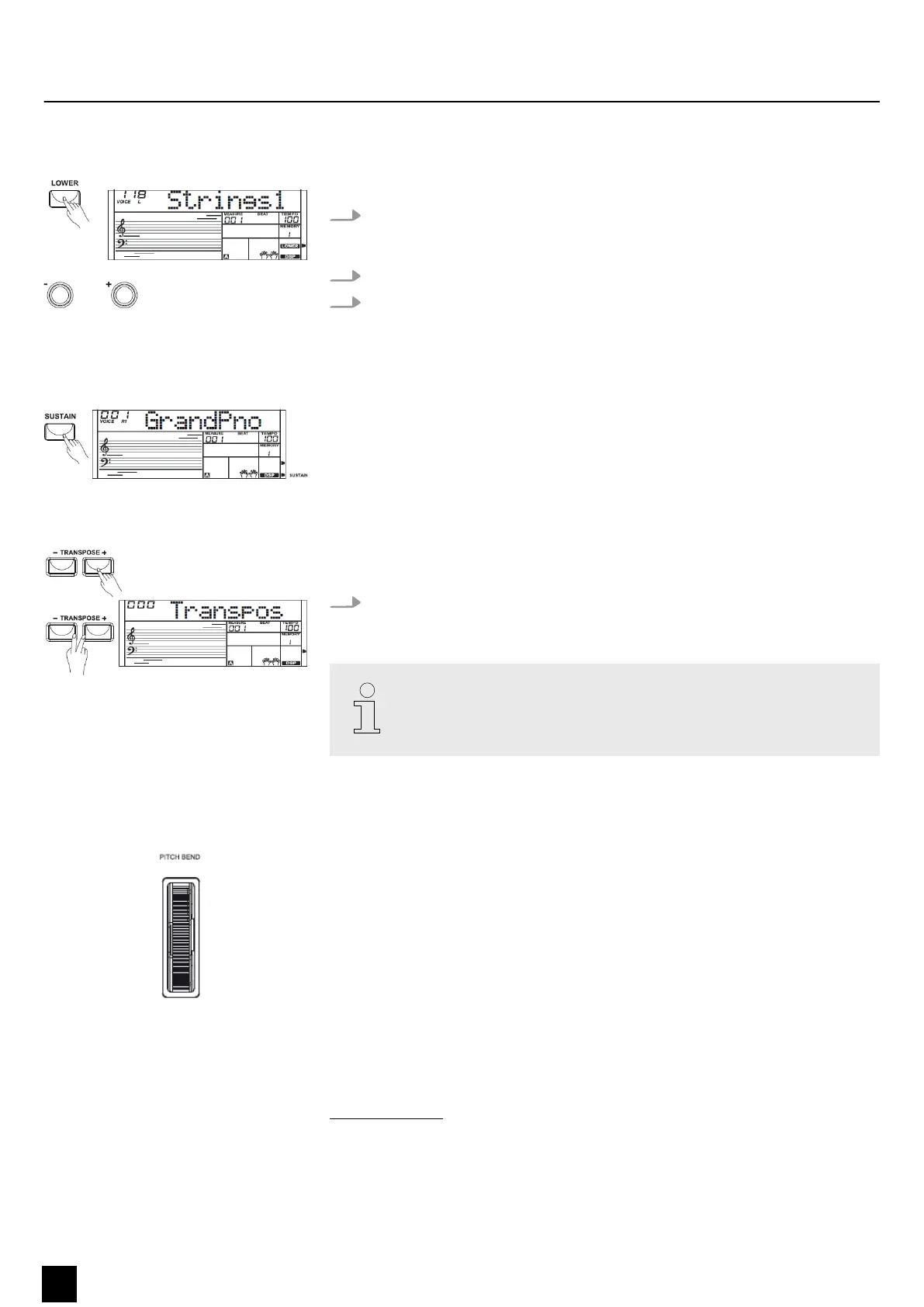
8.2.3 Split mode
You can use this function to assign dierent voices to certain keyboard areas.
1. Press the [LOWER] button in order to activate split mode and thus the left hand
voice. ‘VOICE L’ and the short name for the voice appear simultaneously on the
display.
2. Press the [+] or [–] buttons or the number buttons to select the desired voice.
3. Press the [LOWER] button again to exit split mode. The ‘LOWER’ symbol on the
display goes out.
8.2.4 Sustain
When the sustain function is turned on, all tones played on the keyboard linger.
Press the [SUSTAIN] button to turn the sustain eect on or o.
8.2.5 Transposing
With this function you can adjust the pitch of the keyboard in 12 semitone steps up
to one octave up or down.
Press the [TRANSPOSE +] and [TRANSPOSE –] buttons to adjust the keyboard
pitch up or down in semitone steps. The display shows ‘XXX Transpos’ .
Press the [TRANSPOSE +] and [TRANSPOSE –] buttons simultaneously to
restore the default setting (no transposition).
8.2.6 Pitch bend wheel
While playing the keyboard, you can roll the pitch bend wheel upward and down‐
ward to vary the pitch up or down. When it is released, the pitch bend wheel auto‐
matically returns to its default position.
8.3 Style operation and auto accompaniment
The keyboard oers a total of 100 dierent styles from a variety of dierent musical
genres. The style list is available for download on the product page of our website
www.thomann.de.
The auto accompaniment feature gives you a full backing band. To use it, you only
need to play chords with your left hand while playing with your right hand.
Functions
18
MK-300
Keyboard


 To Next Page