8 Functions
8.1 Using the sustain pedal
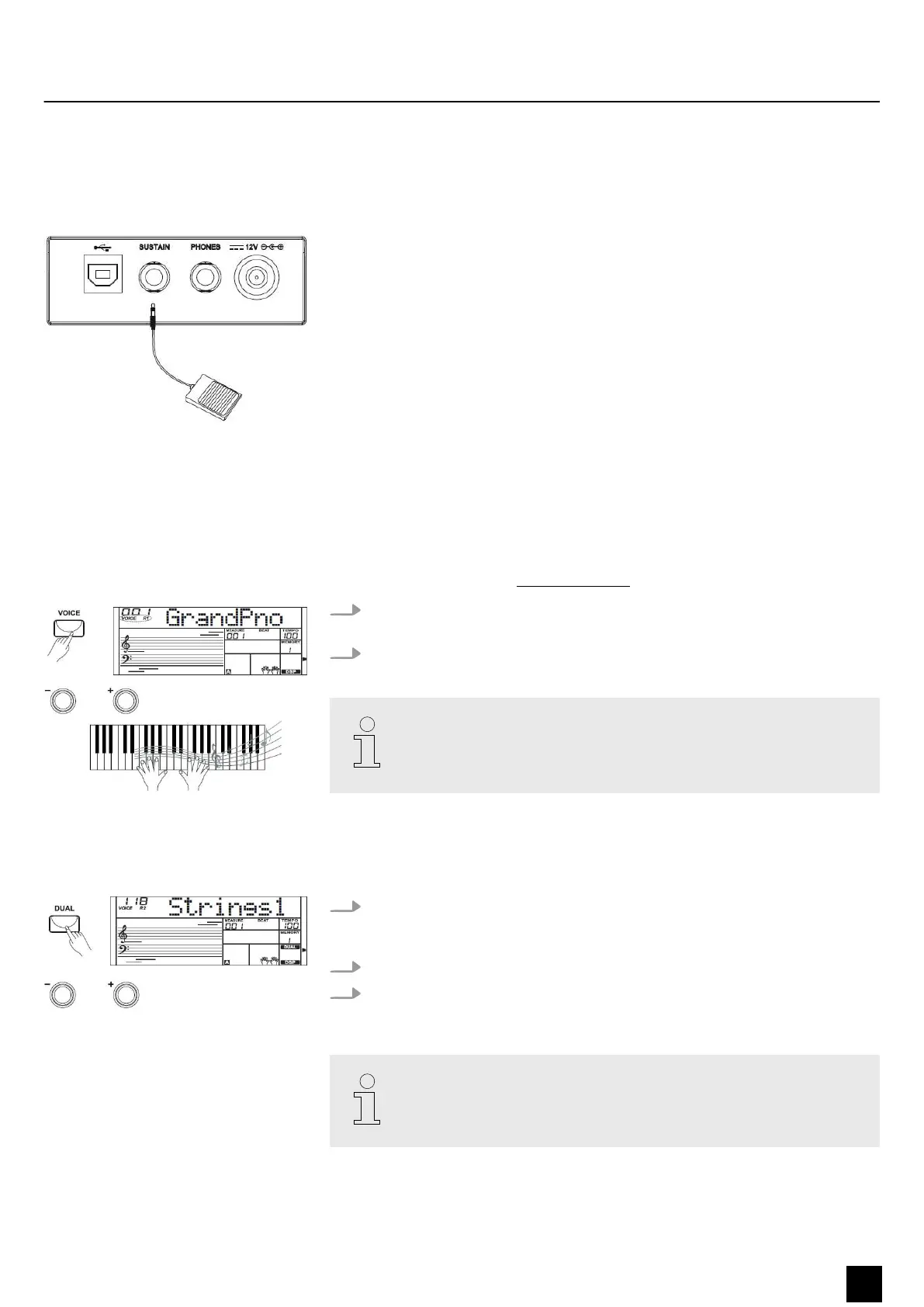
By using a sustain pedal, you can make your playing more expressive and let tones
linger after you lift your ngers from the keys of the keyboard. The sustain eect is
activated when you step on the pedal and deactivated when you release it.
8.2 Voices and eects
8.2.1 Selecting voices
The instrument oers 390 exceptionally realistic voices including piano, guitar,
strings, brass and other sounds. The voice list is available for download on the
product page of our website www.thomann.de.
1. The default voice shown on the display, ‘VOICE R1’ , is number ‘001’ and has
the short name ‘GrandPno’ .
2. To select another voice, press the [+] and [ –] buttons or the number buttons.
If dual or split mode is activated, you can repeatedly press the [VOICE]
button to navigate through the current selection for the rst right hand
voice ‘VOICE R1’ , the second right hand voice ‘VOICE R2’ , and the left hand
voice ‘VOICE L’ .
8.2.2 Dual mode
In dual mode you can play two voices simultaneously.
1. Press the [DUAL] button to activate dual mode. The display shows ‘VOICE R2’
and the ‘DUAL’ symbol lights up. The currently set second voice also appears
in the display. If you now press a key, both voices sound simultaneously.
2. Press the [+] or [–] buttons or the number buttons to select the desired voice.
3. Press the [DUAL] button again to exit dual mode. ‘VOICE R2’ is disabled and
you only hear the voice set for ‘VOICE R1’ .
If the keyboard is split, dual mode aects only the keys to the right of the
keyboard split point.
Functions
MK-300
17
Keyboard


 To Next Page