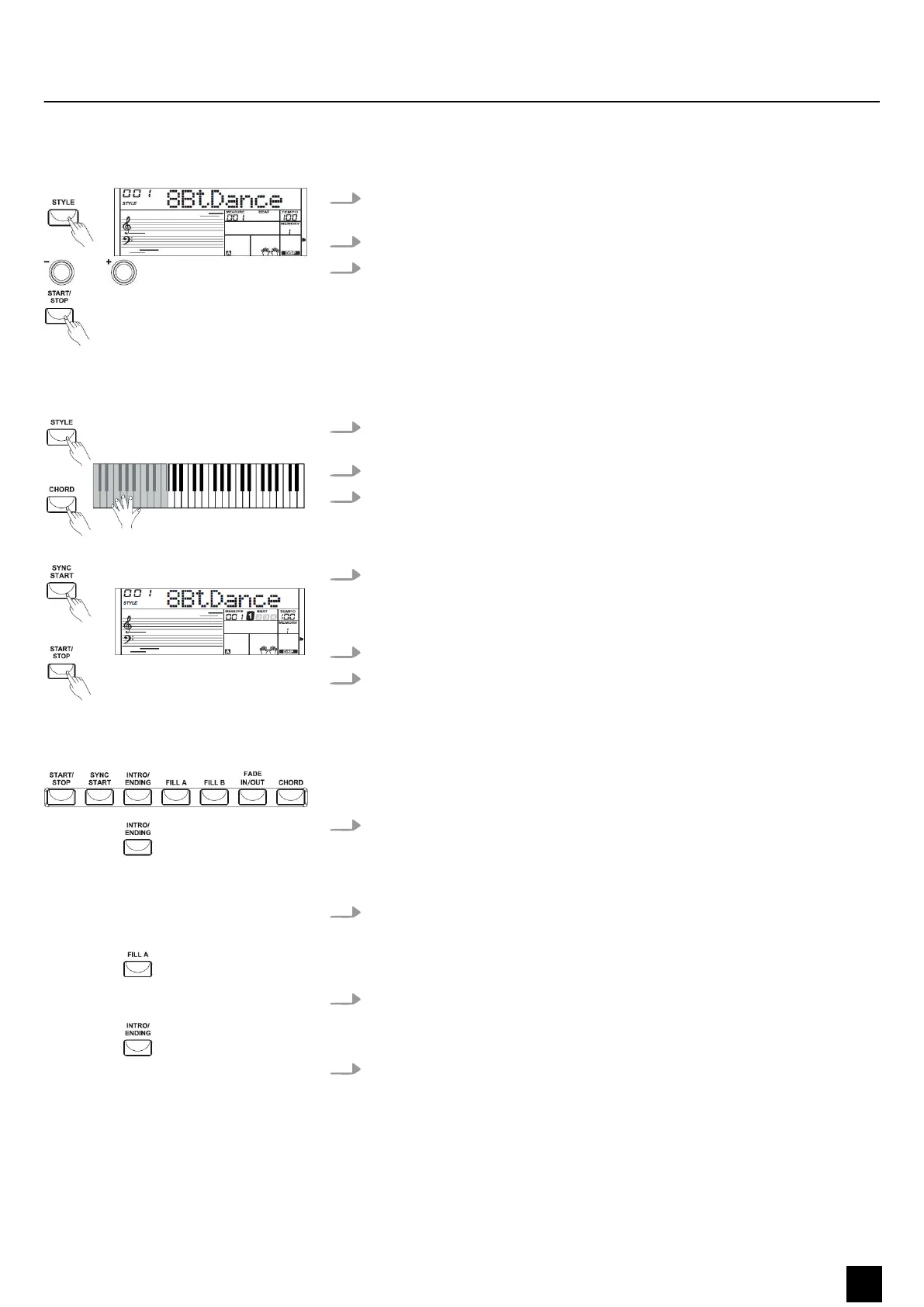
8.3.1 Starting auto accompaniment (rhythm track only)
1. Press the [STYLE] button to enter [STYLE] mode. The display shows ‘STYLE’ and
the currently selected style.
2. Select the desired style using the buttons [+] and [–] or the number buttons.
3. Press the [START/STOP] button to start the auto accompaniment's rhythm track.
8.3.2 Starting auto accompaniment (all tracks)
1. Press the [STYLE] button to enter [STYLE] mode. The display shows ‘STYLE’ and
the currently selected style.
2. Select the desired style using the buttons [+] and [–] or the number buttons.
3. Press the [CHORD] button to activate chord recognition mode. The area
dened for the left hand becomes auto accompaniment area and chords
played here are automatically recognized and used as the basis for auto
accompaniment with the selected style.
4. Press the [SYNC START] button to turn on the synchronous start function. The
indicators for the beats within the bar ash on the display according to the set
tempo. Auto accompaniment starts as soon as you play a chord with your left
hand.
5. Try playing other chords with your left hand.
6. Press the [START/STOP] button again to stop the auto accompaniment.
8.3.3 Auto accompaniment patterns
Auto accompaniment is controlled via several parameters: Intro, Main, Fill-in (A,B),
and Ending.
1. INTRO
To insert an intro, press the [INTRO/ENDING] button before beginning to play.
Depending on the selected style, the rhythm starts with two to four bars, fol‐
lowed by the main part.
2. MAIN
The main part is an accompaniment pattern of several bars that is repeated
indenitely until a button is pressed to call another pattern of the auto accom‐
paniment.
3. FILL
With auto accompaniment activated, you can press the [FILL A] or [FILL B]
button to insert a rhythm or accompaniment part.
4. ENDING
If you press the [INTRO/ENDING] button while auto accompaniment is acti‐
vated, an ending part suitable for the accompaniment is started, nishing the
song.
Functions
MK-300
19
Keyboard


 To Next Page