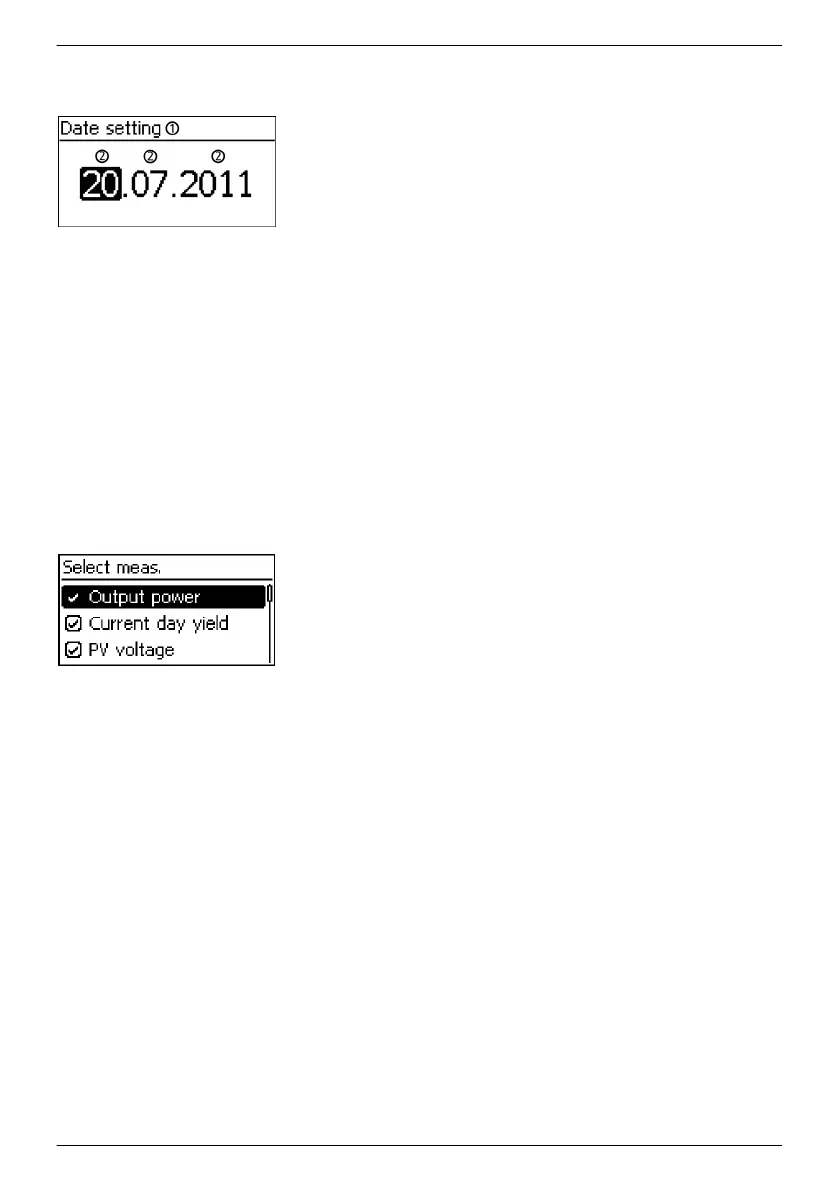
3.3.3 Settings
Numerical settings
①
Designation of the numerical setting
②
Value to be set; the selected value to be set is highlighted in
black.
When performing numerical settings of remuneration and dates,
the following applies:
Remuneration
n Possible currencies: £ (Pounds), € (Euros), kr (Krones), none.
n The maximum value that can be set for remuneration is limited
for technical reasons. The remuneration must be set using
different units as required. Example: Dollars instead of Cents
(set a currency of none).
Date
When setting the month/year, a check is performed to ensure that
the selected day is valid. If not, then the day is automatically
corrected.
Example: 31.02.2011 is corrected to 28.02.2011.
Selection of the measurements
Selection of the measurements to be shown in the status display.
The following measurements can be selected:
n Output power: Inverter output power
1)
n Actual day yield: Day yield since 0:00
n PV voltage: the voltage supplied by the solar modules
n PV current: the current supplied by the solar modules
n Grid voltage: Voltage at the inverter connection
1)
n Grid current: the current fed into the mains grid
n Grid frequency
n Internal temperature: Internal temperature of the inverter
n Derating reason for derating
2)
n Max. daily power: the maximum power supplied in the
current day
3)
n Abs. max. power: the maximum power ever fed into the
grid
3)
n Max. daily yield: the maximum daily yield achieved
3)
n Operating hours: The operating hours during which the
device has been connected to the grid (including night-time
hours).
n Total yield: Yield since commissioning
n CO
2
saving: CO
2
savings achieved since commissioning
1)
Measurement is always displayed (cannot be switched off)
EN
747,431 | Z09 | 2015-09-30
20










 To Next Page