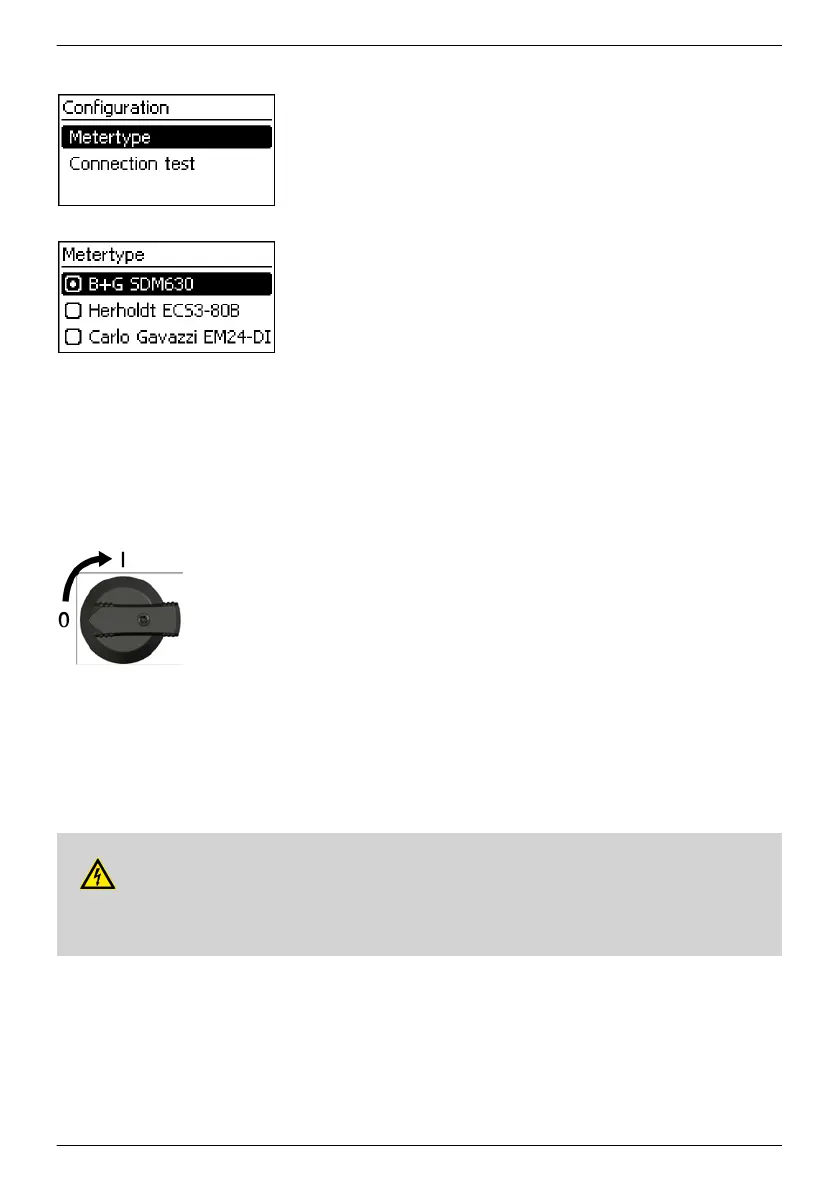
Configuration of the energy meter
———————————————————————————
Note
The inverter can only work with energy meters that have been pre-
programmed in the inverter. The pre-programmed energy meters
are listed under Meter type.
———————————————————————————
1. Press SET to call up the item.
2.
Press rs to select a meter type.
3. Press SET.
4. Press ESC to quit the sub-menu.
———————————————————————————
Note
The connection to the energy meter can be checked by means of a
connection test.
———————————————————————————
4.9 Switch DC on
u
Place DC load-break switch on the inverter on position I (Fig.
left). After a check through the internal ENS
(approx. 2 minutes), the injected power can be shown on the
display (the incidence of sunlight is a prerequisite).
———————————————————————————
Note
On the coolcept-xdevices the DC load-break switch can be
safeguarded against being switched on unintentionally with a
padlock (shackle thickness max. 7 mm).
———————————————————————————
4.10 Dismount the inverter
DANGER!
Risk of death by electrocution! Only technical professionals may perform the work described in
this section. Follow the safety instructions at the beginning of the Section "Installation"
.
EN
747,431 | Z09 | 2015-09-30
48










 To Next Page