11
Changing the Buzzer Volume:
The Buzzer Volume is factory set to Medium. The user may change this setting at any time.
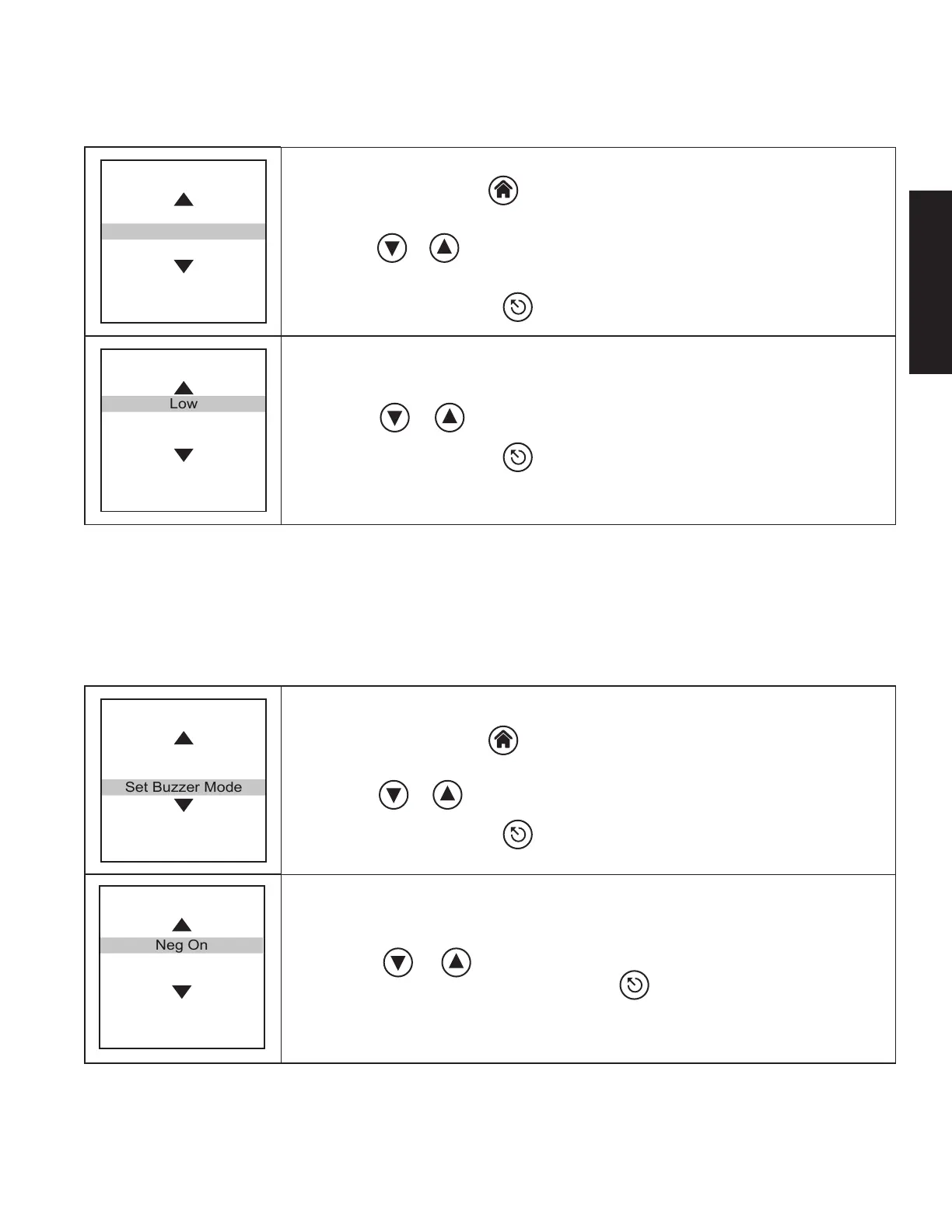
Home Menu
Language Selection
Set Buzzer Volume
Set Buzzer Mode
Press ENTER
to Select
1. Press the Home button on the Incubator. This will bring up the Home Menu.
The Home Menu screen is displayed at the left.
2. Use the or navigation buttons to highlight the Set Buzzer Volume option
on the screen as shown.
3. Press the ENTER button.
Set Buzzer Volume
Low
Medium
High
Press ENTER
to Select
4. Use the or navigation buttons to select the desired volume option.
5. Press the ENTER button.
Changing the Buzzer Mode:
The Buzzer Mode has been factory set to “Neg O”. This means that the Incubator will not sound an audible alarm
once a negative result is available. The user can change this setting at any time. If Neg On is selected, an audible
alarm will be sounded once a negative result is available.
Home Menu
Language Selection
Set Buzzer Volume
Set Buzzer Mode
Press ENTER
to Select
1. Press the Home button on the Incubator. This will bring up the Home Menu.
The Home Menu screen is displayed at the left.
2. Use the or navigation buttons to highlight the Set Buzzer Mode option.
3. Press the ENTER button.
Set Buzzer Mode
Neg On
Neg Off
Press ENTER
to select
4. Use the or navigation buttons to highlight the desired buzzer mode
option and select by pressing the ENTER button.
ENGLISH










 To Next Page