EasyManua.ls Logo

Steris gi4000 - User Manual

Steris gi4000
116 pages
Print Icon
To Next Page IconTo Next Page
Loading...
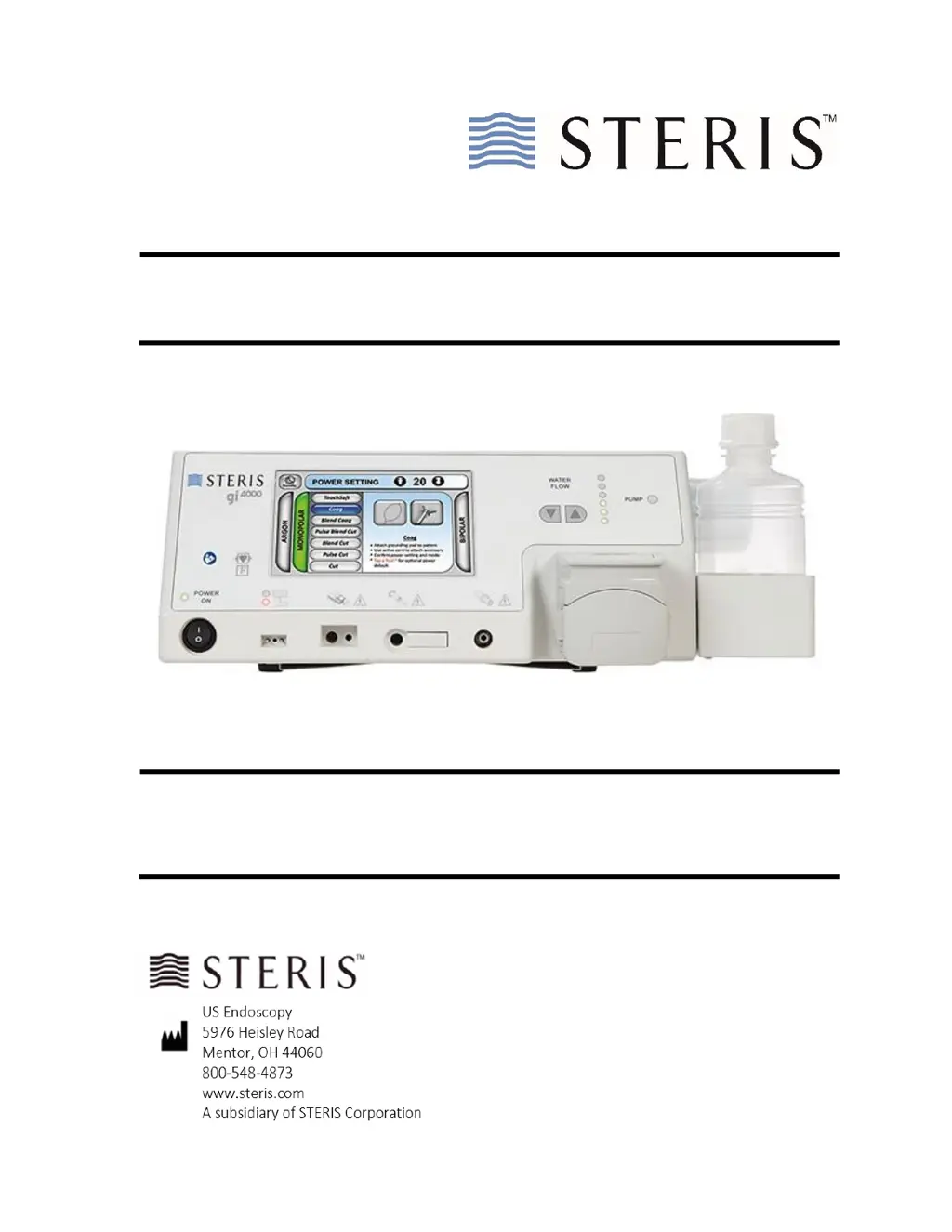
gi4000 Electrosurgical Unit
Reference / Reorder No.
G1110001
User and Maintenance Manual

Table of Contents

Questions and Answers

  • L
    Lindsay BoothAug 4, 2025
    How to fix video interference in Steris gi4000 Medical Equipment?
    • J
      Jennifer SanchezAug 4, 2025
      To minimize video interference with the gi4000, use only the power cord provided and ensure it is undamaged. Plug the power cord into a dedicated AC outlet, avoiding surge protectors and extension cords. Position the dispersive electrode away from patient ECG electrodes. Use shielded video cables and keep the generator away from video processing equipment. When not in use, disconnect the Active Cord and store it separately. Ensure cords for the gi4000 and accessories do not touch computer accessories, ECG leads, or power cables. Keep video cables separate from the Active Cord and power cords. If necessary, acquire shielded video cables or grounding cables from your endoscope manufacturer.
  • C
    Christopher SalazarAug 8, 2025
    What to do if the Steris Medical Equipment gi4000 does not power on?
    • D
      David JohnsonAug 8, 2025
      If the gi4000 isn't powering on, ensure the power line cord is connected to both the AC mains connector on the rear panel (with the cord lock engaged) and the wall outlet. Check the fuses in the AC mains connector and verify the ON/OFF switch is in the correct position.
  • T
    tcarrAug 13, 2025
    Why does backflow occur in the ArConnect® Receptacle of Steris gi4000?
    • T
      Tiffany SingletonAug 13, 2025
      Backflow into the ArConnect® receptacle occurs if you disconnect the ArConnect® argon probe or argon probe from the gi4000 before the procedure is complete. The system constantly flows argon through the receptacle while connected. Disconnecting the probe while it remains in the endoscope causes backpressure and dripping through ArConnect®.
  • B
    Brad PalmerAug 18, 2025
    How to troubleshoot a weak argon beam in Steris Medical Equipment?
    • A
      Angel Dennis MDAug 18, 2025
      To troubleshoot a weak argon beam, ensure the ArConnect® argon probe is fully connected to the gi4000. Inspect the probe for any damage. For easier insertion, lightly wipe the black O-ring with sterile water. Insert the probe into the ESU until you hear a click. Increase power in increments of two until the desired arc is achieved. Remember to purge and gauge the probe and scope distance to the tissue.
  • B
    Bradley WhiteheadAug 25, 2025
    What to do if the Steris gi4000 footswitch does not operate?
    • J
      Jennifer MartinAug 25, 2025
      If the footswitch does not operate, check its connection on the back of the gi4000. Align the red dot on the footswitch connector with the red dot on the footswitch receptacle and push in until you hear an audible click.
  • A
    Andrea GordonAug 29, 2025
    What to do if the Steris gi4000 Medical Equipment argon gas bottle icon does not appear?
    • S
      Samantha HenryAug 29, 2025
      Remove the argon gas bottle from the gi4000 by turning it counterclockwise. Inspect the brass threads for damage. If undamaged, wipe the threads with sterile water using gloved hands. Reinsert the bottle, turning clockwise firmly until fully engaged. Continue turning until the bottle is fully seated to prevent argon leaks.

Summary

Scope of Manual

Definitions and Abbreviations

Explanation of Symbols

Information for Safety

Warnings

Critical warnings for electrical, tipping, interference, and proper usage hazards.

Precautions

Safety precautions for handling, environmental, and connection hazards.

Notes

Important operational notes and reminders for using the gi4000 ESU.

Overview of General Features

gi4000 Electrosurgical Unit

Details main features of the gi4000 ESU, including methods, modes, and software.

Front Panel Components

Identifies and describes components on the front panel of the gi4000 ESU.

Pad Safe System (PSS)

Describes the Pad Safe System (PSS) and its indicator lights for electrode monitoring.

Argon Gas System

Describes the integrated argon gas system, bottles, and connectors.

Technical Specifications

General Specifications

Provides general technical details like design, cooling, and service life.

Output Power Characteristics

Details output power characteristics across various modes and loads.

Electromagnetic Compatibility (EMC)

Details EMC emissions compliance and guidance for the gi4000 ESU.

System Installation and Setup

Installation - gi4000 ESU

Guides users through the initial setup and connection of the gi4000 ESU.

Setup - Argon Gas System

Details the setup for the Argon Gas System, including indicator icons.

Setup - Lavage Pump

Explains the setup and operation of the lavage pump and tubing.

Using the gi4000

Power ON Self-Test (POST)

Explains the Power ON Self-Test (POST) procedure and checks.

Power Settings

Explains how to select and adjust power settings for different modes.

Bipolar Method

Guides through selecting and using the Bipolar Method.

Troubleshooting

On-Screen Notifications

Lists and explains on-screen notifications and their recommended actions.

Problem and Solution Guide

Lists common problems and their solutions for the gi4000 ESU.

Maintenance and Repair

Electrical Safety Test Procedure

Outlines the procedure for performing electrical safety tests.

RF Output Test Procedure

Details the procedure for testing RF output for Monopolar, Bipolar, and Argon.

Internal Argon Gas Filter Replacement

Provides instructions for replacing the internal argon gas filter.

Steris gi4000 Specifications

General IconGeneral
CategoryMedical Equipment
TypeEndoscope Reprocessor
ModelGI4000
ManufacturerSTERIS
Water Filtration0.2 micron
Water Requirements30-75 psi (207-517 kPa)
Air Requirements60-100 psi

Related product manuals