00732467 Rev. D Page 57 of 110
9.4 Setup - Argon Gas System
9.4.1 Argon Gas Bottle Indicator Icons
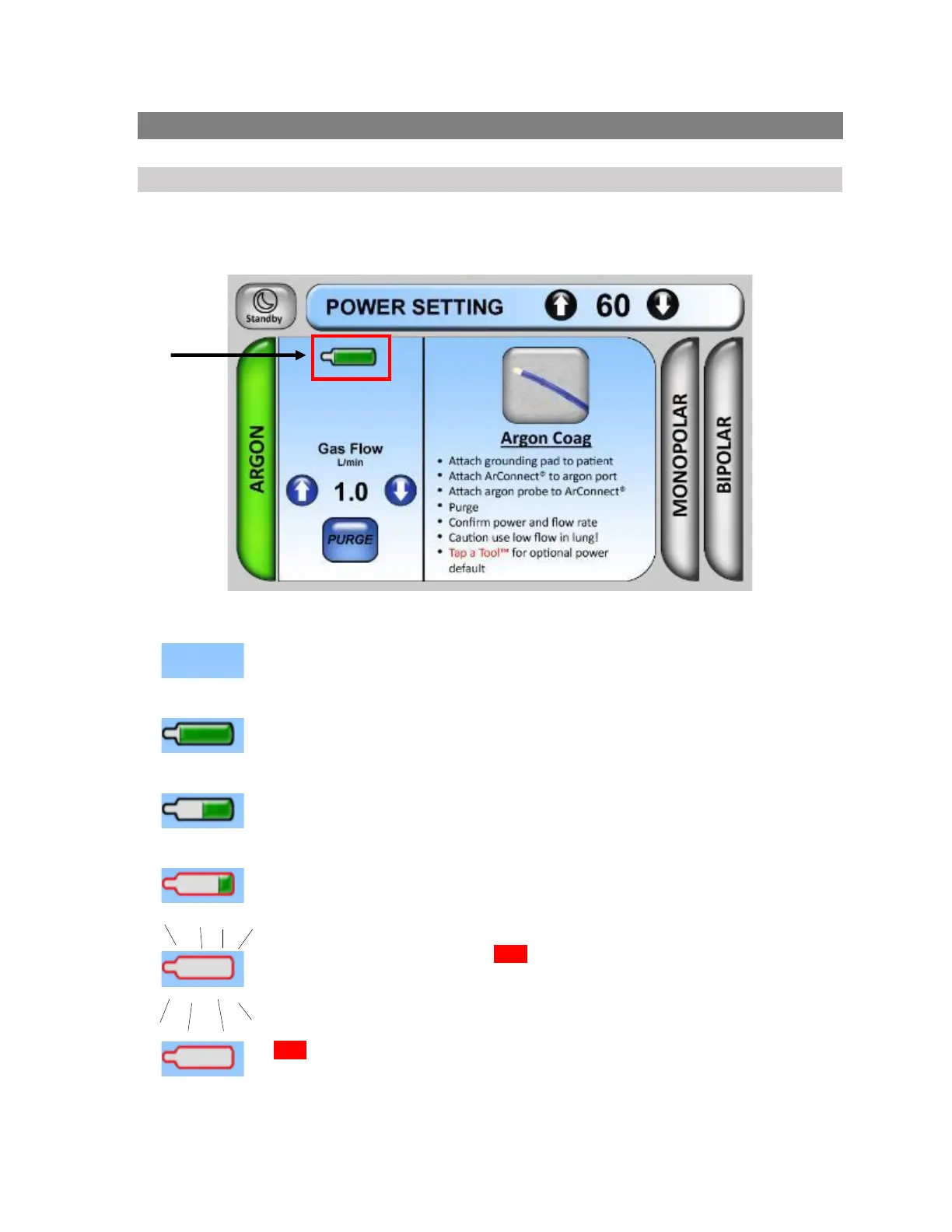
When using the Argon Method, the touchscreen display provides graphical indication of the
argon gas bottle status, as shown in Figure 9-2.
Figure 9-2
The Argon Gas Bottle is not detected.
The Argon Gas Bottle is detected and full.
The Argon Gas Bottle is about half consumed. Be sure that backup stock is
available.
The Argon Gas Bottle is nearly empty.
The Argon Gas Bottle is empty. RED outline is blinking. The following message
will appear: “Finish case, then vent and replace.” Prepare to vent, discard and
replace the bottle.
RED outline is no longer blinking. The bottle has successfully vented to empty.
Discard and then replace the bottle.











 To Next Page