00732467 Rev. D Page 29 of 110
7.1.5 Standby Mode
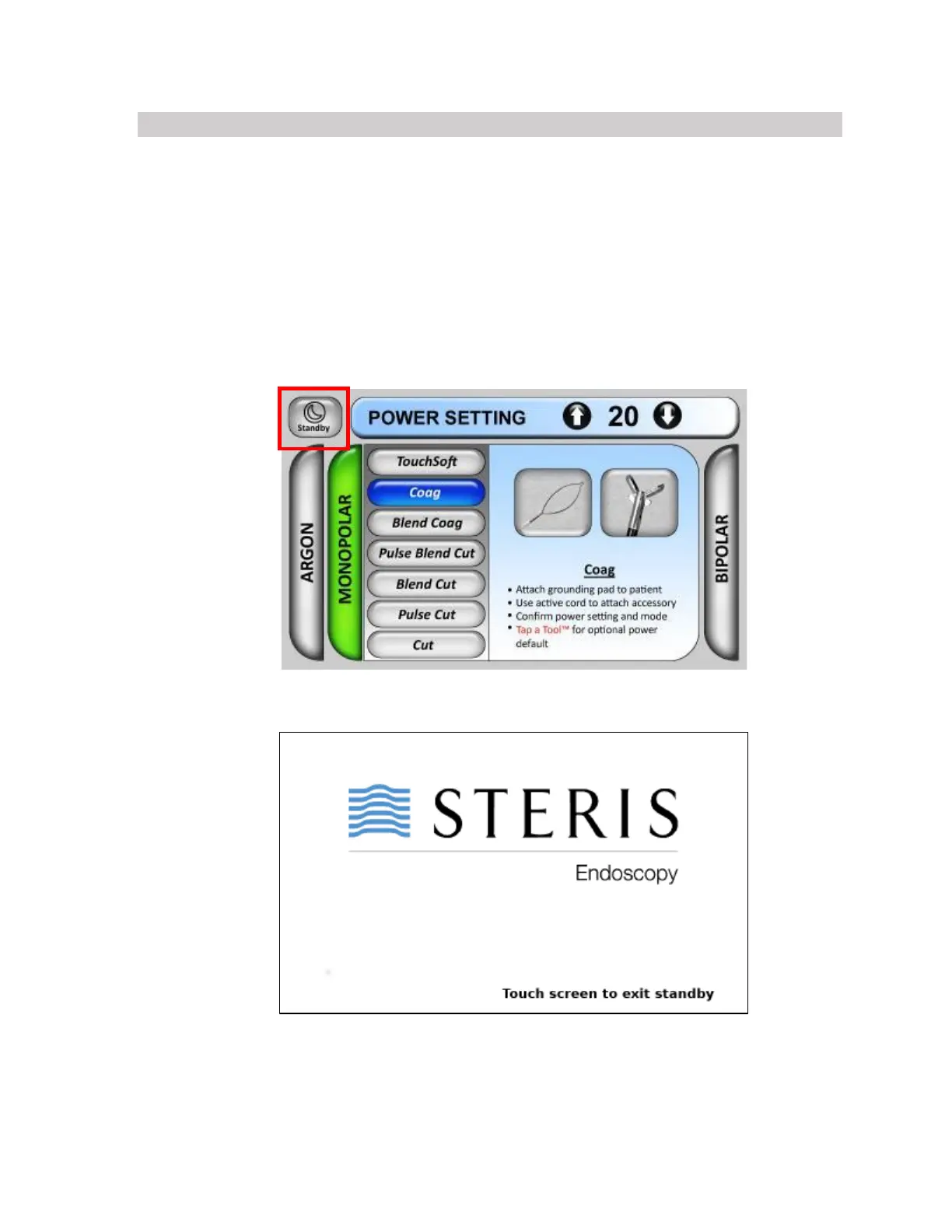
When Standby Mode is engaged, no power can be delivered by the gi4000 ESU; however,
the lavage function is still operational. Standby Mode can be activated and deactivated either
by the standby button on the gi4000 ESU footswitch or the standby icon on the upper left-
hand side of the touchscreen display. The standby icon is visible in all methods/modes. When
Standby Mode is activated, a standby screen will appear on the touchscreen display. To exit
Standby Mode, you can either touch anywhere on the touchscreen display or press the
standby button on the footswitch.











 To Next Page