Adjusting the display
The operator can easily adjust the following
items on the display:
●
The language
●
The time
●
The date
●
The daily mileage
Proceed as follows:
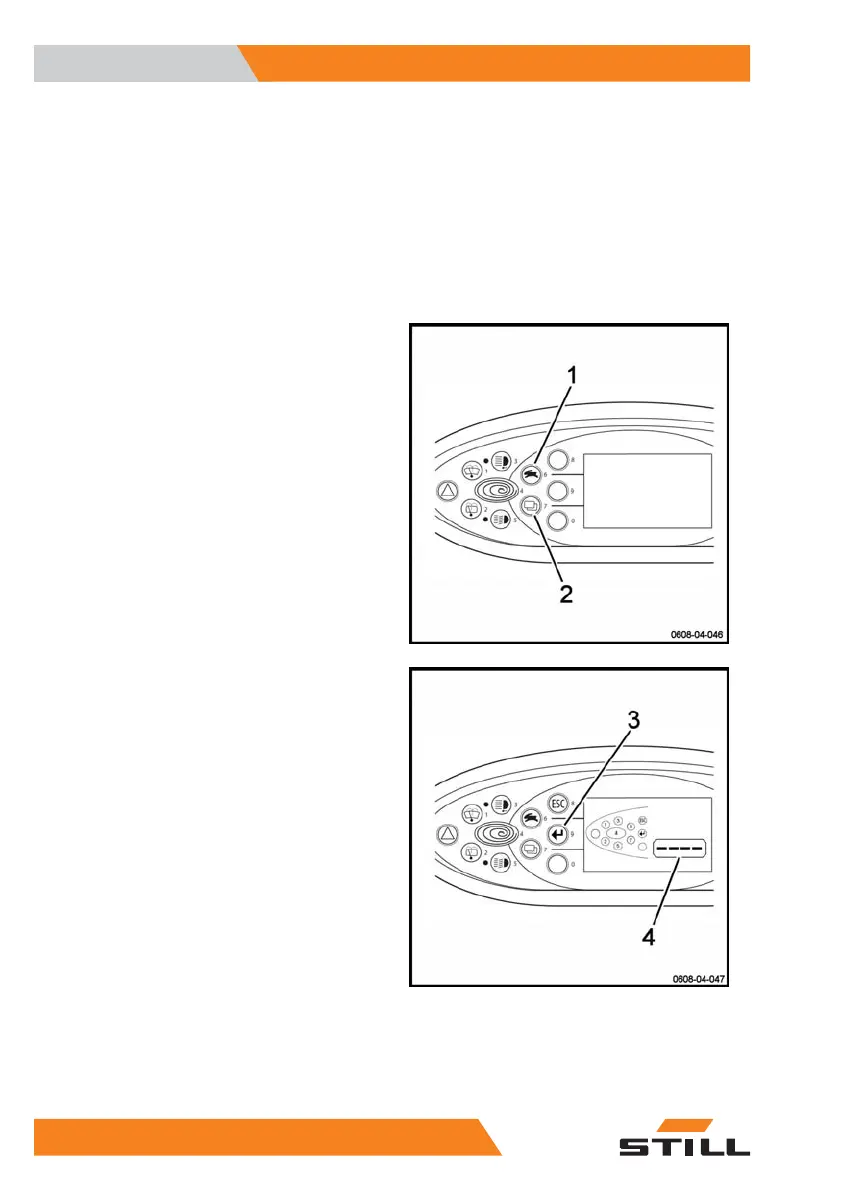
– Push the buttons (1) and (2) at the same
time.
– Do not enter the password (4). Press the
Enter key (3).
– Use the keys (1) and (2) to navigate
through the menu (4).
– Select the menu (4) that you want to edit.
Use
4
Display
44 1191 801 15 51 EN - 02/2021 - 10



 To Next Page