10
StingerElectronics.com
BT PHONE
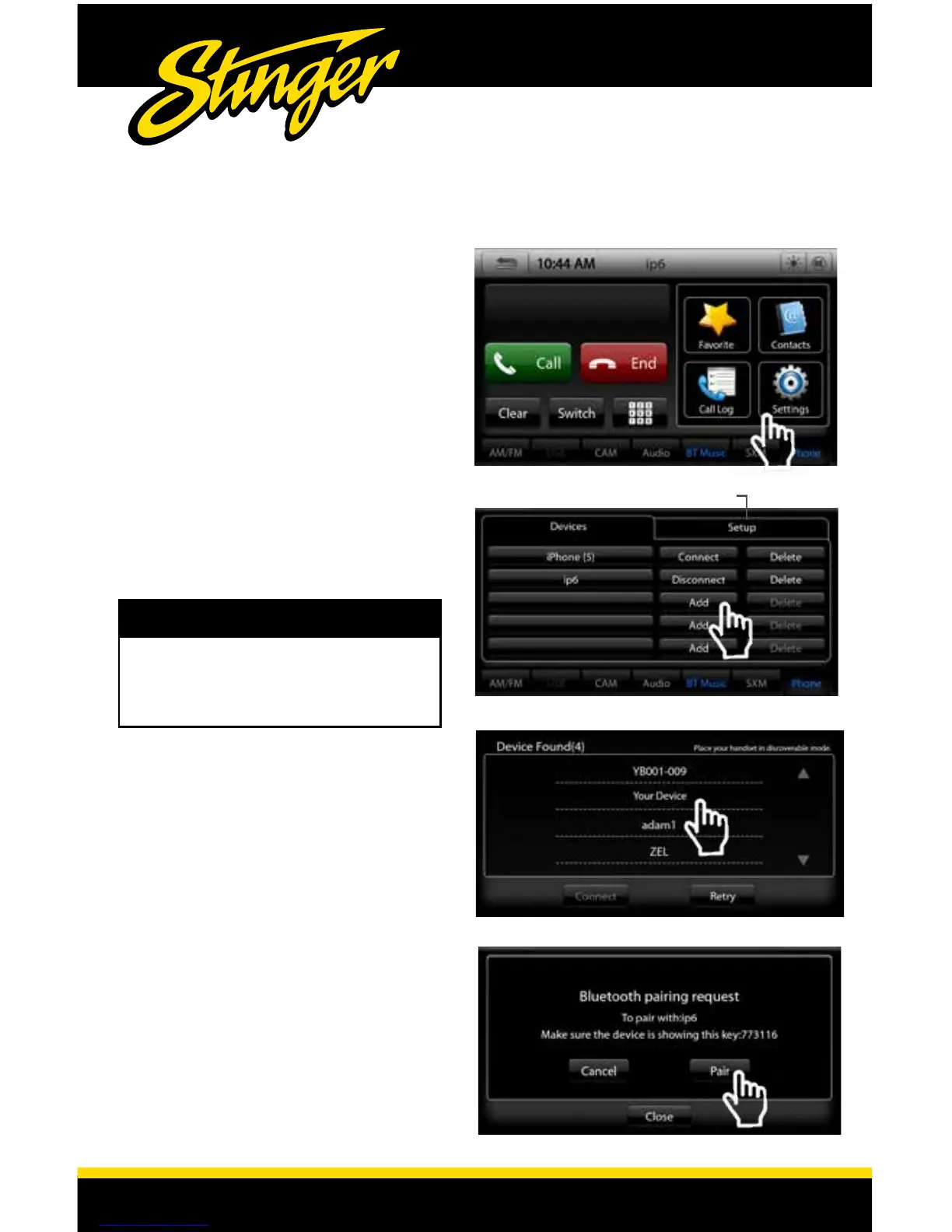
Pairing a Device
1) Select Settings from the Phone
...main menu to go to Device/Setup.
2) Select Add on the Device page.
Place your device in Discoverable
Mode.
3) Select your device from the list.
Select Connect to initiate pairing
4) Select Pair when prompted
Setup Tab
Once your device is paired and
connected, you can select the
Setup Tab in the Settings.
Auto Connect (On/Off): Set to
ON if you want your phone to
automatically connect when the
system is turned on.
Pin Code: Change the pin code for
Bluetooth connection. The default
pin code is "1234"
Microphone Gain (0-6): Adjusts the
volume of your voice when using
using hands free phone.
If your device does not appear
in the device list, conrm it is
discoverable and select Retry
NOTE!
Setup Tab














 To Next Page