11
StingerElectronics.com
BT PHONE
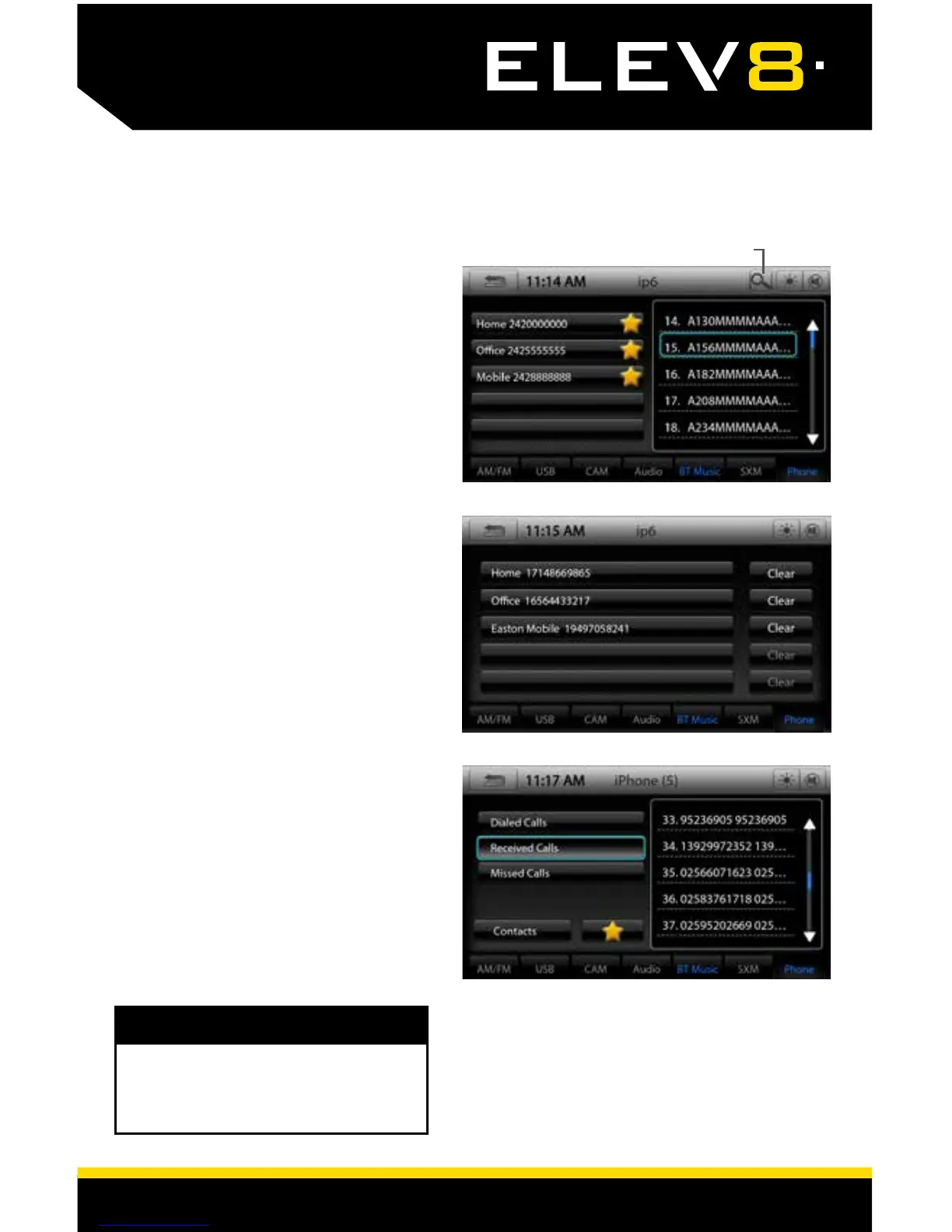
Contacts
While your phone is paired, you
may access your contacts by
selecting Contacts. It may take
several minutes to load all your
contacts.
When you select a contact from
the list, all associated numbers will
be displayed on the left side of
the screen. Touch the number you
want to dial.
To Search your contact list, select
the magnifying glass icon on the
Information Bar.
To Add a contact number to your
Favorite list, just touch the star next
to the contact phone number and
it will be added to your Favorite list.
Call Log
The Call Log lists recently Dialed,
Received and Missed calls. Touch
the contact or phone number to
call back.
The BT MUSIC and PHONE Tabs will
be highlighted Blue if a phone is
paired and connected,
NOTE!
Search Contacts














 To Next Page