15
StingerElectronics.com
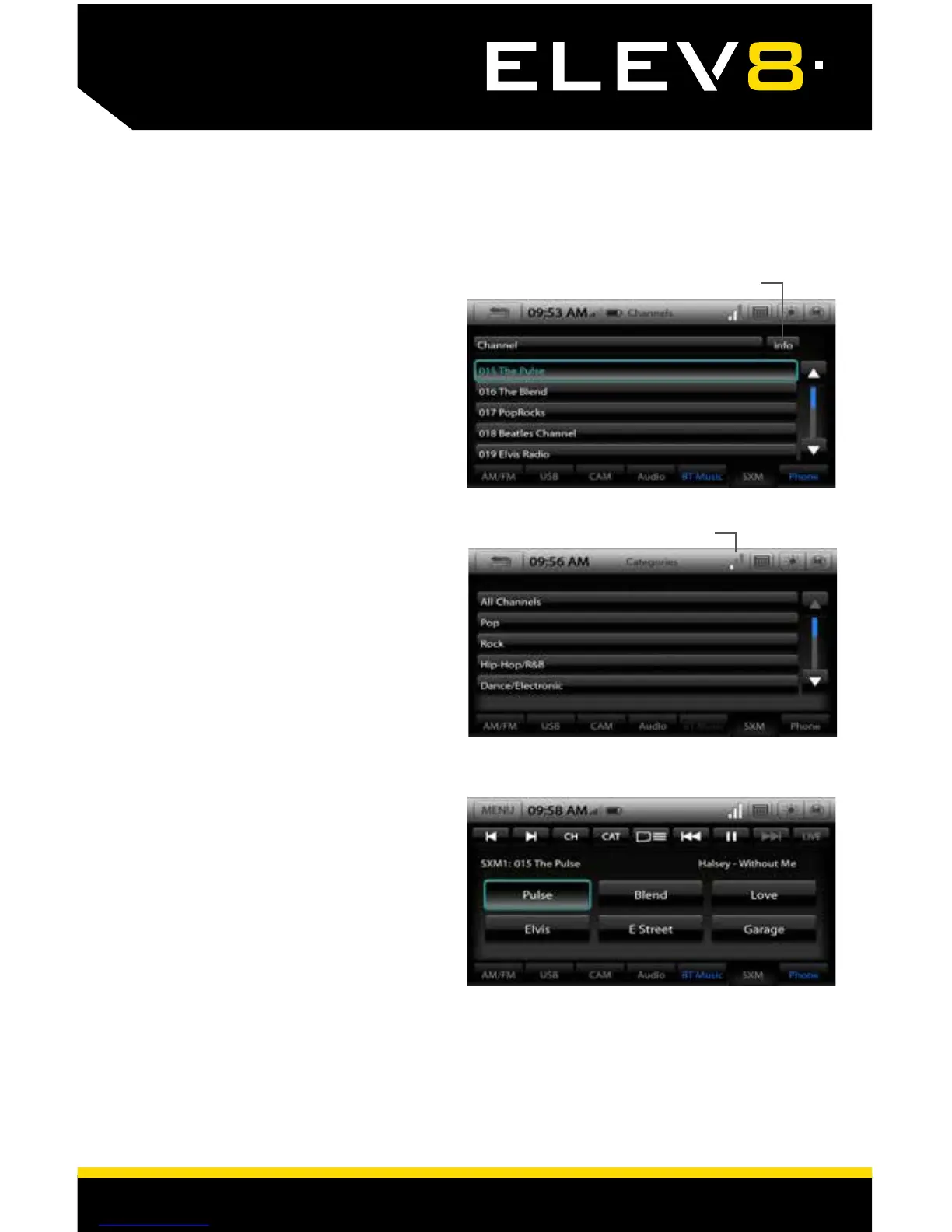
Channels [CH]
Displays a list of availble SiriusXM
channels. Touching Info will provide
additional information on what is
currently playing on each channel
(Artist, Song, Content Info).
Categories [CAT]
Displays a list of channel categories.
When a category is selected, a list
of matching channels will display.
Selecting All Channels will display all
channels in numerical order.
Signal Strength
Info Button
SiriusXM
Satelite Radio
Preset Channels
A total of 18 SiriusXM channels can
be stored in memory. To cycle
through the preset banks, press the
SXM Tab repeatedly.
To assign a preset, go to desired
channel, touch and hold a preset
location until preset button highlights
and channel name appears.
To reset the presets back to original
settings: Go to MENU > Settings > Load
Defaults * The reset process takes
3-4 minutes and will reset ALL saved
settings to Factory Default














 To Next Page