3
Installation
ID 441896.05
WE KEEP THINGS MOVING
Operation manual
14
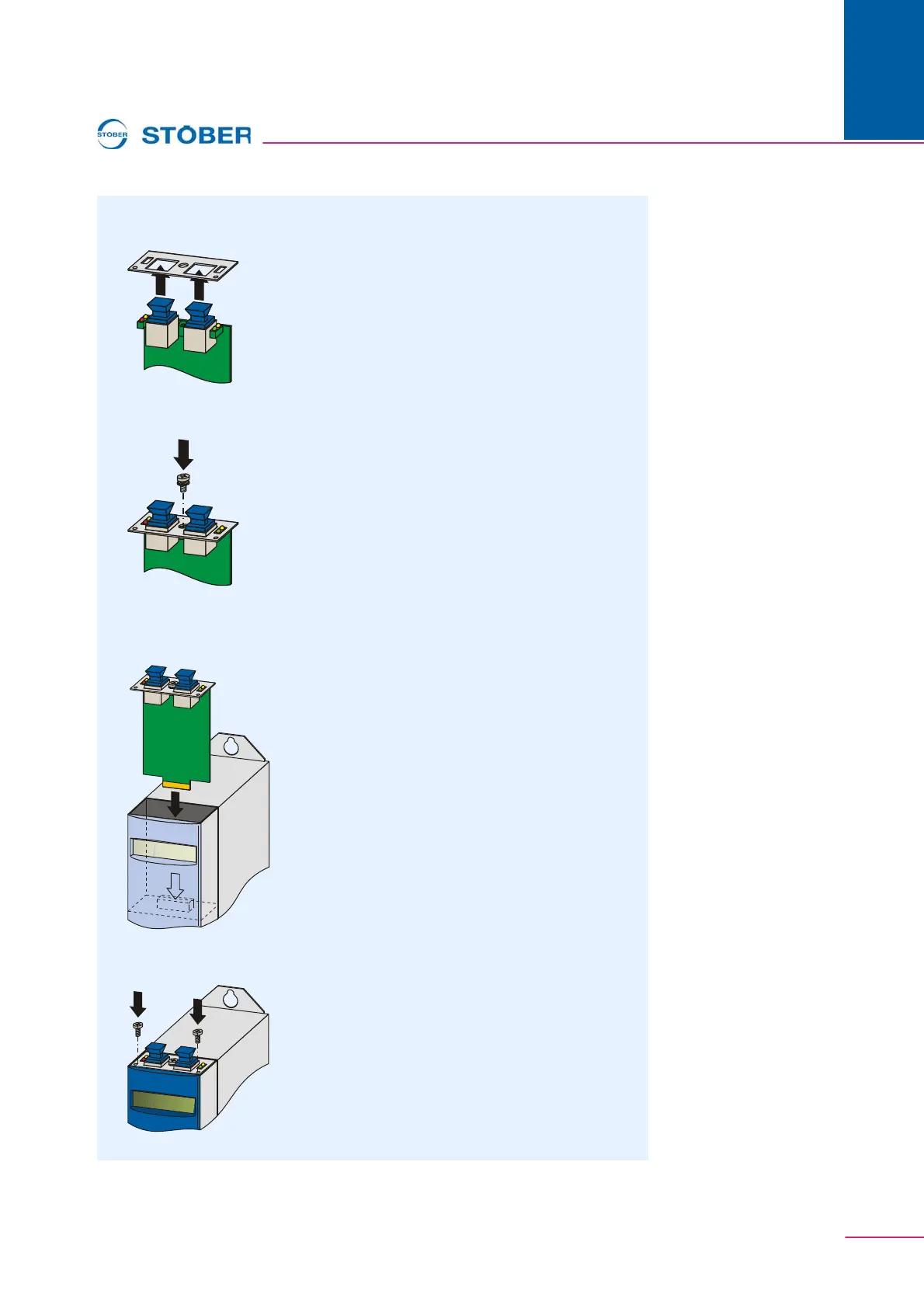
2. From below, stick the RJ45 plug connector of the PCB through the plate
which is included with the ECS 5000 accessories:
3. Secure the plate to the PCB with the included screw with locking disk:
4. From below, stick the RJ45 plug connector of the PCB through the plate
which is included in the ECS 5000 accessories:
5. Secure the plate to the inverter with the mounting screws:
You have installed the accessory.



 To Next Page