Commissioning with TwinCAT®
Operation manual
ID 441896.05
WE KEEP THINGS MOVING
73
11
11.5 Monitoring the process data connection to TwinCAT®
The Watchdog function must be activated in the master to monitor the process
data connection. This function is set up on the TwinCAT
®
System Manager as
shown below:
Activate the watchdog on TwinCAT system manager
1. In the project tree click the Box x (POSIDRIVE(R) xDS 5000).
2. On the right-hand side of the dialog screen, click the tab "EtherCAT."
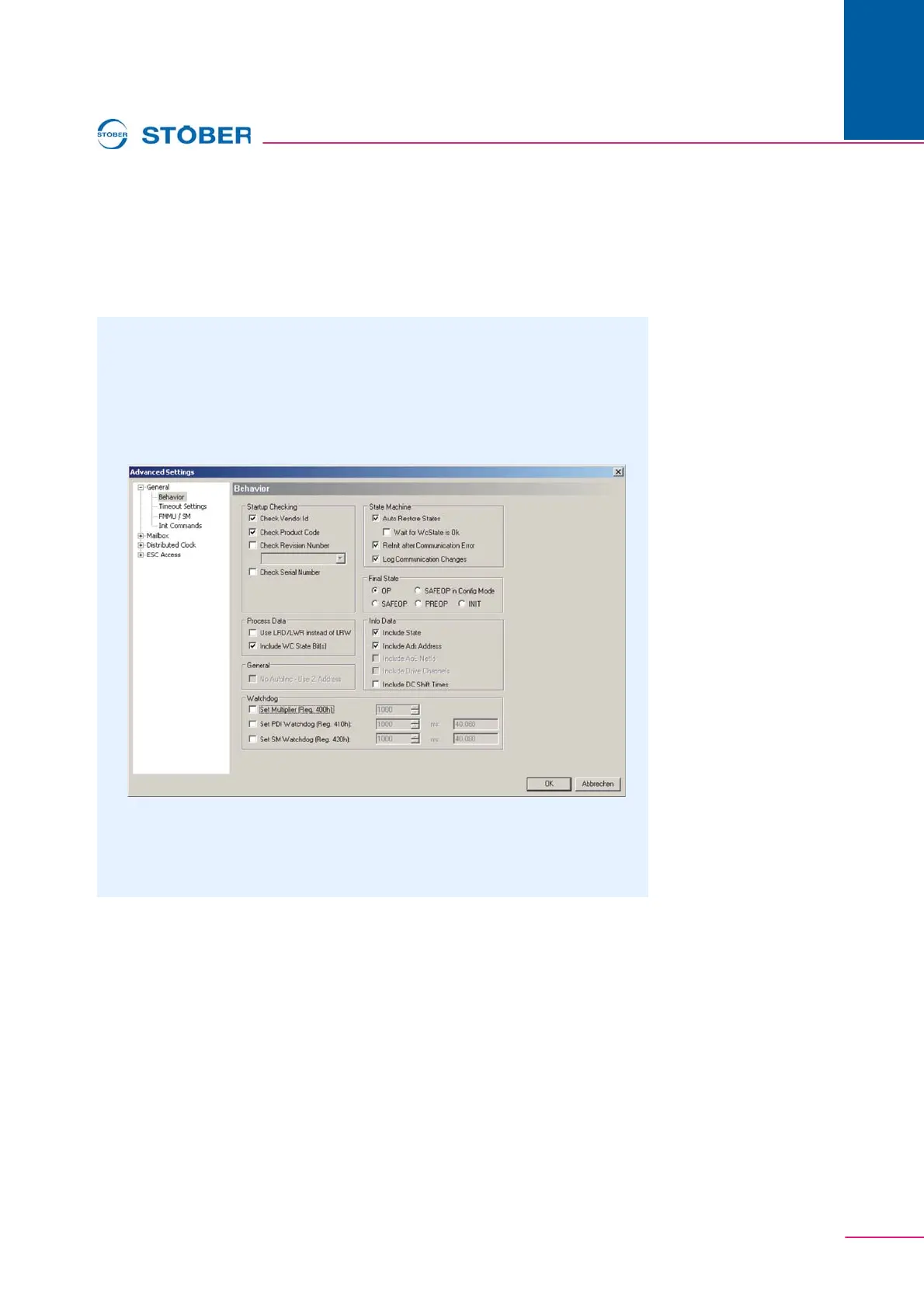
3. Click the button Advanced Settings > General > Behavior….
The dialog screen shown in appears.
Fig. 11-6 Dialog screen Advanced Settings
4. Activate the SM watchdog function by clicking the checkbox Set Multiplier
and Set SM Watchdog (Fig. 11-7).
Edit the input fields Set Multiplier and Set SM Watchdog.



 To Next Page