11
Commissioning with TwinCAT®
ID 441896.05
WE KEEP THINGS MOVING
Operation manual
76
4. Choose the operation mode.
- XML file prepared with POSITool from V 5.4A: The operation mode is saved
in the XML file.
- XML file prepared with POSITool up to V 5.4: The operation mode must be
configured manually.
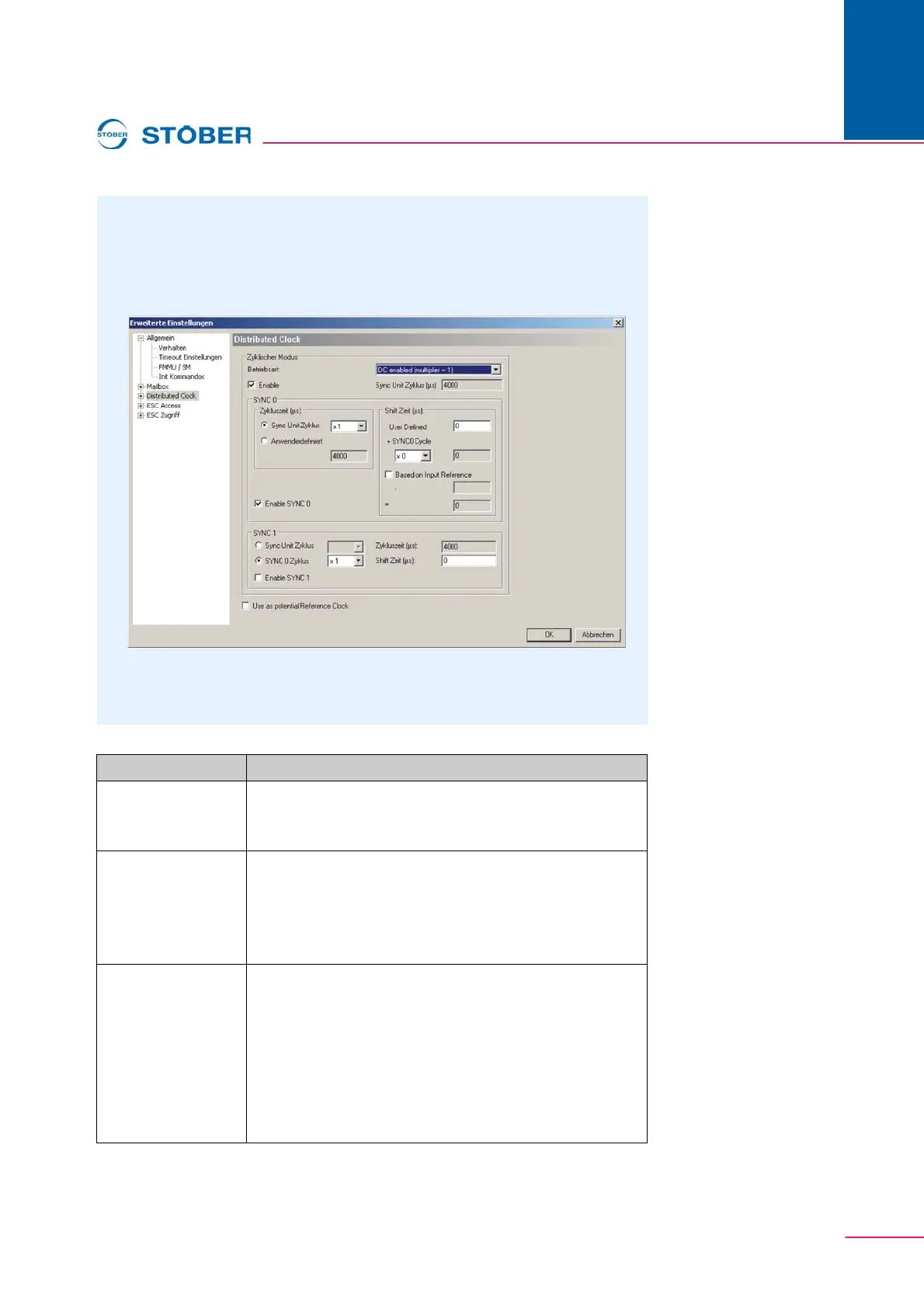
Fig. 11-9 Selection of the operation modes
After the selection of the operation mode, the slave is configured for the
synchronization.
Element Description
1:Enable Activates the synchronization via Distributed Clock.
The remaining elements (2 - 6) are activated when this
checkbox is selected.
2:Sync Unit Zyklus This value is the cycle time for the PLC task. During this
cycle the EtherCAT messages for the process data traffic
are sent. If this value is to be changed, the task cycle time
must be changed. This time will then be automatically
adjusted here as well.
3:Cycle Time Cycle time for the SYNC 0 signal.
Normally the cycle time for the SYNC 0 signal is also the
same as the Sync Unit Cycle. In special cases, it is
however appropriate not to generate a synchronization
signal for every process data message.
If, e.g. the SYNC 0 cycle time has a value to which the
slave cannot synchronize, the SYNC 0 cycle time must be
adjusted.



 To Next Page