Stonex S9III Plus GNSS Receiver – User Manual 40
5.2.3.2. UHF Radio
Choose this option when you are taking differential corrections from your GPS
Base.
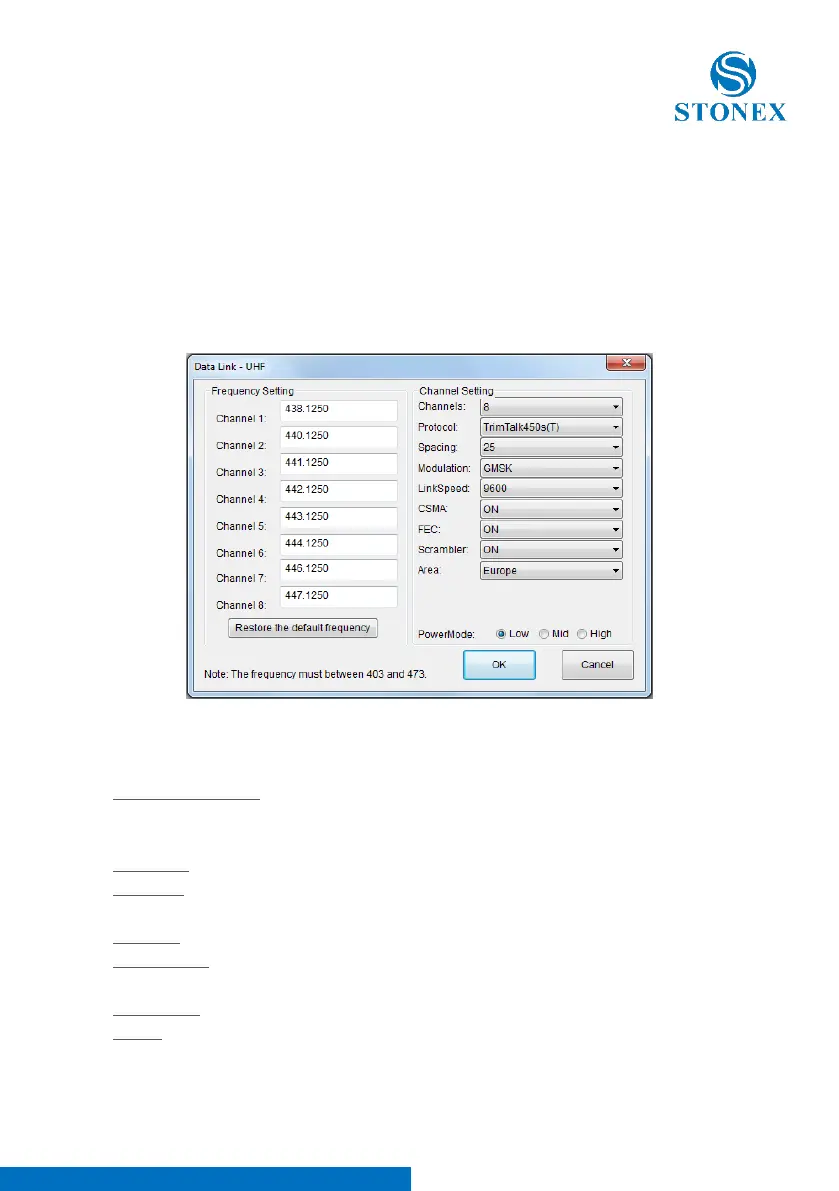
If you select UHF from the scroll box and click the “Setting” Button a new form
will open as you can see in Fig 5.17, where you can introduce following data:
Frequency settings, Used channel number, Protocol and Spacing, Transmitting
power.
Fig. 5.17 - UHF Radio Settings
Frequency setting: insert the frequency, expressed in MHz, of the radio link
associated to each channel. There are 8 channels available in the internal UHF
radio. The allowed frequencies are in the range 410-470 MHz.
Channels: Selected the default radio channel active after power on.
Protocol: Selected the use protocol that should be suited on which radio is at
the other side.
Spacing: 12.5 or 25 kHz.
Modulation: Must be consistent with the protocol set. Selectable mode phase
(GMSK) and frequency (4FSK).
Link Speed: must be congruent with the protocol and the selected band.
CSMA: to prevent transmission if the selected channel is already occupied.



 To Next Page