EasyManua.ls Logo

Storage Options CCTV SECURITY SYSTEM - 6.6 - Setting Local Folders

Storage Options CCTV SECURITY SYSTEM
36 pages
Print Icon
To Next Page IconTo Next Page
To Previous Page IconTo Previous Page
Loading...
Page 30
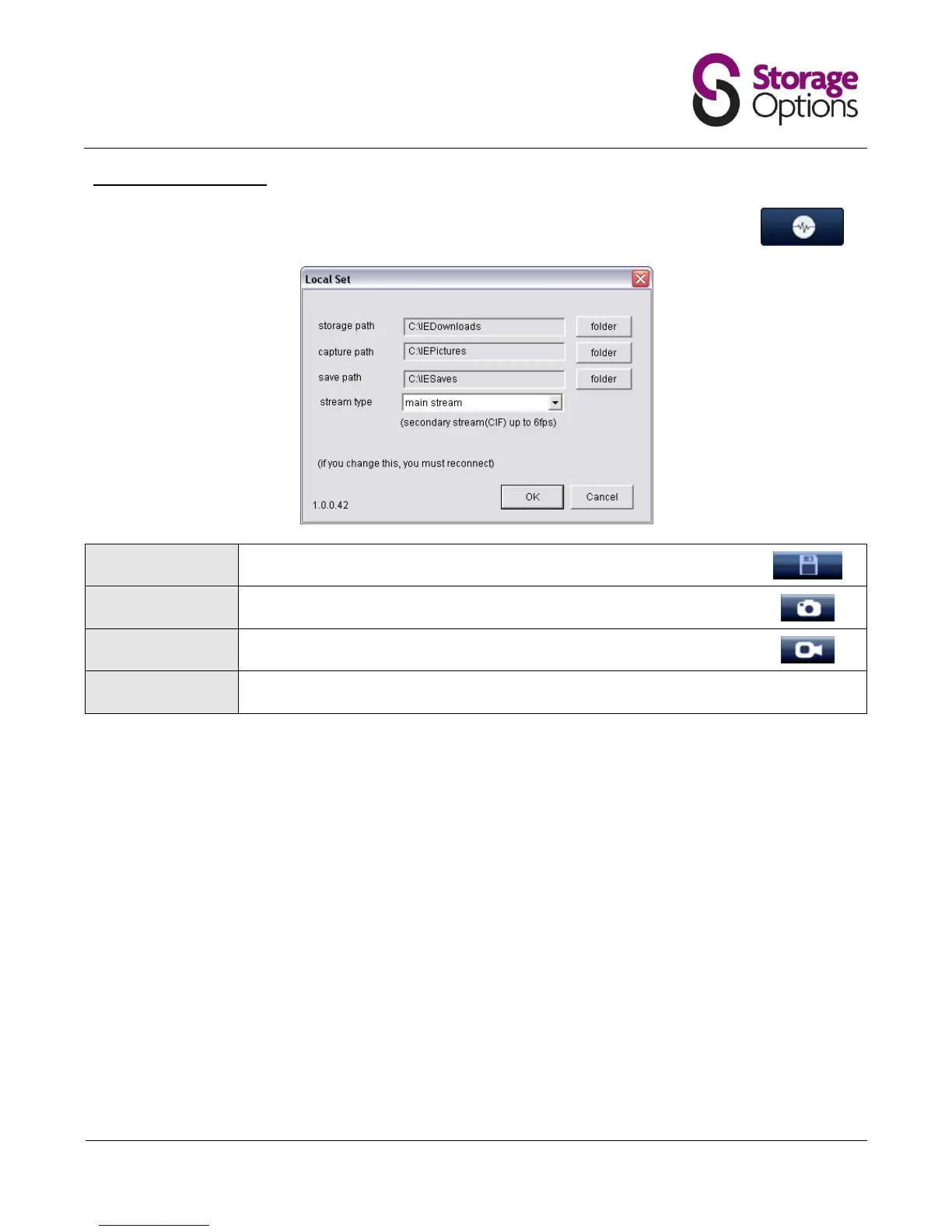
6.6 Setting Local Folders
The “Local Set” window allows you to set the default folders for video and frame captures to be
saved to. Click the “Local Set” button (pictured right) to open the settings menu.
Storage Path:
Set the folder to save video transfers (from DVR to computer).
See section 6.3 Playback of Recordings on the DVR for this function.
Capture Path:
Set the folder to save to when the “Screen Capture” button is pressed.
Save Path:
Set the folder to save to when the “Video Capture” button is pressed.
Stream Type:
Choose the stream type (main / secondary) to be viewed from the DVR.

Related product manuals