Site Preparation Guide Preparing for Installation
Page 12
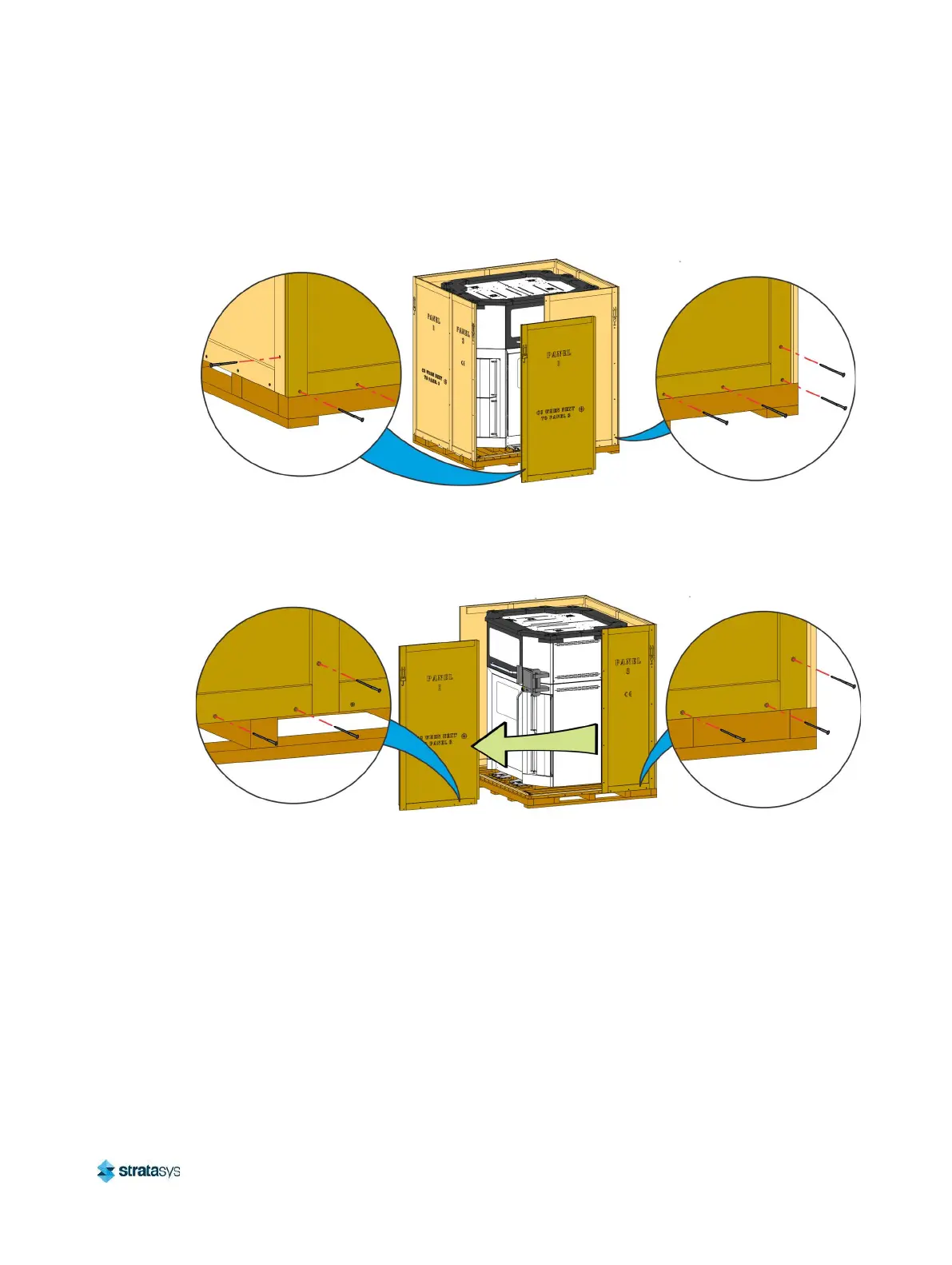
c. Remove the screws (15) securing panel #1 to the front of the crate. Carefully lift and
remove the panel.
d. Remove the screws (10) securing panel #2 to the front of the crate. Remove the panel.
Figure 8: Removing the front crate panels (printer bag not shown)
e. Moving counter-clockwise around the crate, remove the screws (10) securing panel #1
to the side of the crate. Slide the panel away and remove it from the crate.
f. Remove the screws (8) securing panel #3 to the side of the crate. Remove the panel.
Figure 9: Removing the side crate panels (printer bag not shown)













 To Next Page