6 STRATASYS / THE 3D PRINTING SOLUTIONS COMPANY6 STRATASYS / THE 3D PRINTING SOLUTIONS COMPANY
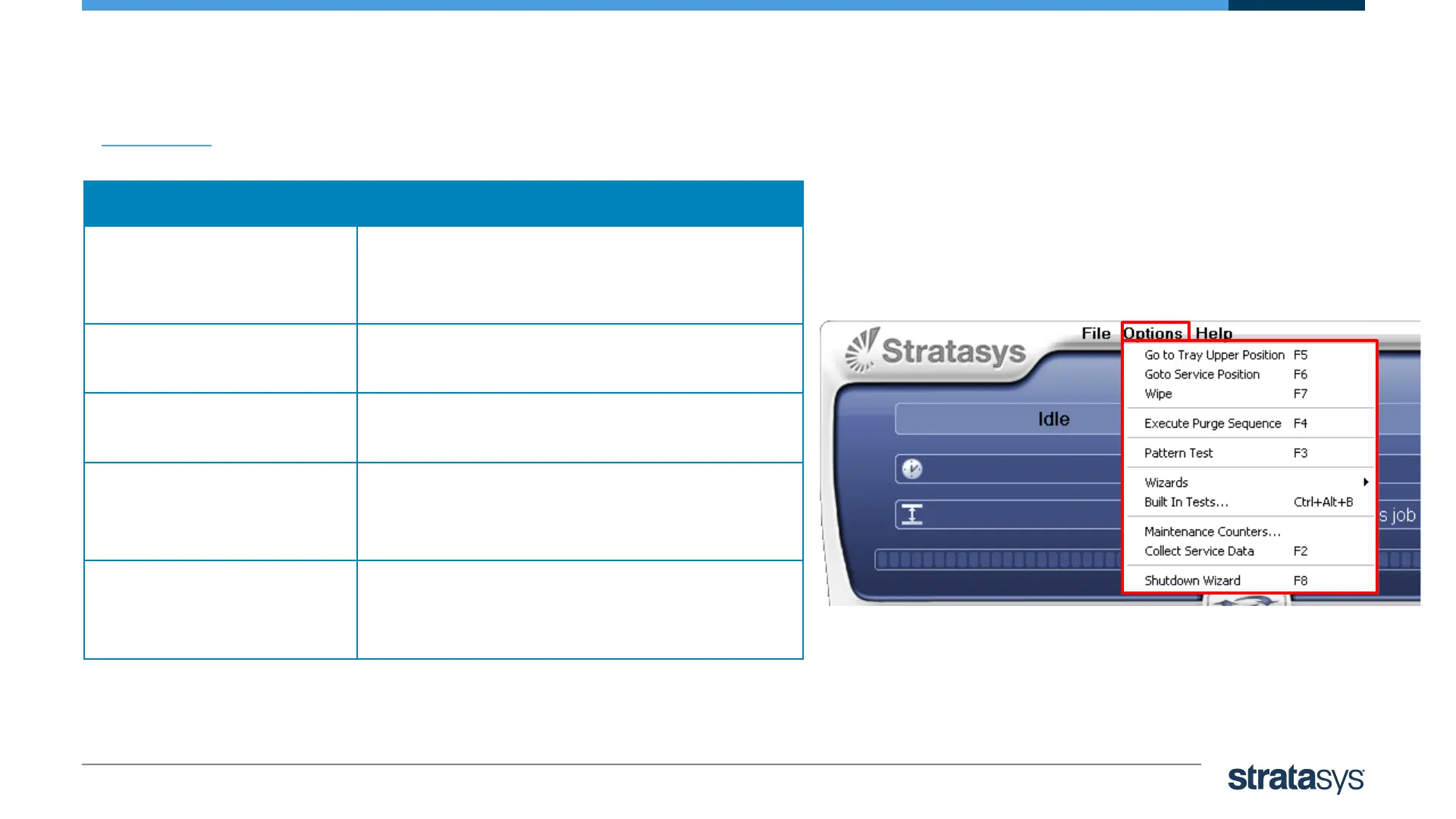
Options Menu
Description
Go to Tray Upper
Position
Send the print block and all axes to their
home position
and the Z axes to its upper position
Go to Service Position Positions the print block over the purge
area.
Wipe Sends the print block to wipe position and
wipes the heads of excess material.
Execute Purge Sequence The print heads are purged of model and
support material,
and wiped twice.
Pattern test The Pattern test displays the condition of
the nozzles in the print heads and enables
to identify missing ones













 To Next Page