Objet500 User Guide 6 Operating and Maintaining the Objet500 3DPrinter
DOC-07027 Rev.E 6-41
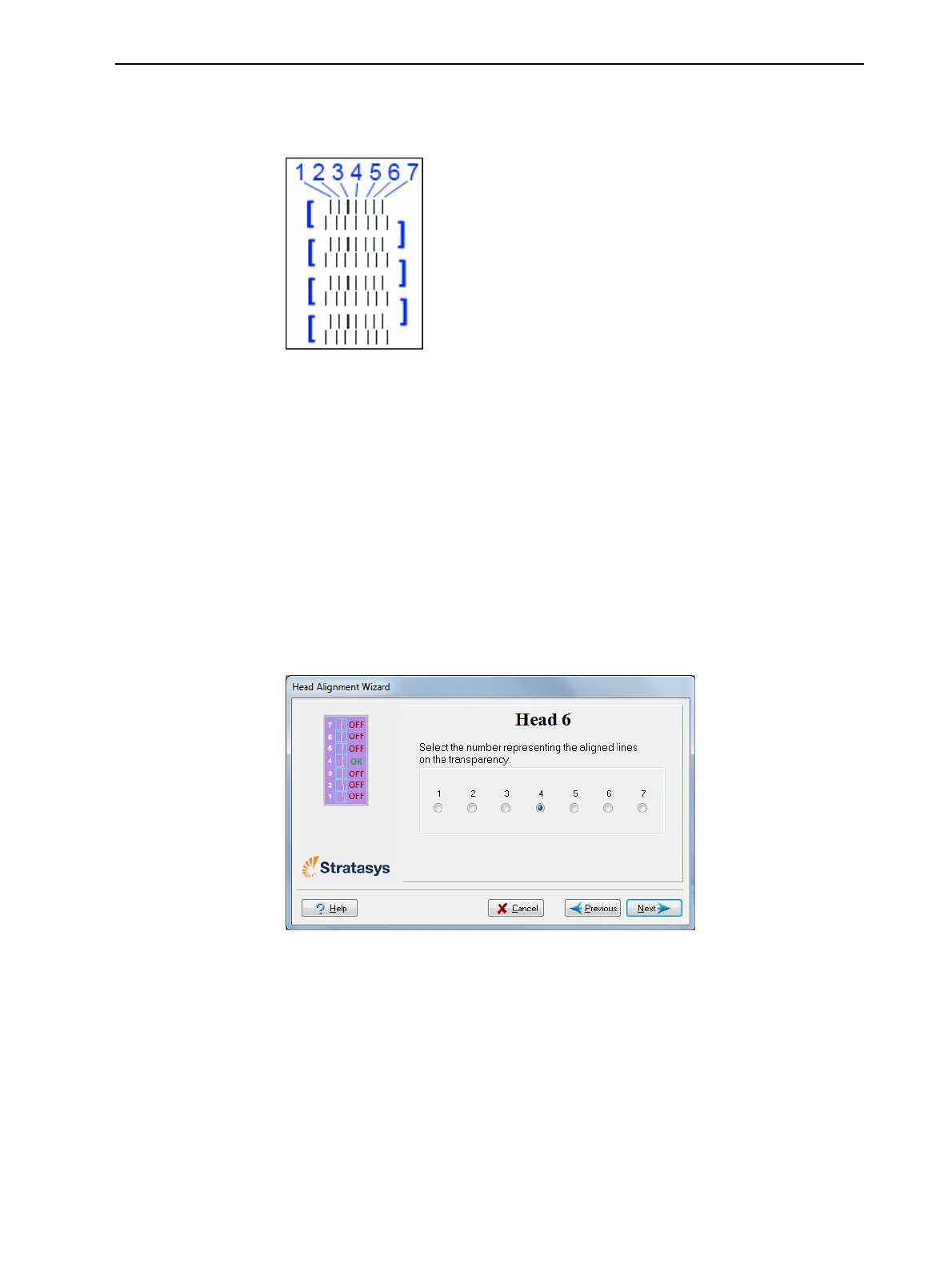
9. Foreachcolumnoflines,useamagnifyingglassorloupetoinspectpairs
ofconsecutiverowsprintedonthetransparencytoseewherethevertical
linesalign.
Figure6-50Comparingrowsofalignmentlines
Note: Itdoesnotmatterwhichpairoflinesyouinspect,sincetheywereall
printedbythesamehead.Chooseapairofclearlyprintedlinesforthe
inspection.(Sincesomenozzlesmaynotprintclearly,youmayhaveto
inspectseveralpairsoflinestoproperlyviewthealignment.)
Optimumheadalignmentisshownwhenthefourthlinesintheupperand
lowerrowsarealigned,asinFigure6-50.Intheexampleshown,no
changetotheheadalignmentisnecessary.Ifotherlinesinthesetare
aligned,youneedtochangethealignmentofthathead—inthenext
wizardscreens.
10.InthewizardscreenshowninFigure6-48,selecttheTransparency
removedcheckbox,andclickNext.
Thefirstinaseriesofalignmentscreensappears.
Figure6-51Headalignmentscreen
11.Inthehead-alignmentscreen,selectthenumberthatindicateswhich
linesalignintheupperandlowerrowsofapaironthetransparency
(countingfromtheleft)forthisprinthead.
Note: Becausethealignmentofthefourthlinesisoptimum,thenumber“4”
isselected,bydefault,inthewizardscreen.Thisdoesnotchangethehead
alignment.Ifyouselectothernumbers,thewizardadjuststhehead
alignment,accordingly.



 To Next Page