Installing PDUs (Optional)
Installing the System in a Cabinet 9-7
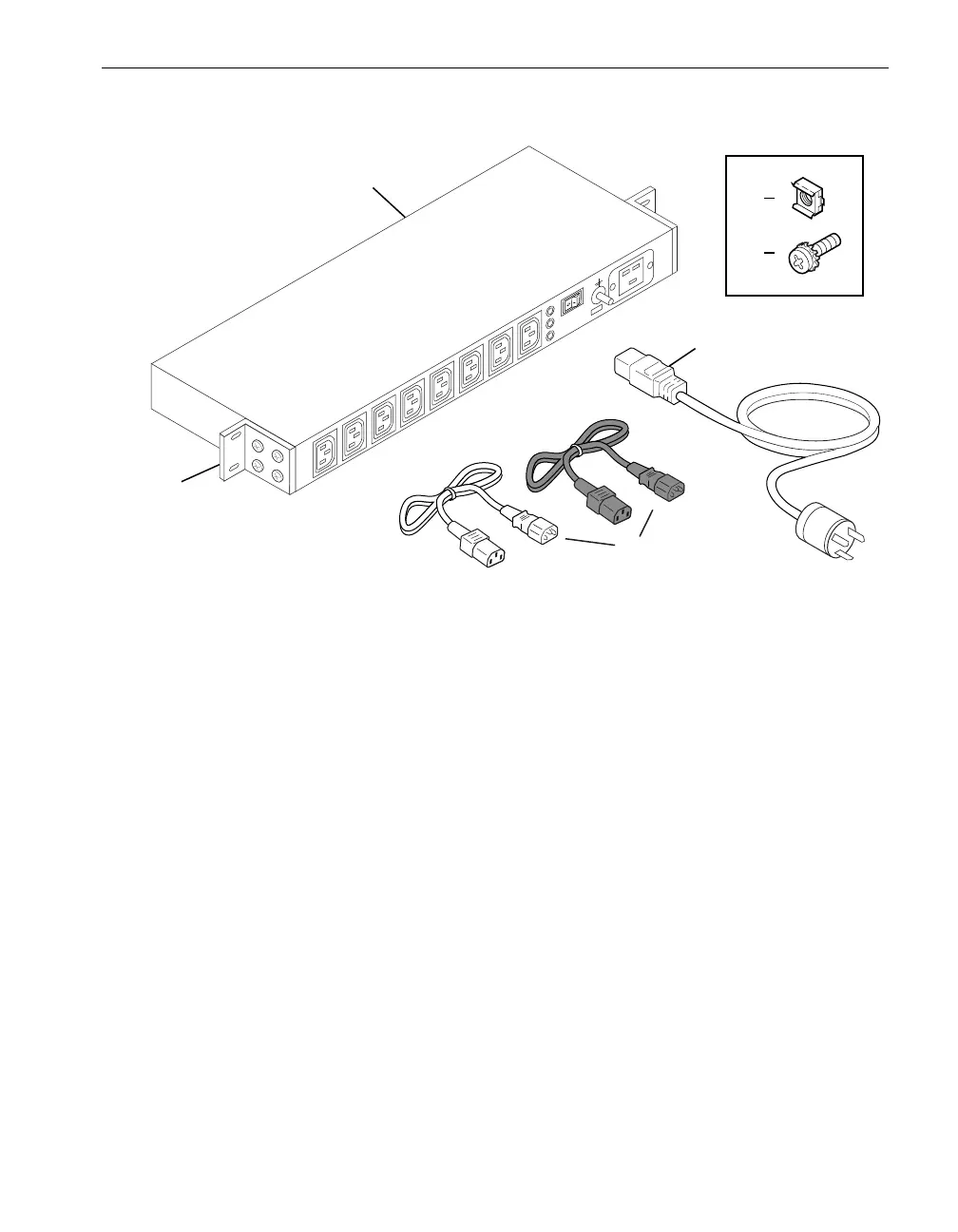
Figure 9-4. PDU Components
Installing PDUs in a Cabinet
For each pair of PDUs, the top PDU provides A-side power and the bottom PDU
provides B-side power. For more information, see “Redundant Power Sources” on
page 2-1.
Removable fasteners attach two reversible mounting brackets to the body of the PDU.
1 PDU
2 10-32 cage nuts (4)
3 10-32 pan-head screws with captive external tooth washers (4)
4Power cord
5Power (jumper) cables (one black and one gray) from the system’s accessories box
6 Mounting brackets
†
† To ensure a proper ground connection from the PDU to the cabinet, the mounting
brackets must remain on the non-painted surface of the PDU.



 To Next Page