Installing a System Chassis
Installing the System in a Cabinet 9-19
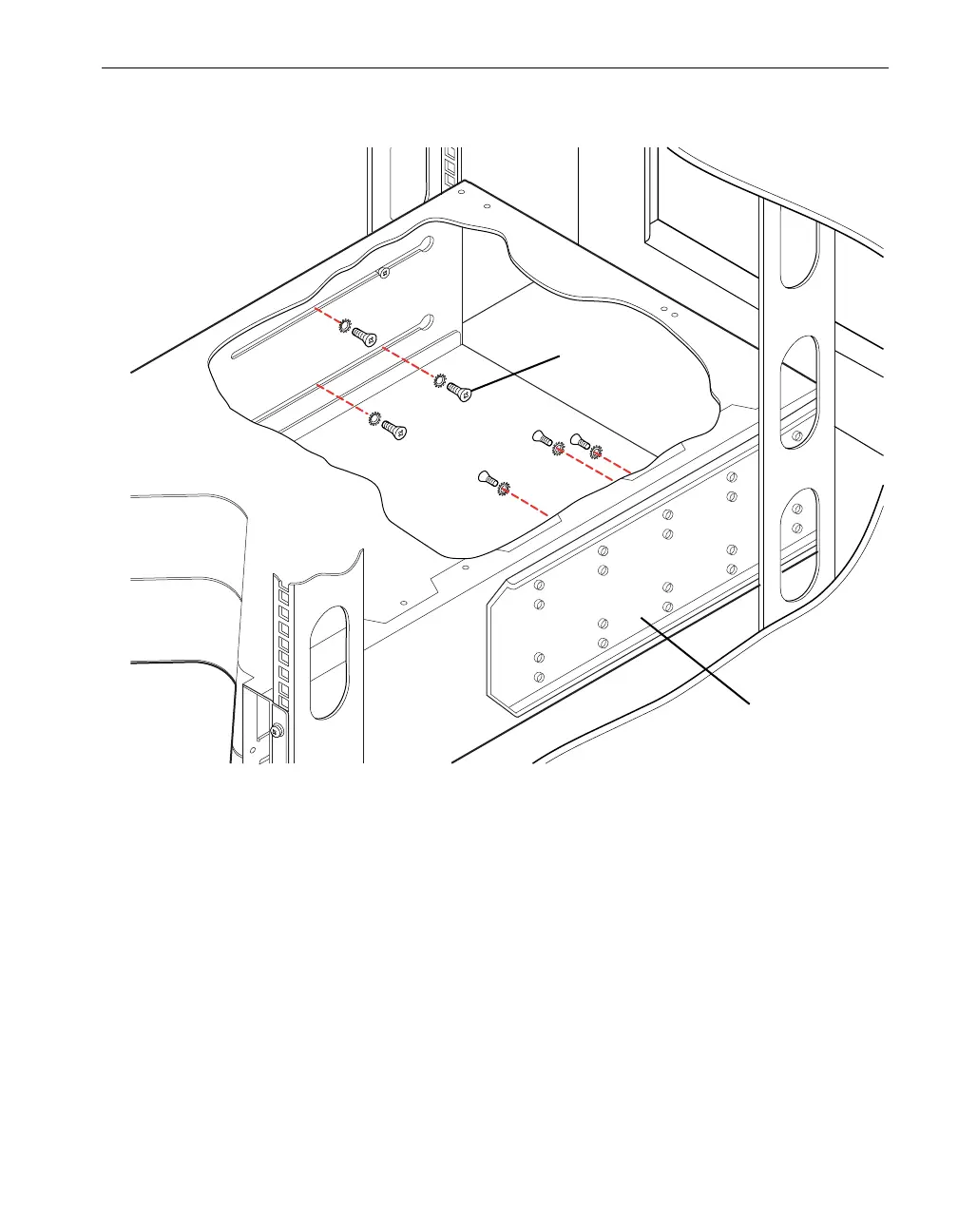
Figure 9-16. Securing the Shelf Unit to the Mounting Brackets
10. Reinstall the system backplane assembly as follows:
a. Position the system backplane assembly as shown in Figure 9-12. Note the
position of the guide pins (number 2).
b. Insert the system backplane assembly into the shelf unit, then slide the
backplane to the left and beneath the retaining tab (number 4).
c. The thumbscrews (number 3) on the assembly should line up with the screw
holes on the rear of the shelf unit.
d. Tighten the two thumbscrews on the system backplane assembly to fasten it
to the shelf unit.
1 Mounting brackets (2)
2 10-32 x 1/2 in. flat-head screws with countersunk lock washers (6)



 To Next Page