3.4 Connecting a USB storage device
Fig. 7
NOTE Timeshift/recording and playback only works properly when a fast USB storage device
such as a USB2.0 HDD is connected to the receiver. Timeshift/recording and playback of HD
content requires a sucient read/write speed of the used USB storage device. Pen drives may
prove to have too slow (buering) speeds to correctly record and playback HD programs.*
Plug the device into the front panel USB A connector. A connect icon will show shortly after
the device is read and ready to go.
*This user manual describes the full functionality including the recording and timeshift function and all may not be applicable if the software
for recording/timeshift via USB has not yet been installed.
4.0 FIRST TIME INSTALLATION
Fig. 8
After all connections have been made properly, switch on your TV and make sure the receiver is connected to the main
power. If you are using the receiver for the rst time or restored to factory default, the Installation guide will appear on
your TV screen. Usetuto select the OSD Language of your preference. Set the other options as are appropriate for your
situation. Country will follow OSD Language but can be changed in the main menu. FTA Only FTA means only Free-to-Air
channels will be stored after a search has been done. All would store all channels. This receiver can only decode FTA
channels. Selecting Channel Search and press OK will start o the search for programs. After the automatic search is
nished the receiver will show the rst channel in the list.
NOTE Installers or advanced users may press MENU while in the {Installation guide} and perform
(search) options from the main menu immediately.
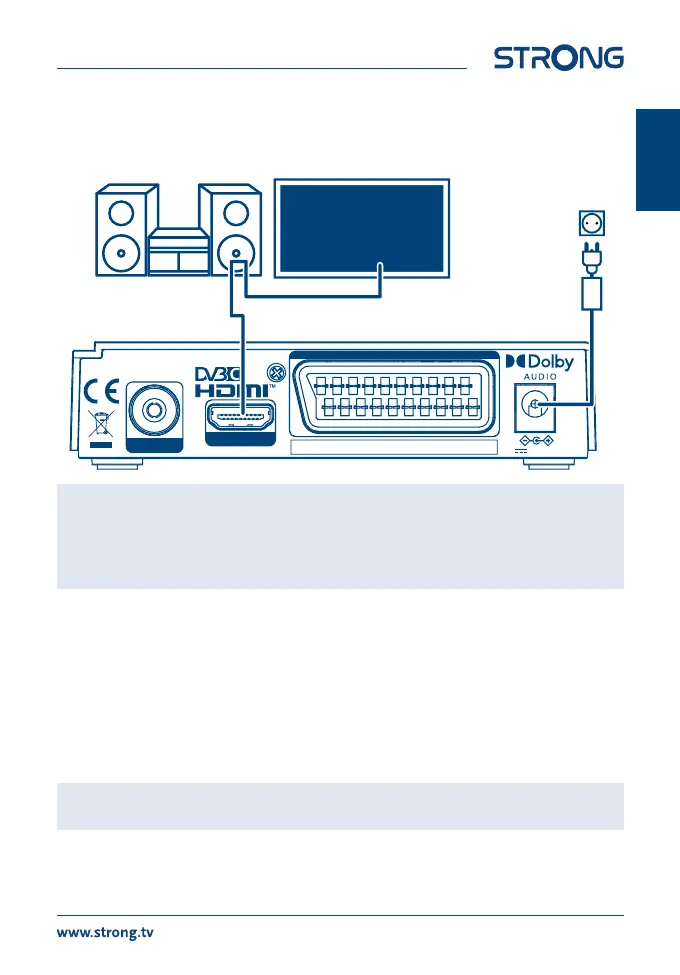
Digital HD cable receiver SRT 3030
Supplied by STRONG Austria
CABLE IN
TV SCART
12 V , 1A, max 12W
HDMI
MANUFACTURED UNDER LICENSE FROM DOLBY LABORATORIES.
DOLBY, DOLBY AUDIO AND THE DOUBLE-D SYMBOL ARE TRADEMARKS OF DOLBY LABORATORIES.
2 HDMI
Cables
Digital Audio
Amplier
Television
11
English



 To Next Page