General Use Procedure 25
Default Display Viewing Preferences
The SmartPump is preset to display each cuff default time and pressure
setting continuously while in the ‘ready’ mode. When a single cuff is inflated,
the other cuff’s default settings remain displayed.
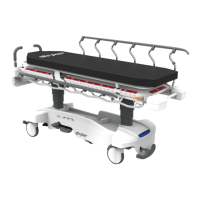
In a clinical environment, where single cuff procedures are predominant, the
user may choose to ‘minimize’ the display of the unused cuff’s default
settings, as illustrated in figure B.
To minimize the Default Display, perform the following:
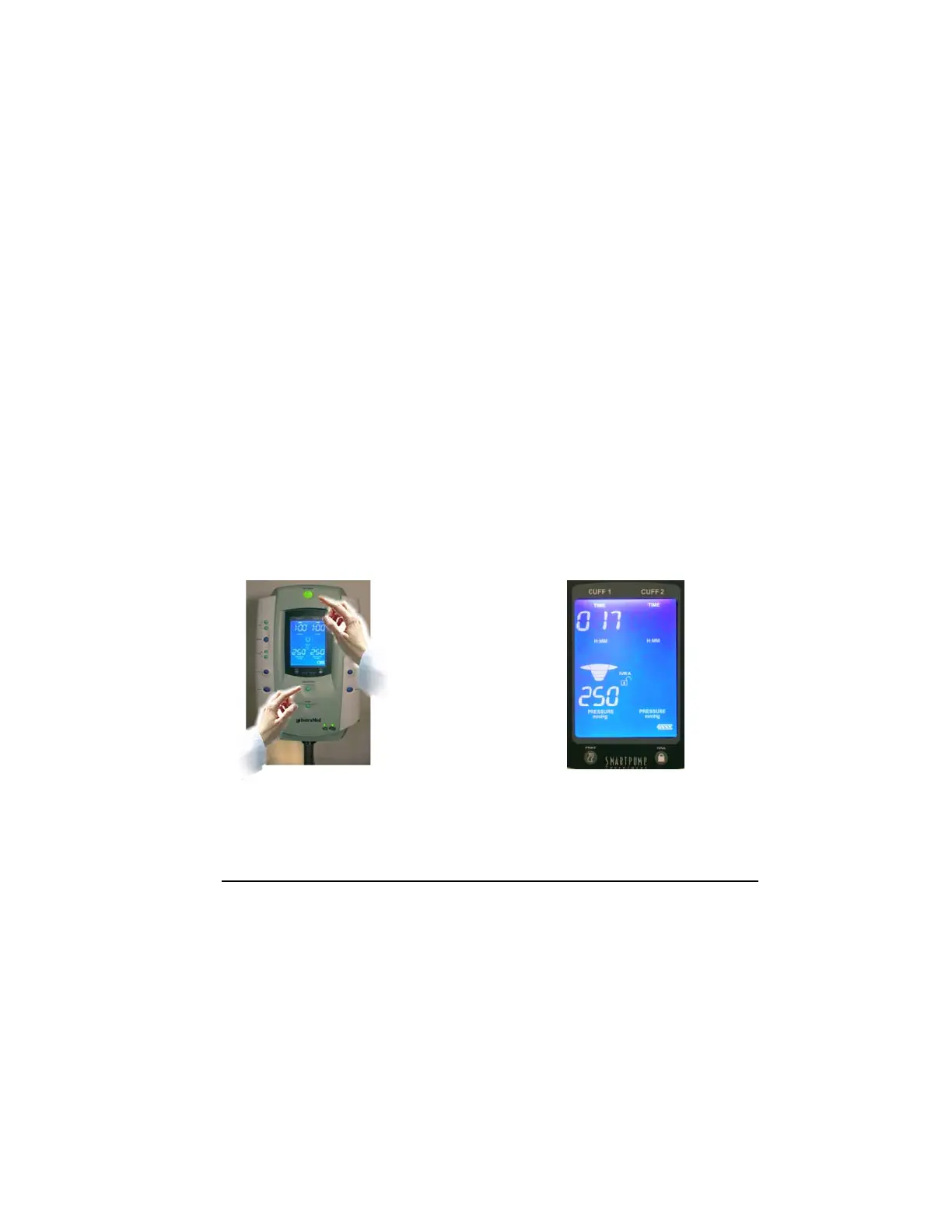
(1) With the SmartPump in the ‘ready’ mode (no cuffs inflated), press
and hold the Alarm Indicator Mute button, then press the Default
Display button. See figure A.
(2) The display will cycle twice, blinking one side, then the other. This
confirms the selection of minimization. In this mode, when either
cuff is inflated, the unused cuff’s default settings will be minimized.
See figure B.
(3) When in the ‘Default Display Minimization Mode’, minimized default
settings may be viewed by:
a. Pressing the Default Display button, or
b. Locking the IVRA Lock, or
c. Pressing the Inflate button on the minimized side.
To restore the continuous display of the default settings, repeat step 1
above. The entire display will blink indicating the change in mode.
Figure B
Figure A



 To Next Page