Control Panel and Display 8
1 Introduction
System Overview
The SmartPump is a dual channel
tourniquet pump. It is designed for use
by qualified medical personnel to
temporarily impede blood flow in a
patient’s extremity in order to create a
blood-free surgical zone.
Its dual channel design supports single
cuff, bilateral and Bier Block
procedures, and allows for simultaneous
surgery of both an upper and lower limb.
Each cuff’s unique pressure and time
settings are displayed, controlled, and
monitored independently. The
SmartPump uses single port cuffs.
The built-in serial interface port supports
its optional Stryker Tourniquet Report
Printer and enables Clinical Information
System (CIS) connectivity.
The two channels are identified on
the SmartPump’s display as ‘Cuff 1’
and ’Cuff 2.’ The cuff connection
ports are identified similarly.
Cuff 1 may be referred to as the
‘Main Cuff’ and Cuff 2 as the
‘Second Cuff.’
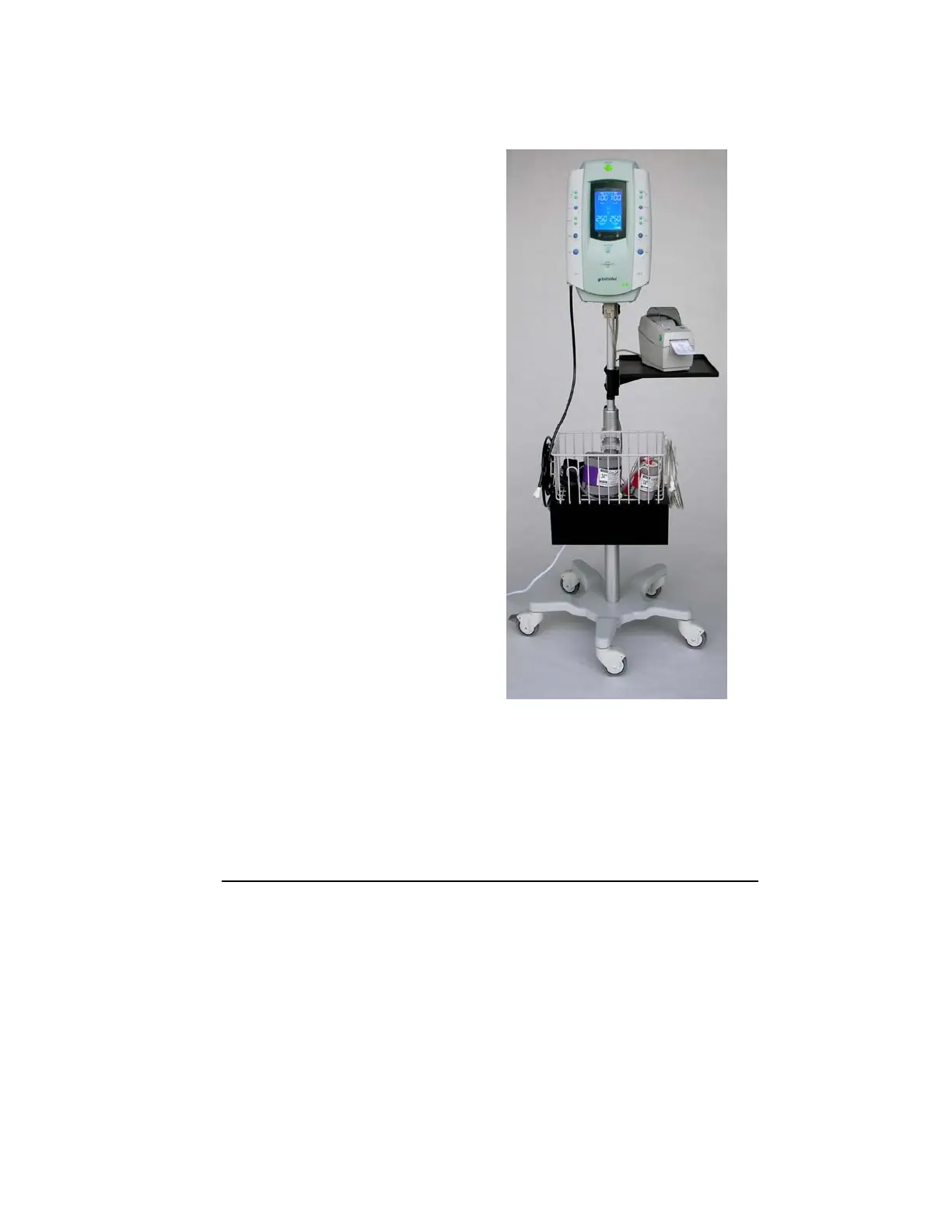
The SmartPump is shown with the recommended Stryker roll stand and cuff basket. The optional
printer, printer tray and power cord organizer mounted below the basket are also shown.



 To Next Page