General Use Procedure 34
Tourniquet Report Printer
When connected to the optional SmartPump Tourniquet Report Printer, the
SmartPump has the ability to print a tourniquet report, providing a summary
of tourniquet activity.
This 2-inch by 3-inch report is printed on a self-adhesive label that easily
attaches to the patient chart.
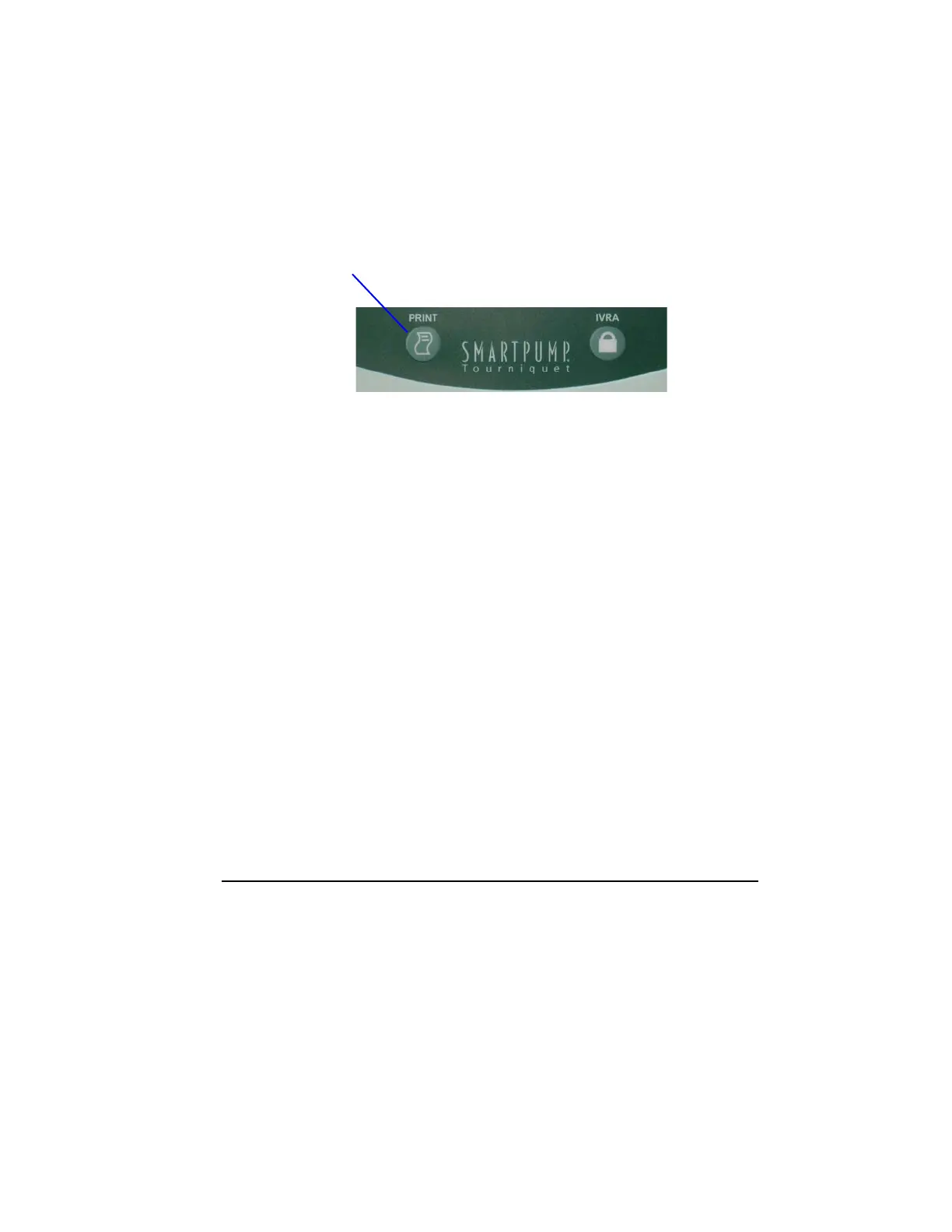
To print the report, press the Print button located below the LCD display
on the unit’s left side.
Procedure summary data is saved to a non-volatile memory that will preserve
the data even if the SmartPump is turned off, AC power is removed or the
internal battery is fully discharged.
Each time the SmartPump starts a new procedure, the previous procedure is
fully erased and new data is accumulated.
Procedure summary data is preserved until either of the following events
happen, which will cause the last procedure’s summary data to be erased:
Default Display button is pressed and the Inflate button is pressed
-- or --
SmartPump is powered down, then restarted and the Inflate button is pressed.
See instructions for use supplied with the SmartPump Tourniquet Report Printer.



 To Next Page