Black plate (229,1)
北米Model "A1100BE-A" EDITED: 2010/ 3/ 23
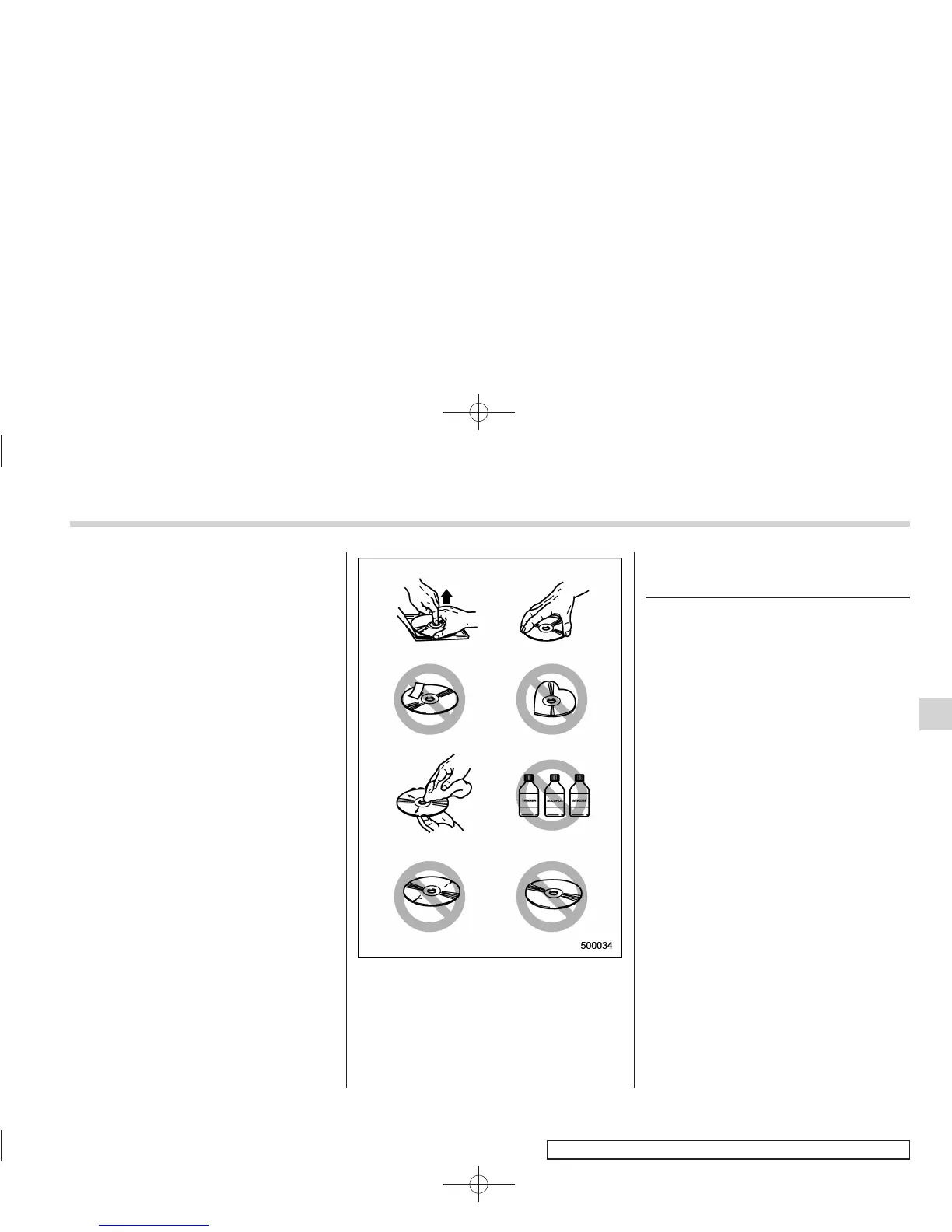
there are deposits, wipe the disc surface
from the center outward with a dry, soft
cloth. Be sure not to use a hard cloth,
thinner, benzine, alcohol, etc.
. Do not use any disc that is scratched,
deformed, or cracked. Also, do not use
any disc that has a non-standard shape
(for example, a heart shape). Malfunctions
or problems might result.
. A disc is vulnerable to heat. Never
keep it either in places exposed to direct
sunlight, near heaters or in vehicles
parked in the sun or on hot days.
. Insert discs one by one into the CD
player (type B audio).
USB storage device / iPod
®
operations (type C audio)
& Play file
Refer to “Play file” F5-23.
NOTE
. Copyright protected MP3/WMA/AAC
files will not be played by the system.
The player will automatically skip to the
next file (track).
. WMA9 Lossless, WMA9 Profes-
sional and WMA9 voice cannot be
played.
& Connectable USB storage
device
Mass storage class USB memory can be
connected. USB storage devices that can
be played back are accompanied by the
following restrictions.
. Maximum directory layers: 8 layers
(including the ROOT)
. Maximum number of files in a folder:
255
. Maximum number of folders: 512 (in-
cluding the ROOT)
. Maximum number of files in the device:
130,560
Audio 5-37
– CONTINUED –
5














 To Next Page