Black plate (234,1)
北米Model "A1100BE-A" EDITED: 2010/ 3/ 23
5-42 Audio
& SCAN (only when connecting
USB storage device)
Scan is operated in the same way a CD is
played. For details, refer to “Scan” F5-30.
NOTE
When an iP od
®
is connected, you
cannot select the SCAN mode.
& Selecting category (only
when connecting iPod
®
)
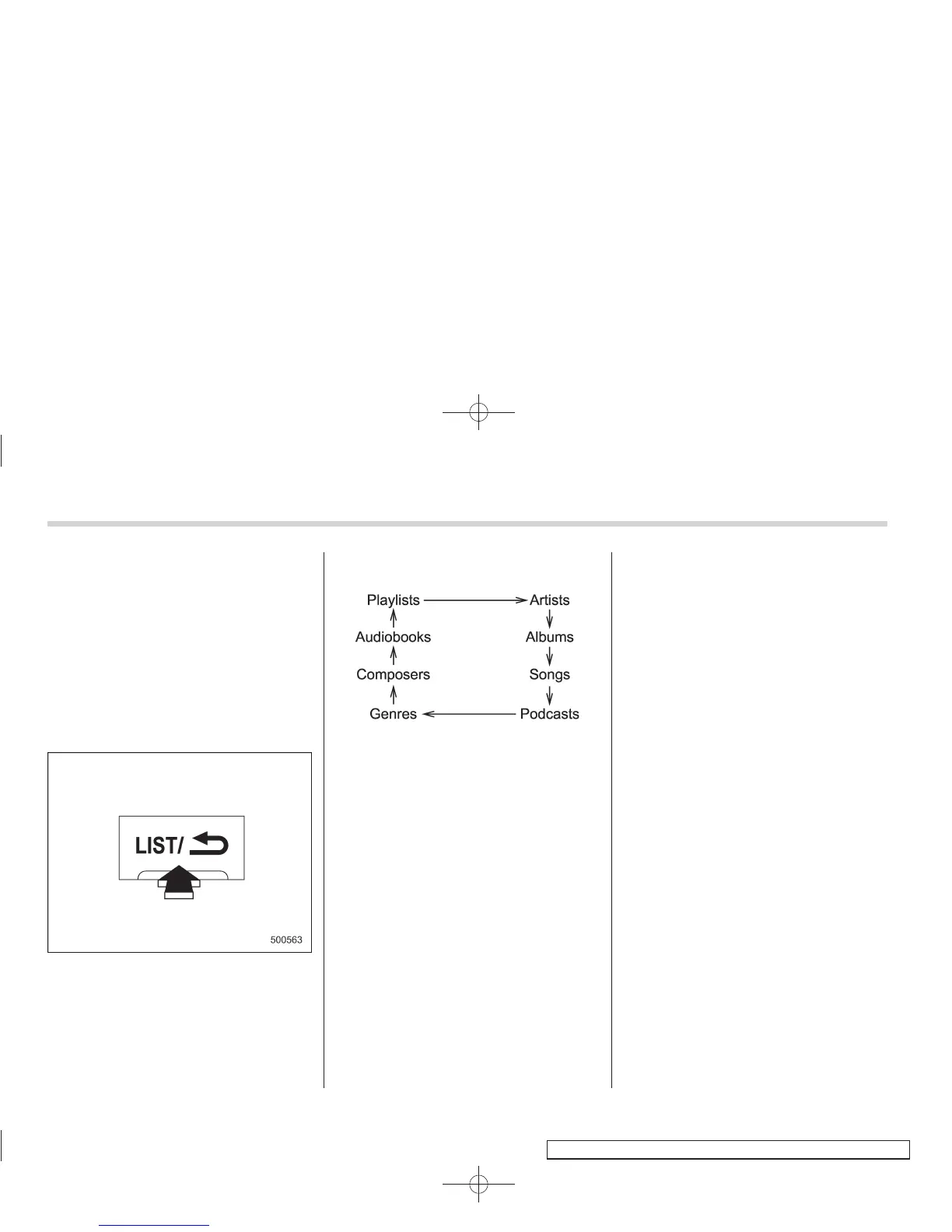
When the “LIST” button is pressed for less
than 1.5 seconds, the iPod
®
menu is
displayed.
Each time you turn the “TUNE/TRACK/
CH” dial clockwise, the displayed category
changes in the following sequence. Each
time you turn the “TUNE/TRACK/CH” dial
counterclockwise, the displayed category
changes in the opposite sequence.
To select the category, press the “TUNE/
TRACK/CH” dial. To clo se the iPod
®
menu, press the “LIST” button for more
than 1.5 seconds. To return to the pre-
vious screen, briefly press the “LIST”
button.
& Display selection
Refer to “Display selection” F5-31.
! Page scroll
Refer to “Page (track/folder title) scroll”
F5-31.
& Folder selection (only when
connecting USB storage de-
vice)
Refer to “Folder selection” F5-31.
NOTE
When an iPod
®
is connected, y ou
cannot select a folder.
& When “CHECK DEVICE” is
displayed
This message is displayed under the
following conditions.
. When there is a short in the USB bus
. When a non-corresponding device (for
example a USB mouse) is connected
. When a non-corresponding iPod
®
is
connected
. When a connected iPod
®
is frozen
. When a transmission malfunction oc-
curs
. When an iPod
®
confirmation malfunc-
tion occurs
. When a HUB class USB storag e
device is connected
Disconnect the USB storage device/iPod
®
and check it.















 To Next Page