Black plate (170,1)
北米Model "A1120BE-B" EDITED: 2011/ 10/ 28
3-48 Instruments and controls
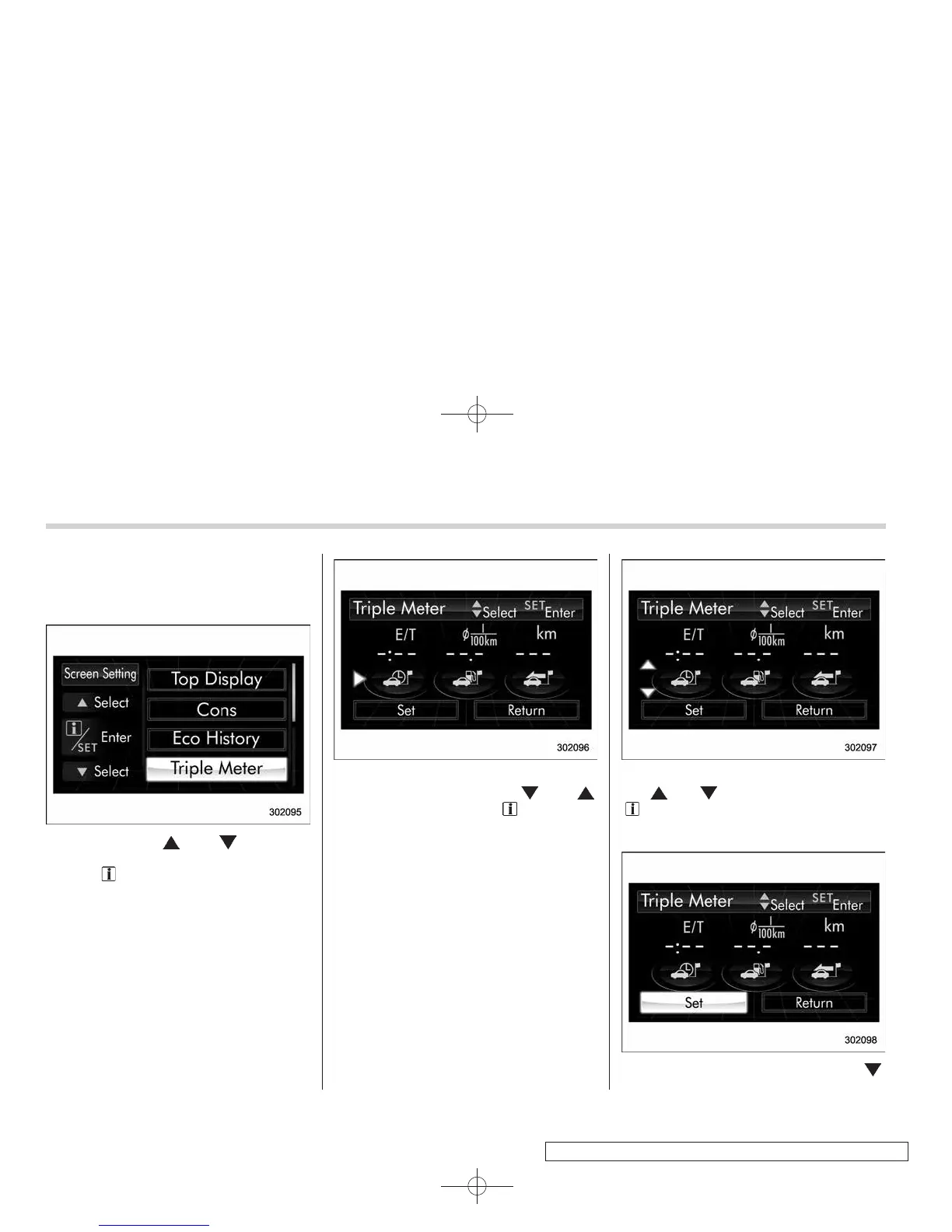
! Triple meter setting
1. Perform the preparation steps accord-
ing to “Preparation for screen settings”
F3-44.
2. Operate the “ ” or “ ” switch to
select the “Triple Meter” item, and then
pull the “
/SET” switch toward you.
3. Select the setting location (left, center
or right) by operating the “
” or “ ”
switch, and then pull the “
/SET” switch
toward you.
NOTE
The same item cannot be selected for
the left, center or right location.
4. Select the preferred item by operating
the “
” or “ ” switch, and then pull the
“
/SET” switch toward you.
If you also want to change the setting for
another location, repeat steps 3 and 4.
5. Select “Set” by operating the “ ”














 To Next Page