Black plate (266,1)
北米Model "A1120BE-B" EDITED: 2011/ 10/ 28
5-40 Audio
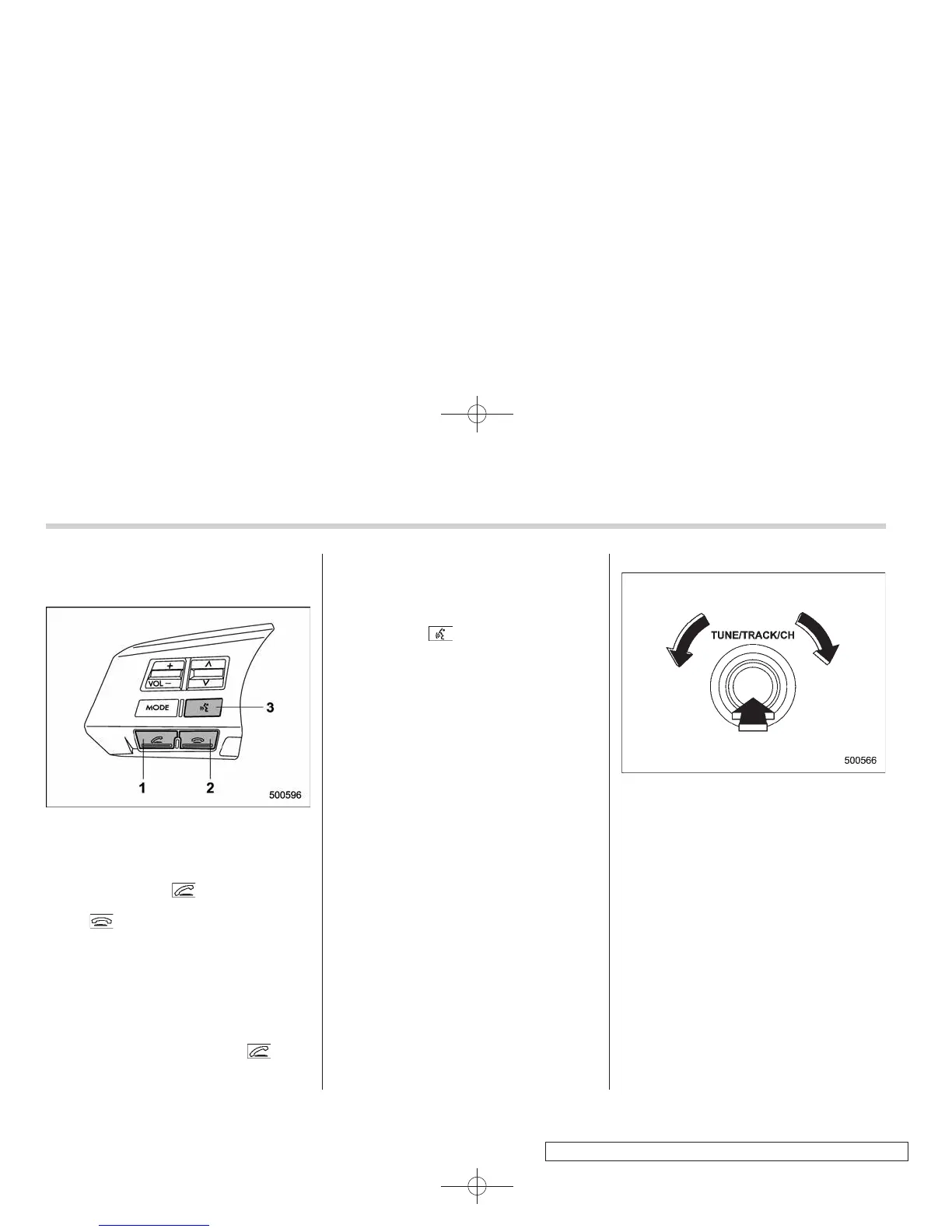
& Using the Hands-free system
! Turning on/off the Hands-free mode
1) OFF hook switch
2) ON hook switch
3) Talk switch
To turn on the Hands-free mode, press the
OFF hook switch
. To turn off the
Hands-free mode, press the ON hook
switch
.
! Preparation for using the Hands-
free system
Before using the Hands-free system, it is
necessary to register a cell phone in the
system. Perform the following procedure
to register a cell phone.
1. Press the OFF hook switch
.
2. Select “ENGLISH” /“FRANÇAIS” by
operating the “TUNE/TRACK/CH” dial.
– Then “WELCOME!” will be dis-
played.
3. Press the “TUNE/TRACK/CH” dial or
the talk switch
.
4. Select the “RECORD NAME” menu.
5. Say the name to be registered.
6. Select the “CONFIRM” menu.
– After “CAR M_MEDIA” (type B
audio) /“CAR MU LTIMEDIA” (type C
audio) is displayed, a pass key is
displayed.
7. Input the displayed pass key into the
cell phone while the following message is
displayed.
–“PKY: ****” (type B audio)
–“PASS KEY: ****” (type C audio)
NOTE
. If you input the correct pass key,
“PAIRED” is displayed and the regis-
tration procedure is finished.
. If you input an incorrect pass key,
“FAILED” is displayed and the registra-
tion procedure was not successful.
. Up to 5 cell phones can be regis-
tered.
. When the ignition switch is turned to
the “ACC” or “ON” position, the regis-
tered cell phone may be automatically
connected to the system.
! Menu list of the Hands-free system
Turn the “TUNE/TRACK/CH” dial to select
a menu, and then press the dial to enter
the selected menu.















 To Next Page