Black plate (262,1)
北米Model "A1120BE-B" EDITED: 2011/ 10/ 28
5-36 Audio
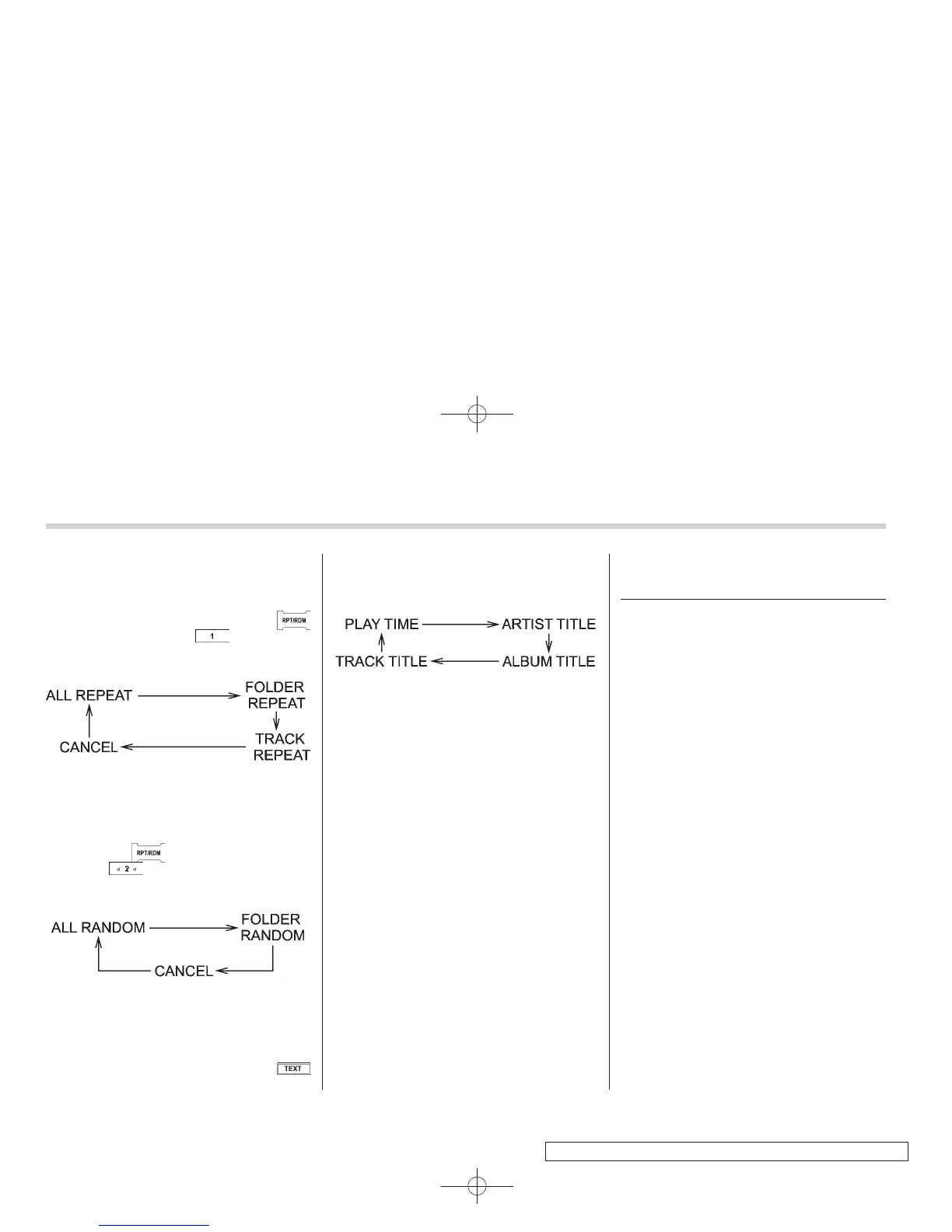
! Repeating
Repeating is operated in the same way as
for a CD. Refer to “Repeating” F5-20.
Each time you briefly press the
button (type B audio)/ button (the
“RPT” button) (type C audio), the mode
changes in the following sequence.
! Random playback
Random playback is operated in the same
way as for a CD. Refer to “Random
playback” F5-20. Each time you press
and hold the
button (type B audio)/
press the
button (the “RDM” button)
briefly (type C audio), the mode changes
in the following sequence.
! Display selection (type B audio)
Select an item to be displayed using the
same way as for a CD. Refer to “Display
selection (type A and B audio)” F5-21.
Each time you briefly press the
button, the indication changes in the
following sequence.
! Folder selection
Select a folder in the same way as for a
CD. Refer to “Folder selection” F5-22.
Hands-free system (if
equipped)
NOTE
. For models with the genuine
SUBARU navigation system, refer to
the Owner’s Manual supplement for the
navigation system.
. When selling your vehicle, make
sure that you initialize the Hands-free
system to prevent personal data from
being improperly accessed.
The Hands-free system operates while the
ignition switch is in the “ACC” or “ON”
position.















 To Next Page