Black plate (163,1)
北米Model "A1120BE-B" EDITED: 2011/ 10/ 28
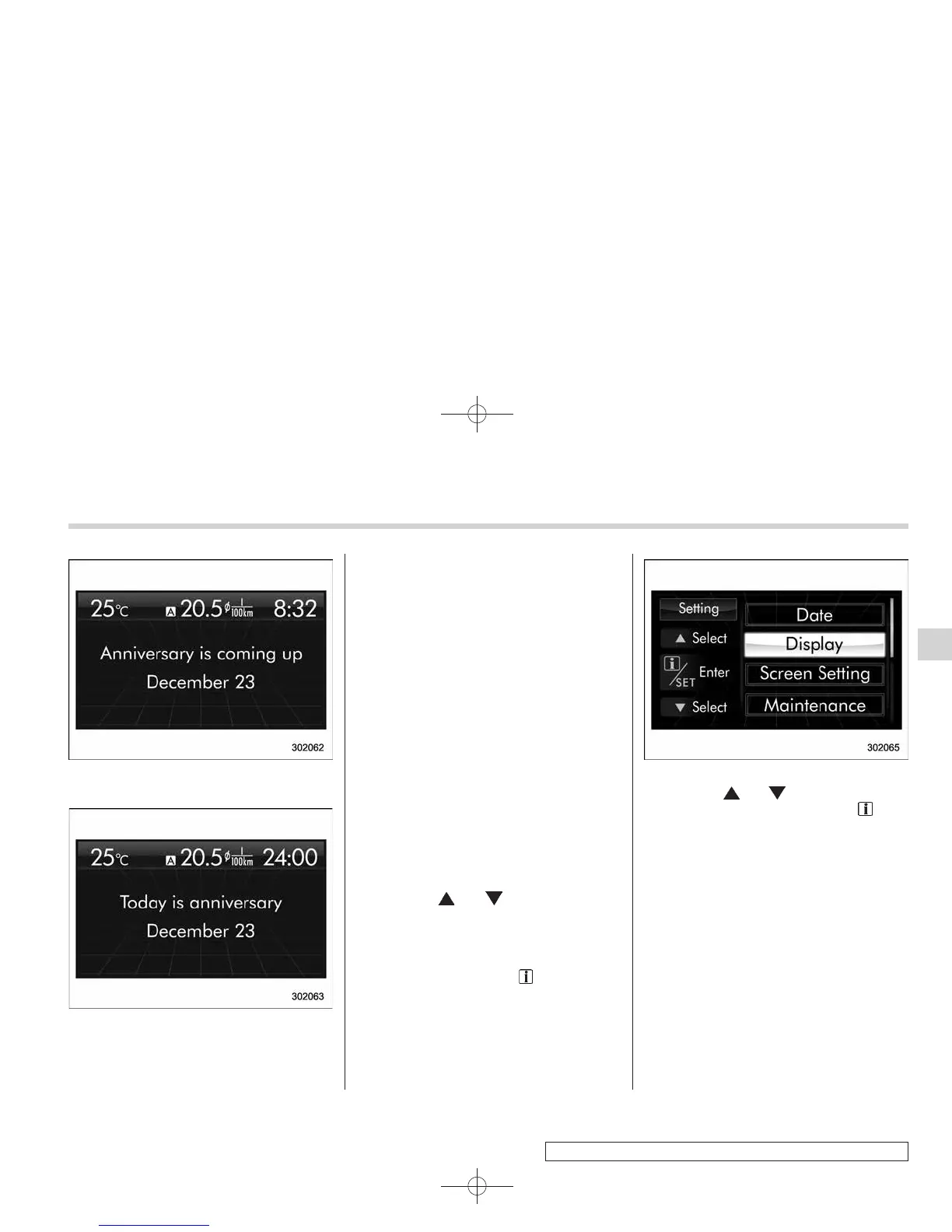
From 1 to 7 days prior to the anniversary
On an anniversary
NOTE
If “__” is selected for either the
“Month” or “Day” item instead of
numbers, the anniversary notification
is deactivated.
! Clearing birthday or anniversary
1. Perform the preparation steps accord-
ing to “Preparation for date setting” F3-37
and display “Birthday” or “Anniversary” on
the screen.
2. When “__” is selected for either the
“Month” or “Day” item instead of numbers,
the setting of “Birthday” or “Anniversary” is
cleared.
& Image quality and volume
settings
The items in the image quality and volume
settings can be set. To change the items,
operate the “
” or “ ” switch.
! Preparation for image quality and
volume settings
1. Turn the ignition switch to the “ON”
position and pull the “
/SET” sw itch
toward you for more than 2 seconds.
2. After the selection screen is displayed,
operate the “
” or “ ” switch to show the
“Display” item. Then, pull the “
/SET”
switch toward you.
! Brightness setting
1. Perform the preparation steps accord-
ing to “Preparation for image quality and
volume settings” F3-41.
Instruments and controls 3-41
– CONTINUED –
3















 To Next Page