Instruments and controls/Multi function display
rear gate) is opened while the welcome
screen is displayed, the door a jar
warning will appear.
. The welcome screen can be set to
on or off. For details, refer to “Bypass
screen setting” F3-65.
. For a certain period of time after the
welcome screen has once appeared, it
may not appear again even when the
driver’s door is opened ag ain. This
does not indicate a malfunction.
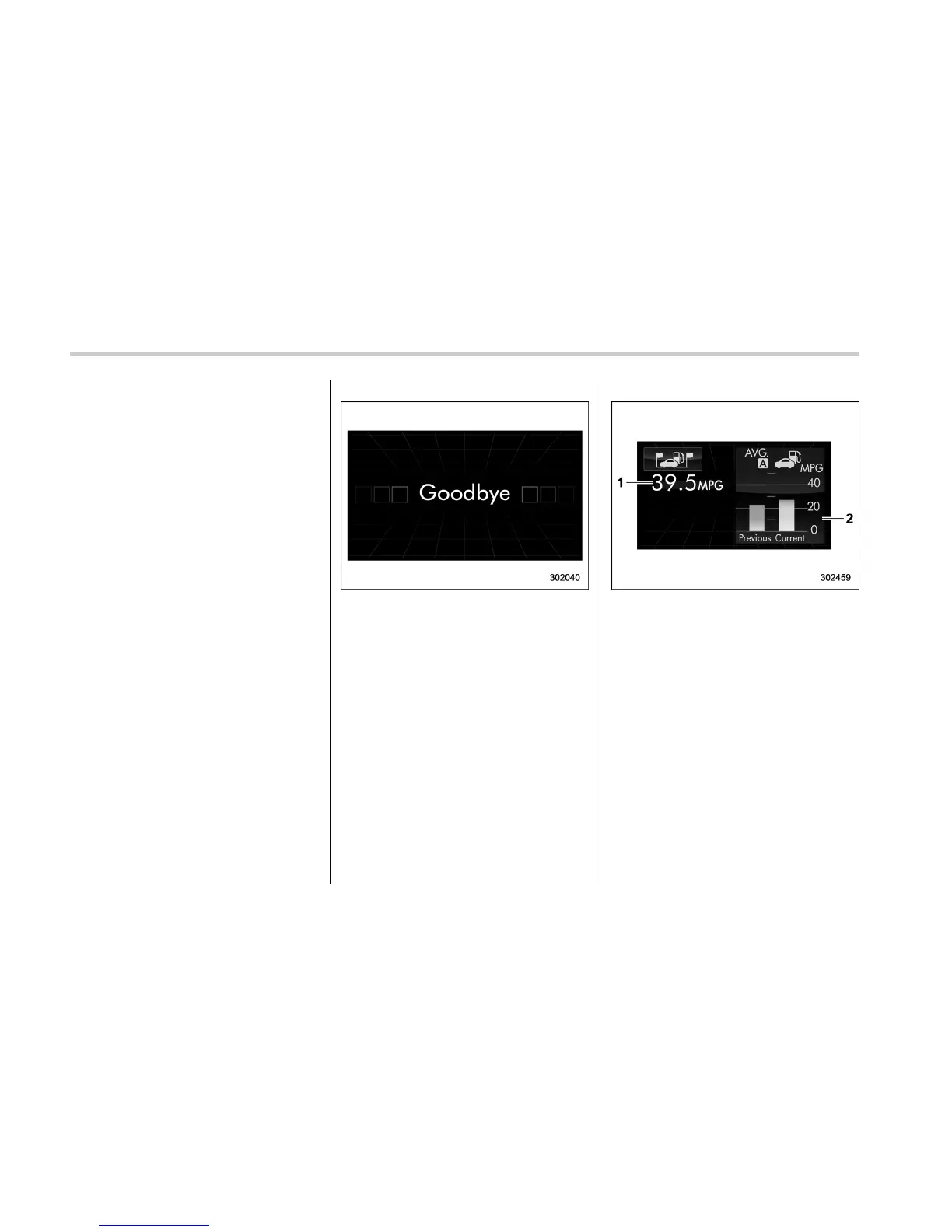
& Ending screen
If the ignition switch is turned to the
“LOCK”/“OFF” position, one of the follow-
ing screens will be displayed as the
ending screen before the screen turns off.
. If “Eco Summary” is set to “Off” in the
“Bypass screen setting”: The “Goodbye”
screen will be displayed.
. If “Eco Summary” is set to “On” in the
“Bypass screen setting”: The “Fuel con-
sumption results screen” will be displayed.
For details about the bypass screen
setting, refer to “Bypass screen setting”
F3-65.
. “Goodbye” screen
. Fuel consumption results screen
1) The average fuel consumption for the
entire driving distance, from when the
ignition switch was turned to the “ON”
position to when it was turned to the
“LOCK”/“OFF” position.
2) The average fuel consumption for the
driving interval displayed on the trip
meter at the point when the ignition
switch was turned to the “LOCK”/“OFF”
position.
& Self-check screen
When the ignition switch is turned to the
“ON” position, the vehicle self-check will
be performed. The screens corresponding
to the following items will appear one after
another for several seconds each.
3-38















 To Next Page