Audio/Phone operation (Hands–free system for cellular phones)
! When the cursor is at the “Device
Name Display Area”
. Thedevicenamecanbesetor
changed.
. Press the “PIN” key to enter a pass-
code.
. If the “PIN” key is already selected, the
“Alphabet” key is cross-hatched and dis-
abled.
! When the cursor is at the “Pass-
code Display Area ”
. The passcode can be set/changed.
. Press the “Name” key to enter a device
name.
Phone operation (Hands-free
system for cellular phones)
& Quick reference
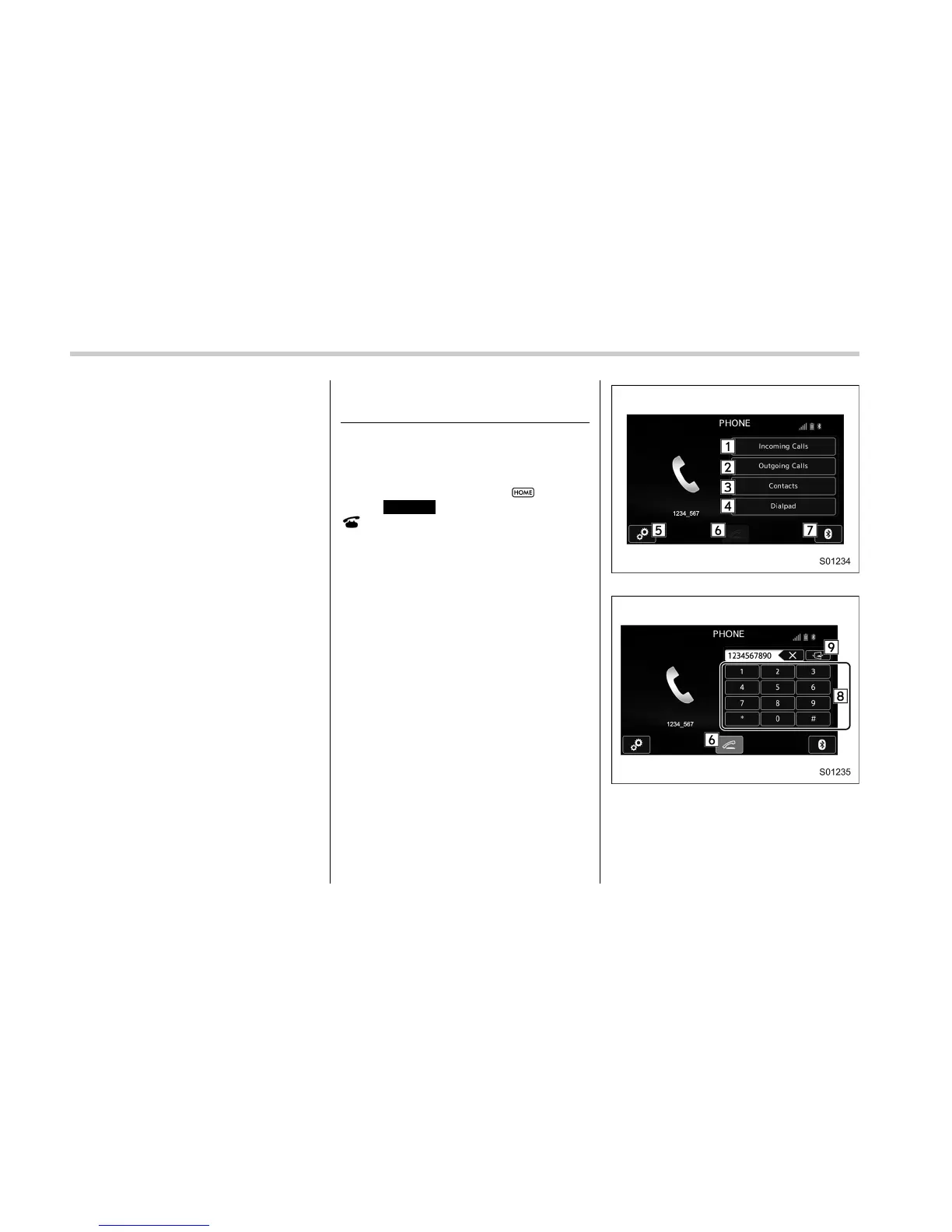
The phone top screen can be used to
make a phone call. To display the hands-
free operation screen, select
and then
select
PHONE
(PHONE), or press the
switch on the steering wheel.
Several functions are available to operate
on each screen that is d isplayed by
selecting the 4 tabs.
PHONE (Menu) screen
PHONE (Dialpad) screen
5-86















 To Next Page