Audio/Basic information before use
! List screen
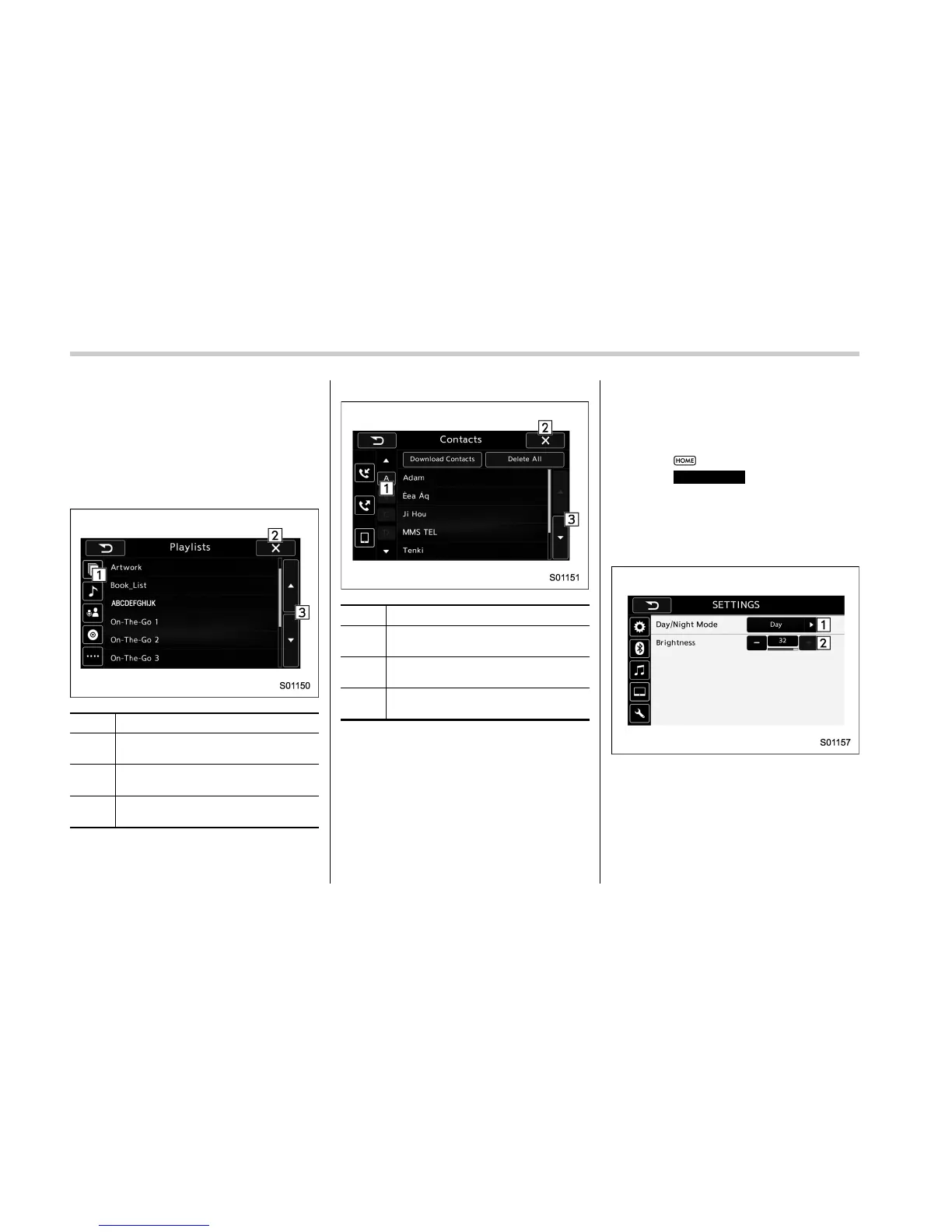
Two types of list are available on this
device.
. Multimedia playlists
. Contacts list
Multimedia playlists (Example: iPod play-
list)
No. Function
&
1
Graphic tab: Select a category that
wants to play back.
&
2
Return to the playback display of
each mode.
&
3
Select to skip to the next or previous
page.
Contacts list (Example: phone book)
No. Function
&
1
Alphabet button: Jump to list entries
that begin with the same letter.
&
2
Return to the PHONE (Menu)
screen.
&
3
Select to skip to the next or previous
page.
& Screen adjustment
The contrast and brightness of the screen
display and the image of the camera
display can be adjusted.
1. Select
.
2. Select
SETTINGS
(SETTINGS).
3. Select the items to be set.
In setting display, the Day/Night Mode and
the Brightness can be changed.
SETTINGS display
5-8















 To Next Page