Item Function
Vocal Im-
age Con-
trol
Select to pick-up vocal sound
signal from the sound data, and
adjust it to right/left or front/rear.
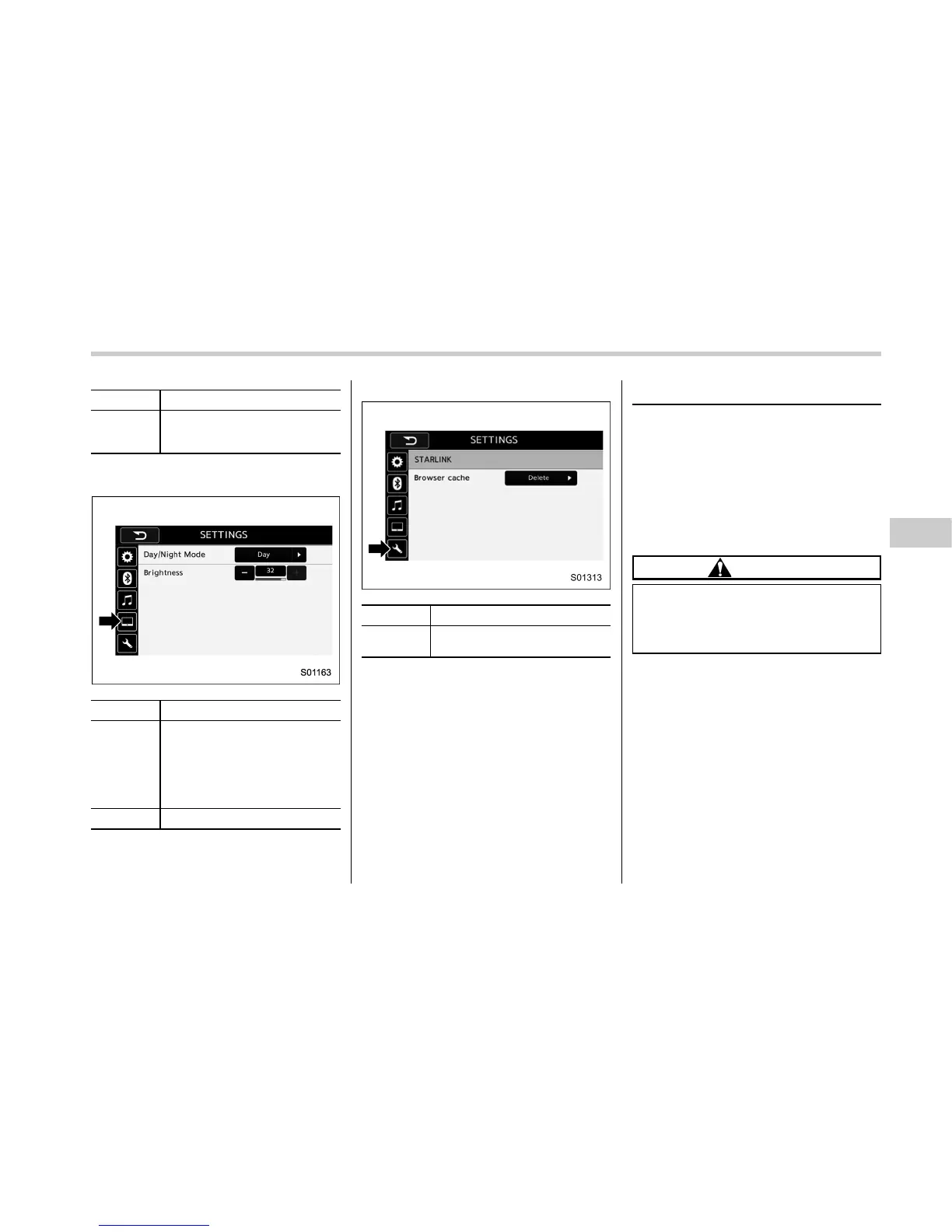
Monitor symbol tab
Item Function
Day/Night
Mode
Select “Day/Night Mode”.
“Auto”, “Day”,or“Night” can be
selected on the pop-up screen.
When “Auto” is selected, the
screen changes to day or night
mode depending on the position
of the headlight switch.
Brightness
Select “Brightness”.
Spanner symbol tab
Item Function
Browser
cache
Select to initialize cache files
that the browser stores.
Basic operation
& Some basics
This section describes some of the basic
features of the audio/visual system. Some
information may not pertain to your sys-
tem.
Your audio/visual system works when the
ignition switch is turned to the “ACC ” or
“ON” position.
CAUTION
To prevent the battery from being
discharged, do not leave the audio/
visual system on longer than neces-
sary when the engine is not running.
Audio/Basic operation
– CONTINUED –
5-11















 To Next Page