cold.
. In extremely cold conditions, th e
map may not be displayed and the data
input by a user may be deleted. Also,
the screen buttons may be harder than
usual to press.
. When you look at the screen
through polarized material such as
polarized sunglasses, the screen may
be dark and hard to see. If so, look at
the screen from different angles, adjust
the screen settings on the “Display
Settings (Display Settings)” screen or
take off your sunglasses.
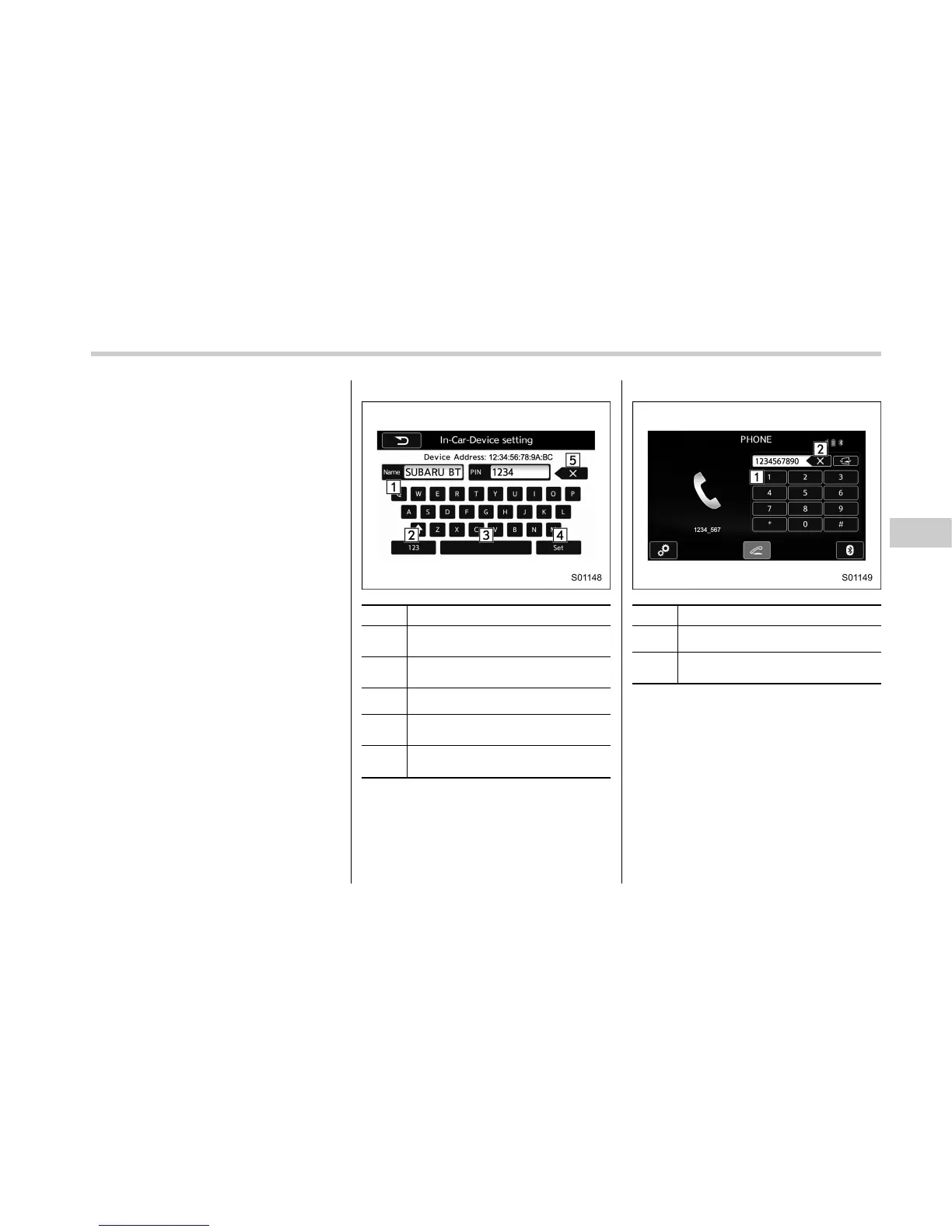
& Entering letters and num-
bers/list screen operation
! Entering letters and numbers
When entering the Bluetooth device name
or PIN-code, or the phone number, letters
and numbers can be en tered via the
screen.
In-Car-Device setting
No. Function
&
1
Enter the desired characters (alpha-
bet key mode).
&
2
Display the number keys (change to
number key mode).
&
3
Enter a space.
&
4
Set the characters/numbers entered
into the window.
&
5
Delete a character/number entered
into the window.
Dialpad
No. Function
&
1
Enter the desired numbers.
&
2
Delete a number entered into the
window.
Audio/Basic information before use
– CONTINUED –
5-7















 To Next Page