Audio/Media operation
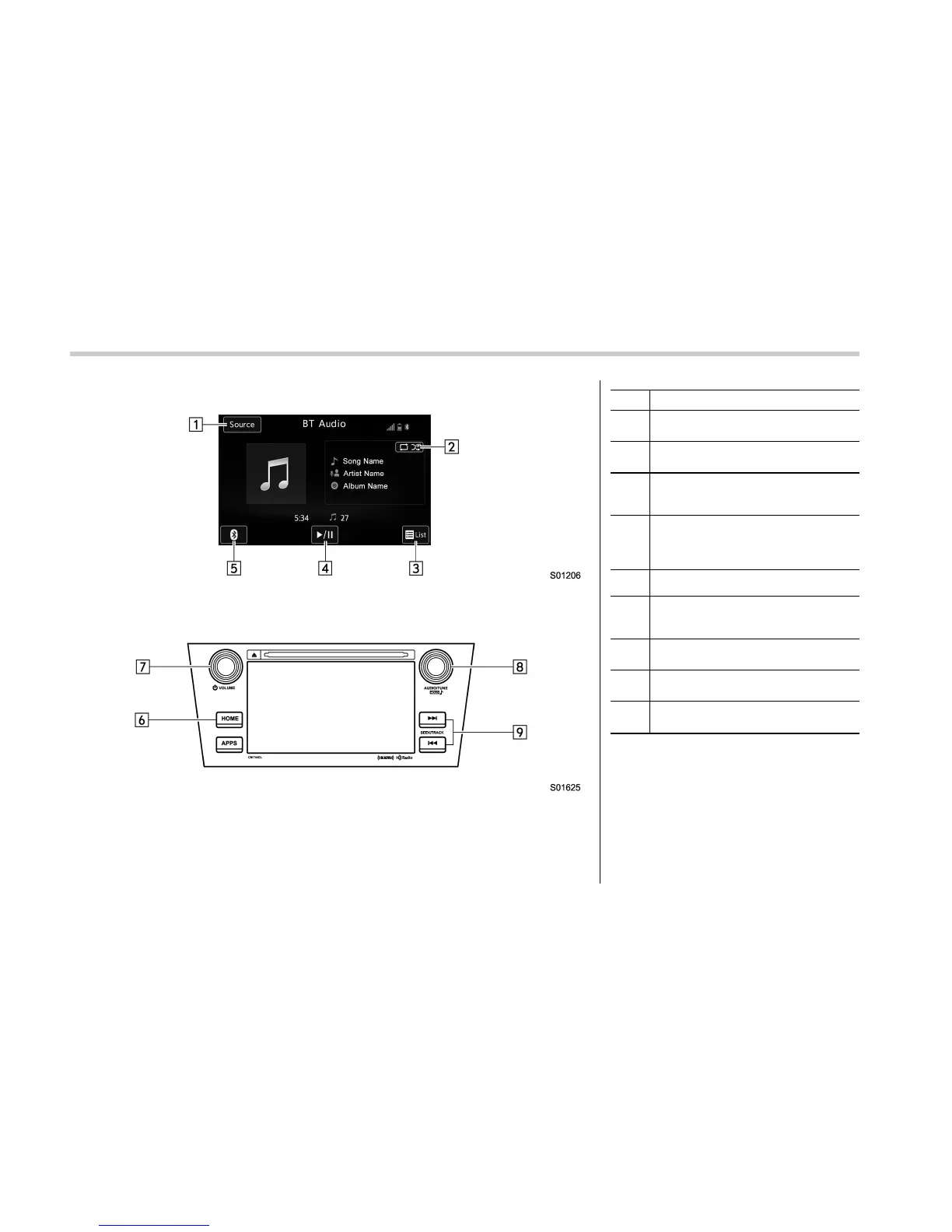
Control screen
Control panel
No. Function
&
1
Select to display the audio source
selection screen.
&
2
Select to display Trick Play Settings
screen.
&
3
Select to display as a list (for the
models with AVRCP Ver. 1.4 or high-
er).
&
4
Select to play back or pause a track.
The track pauses when pressed dur-
ing playback and plays back when
pressed during pause.
&
5
Select to open Bluetooth Settings.
&
6
Select to display the sound setting
screen. Refer to “Basic operation” F5-
11.
&
7
Turn to adjust volume.
Press to turn the audio system on/off.
&
8
Turn to select a track.
Press to select an audio mode
&
9
Select to select a track.
Select and hold to fast forward/rewind.
5-60















 To Next Page