Audio/Phone operation (Hands–free system for cellular phones)
tion under the influence of radio
waves. Radio waves could have
unexpected effects on the opera-
tion of such medical devices.
CAUTION
Do not leave your cellular phone in
the vehicle. The temperature inside
mayrisetoalevelthatcould
damage the phone.
NOTE
. If your cellular phone does not
support Bluetooth, this system cannot
function.
. In the following conditions, the sys-
tem may not function:
– The cellular phone is turned off.
– The current position is outside
the communication area.
– The cellular phone is not con-
nected.
– The cellular phone has a low
battery.
. When using the hands free function
and other Bluetooth functions at the
same time, the following problems may
occur:
– The Bluetooth connection may
be cut.
– Noise may be heard when play-
ing back voice with the Bluetooth
function.
! Registering/connecting a Bluetooth
phone
To use the hands-free system for cellular
phones, it is necessary to register a
cellular phone with the system. Refer to
“Registering/connecting Bluetooth
®
de-
vice” F5-80.
! Bluetooth phone condition dis-
play
The condition of the Bluetooth phone
appears on the upper right side of the
screen. Refer to “Bluetooth phone condi-
tion display” F5-88.
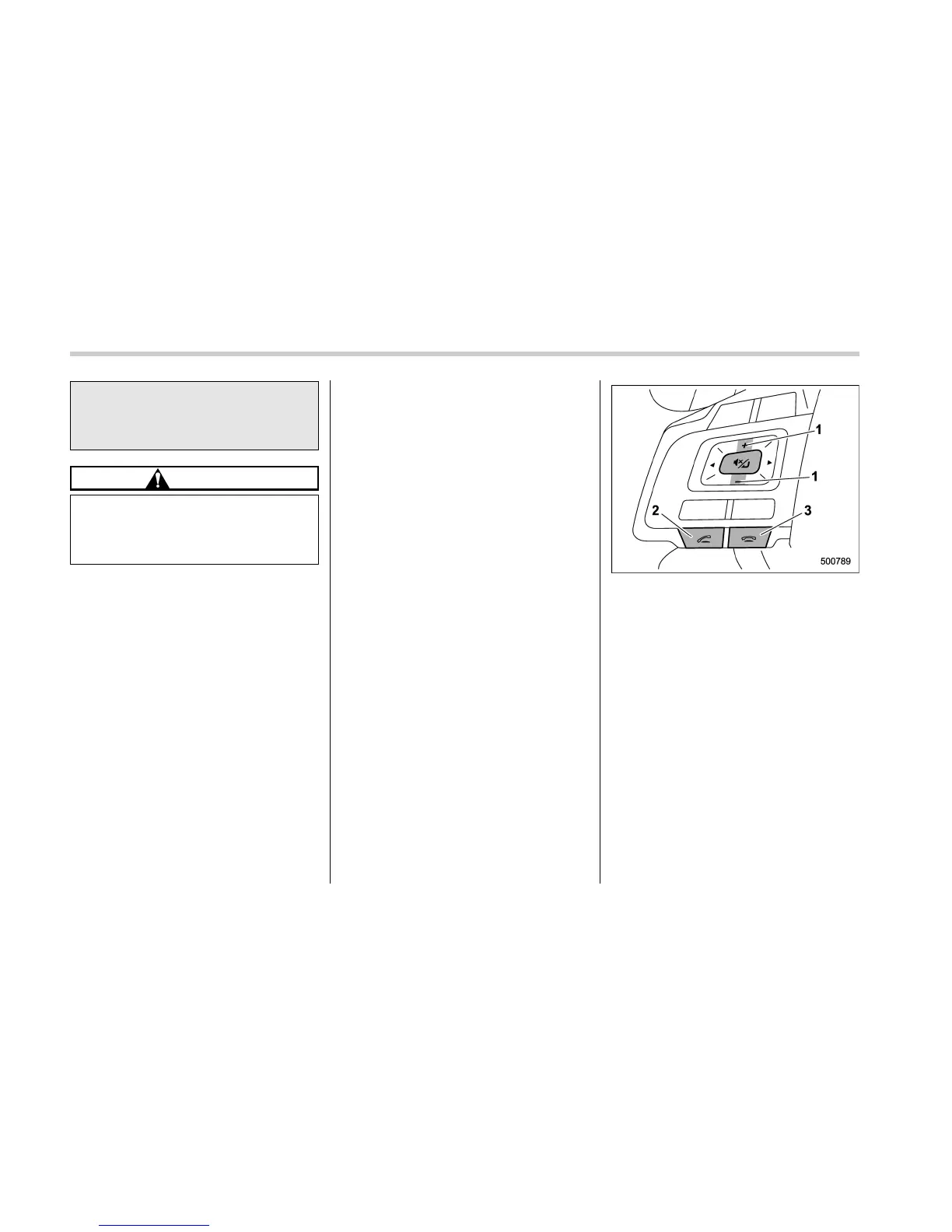
! Using the phone switch/micro-
phone
Steering switch
By pressing the phone switch, a call can
be received or ended without taking your
hands off the steering wheel.
&
1
Volume control switch
. Press the “+” side to increase th e
volume.
. Press the “-” side to decrease the
volume.
&
2
Off hook switch
&
3
On hook switch
5-88















 To Next Page