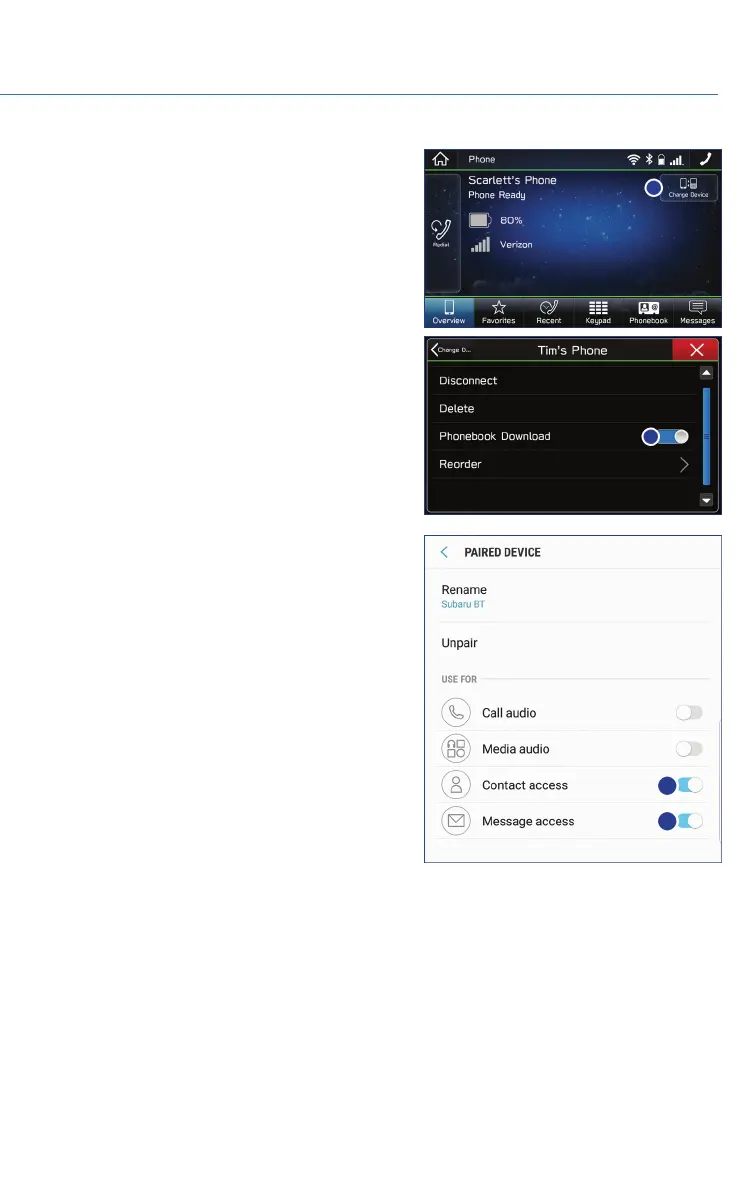
8. If your phonebook or messages are not
appearing correctly on the vehicle display,
go to “Phone” from the Home screen and
select “Change Device”. Make sure that
“Phonebook Download” is enabled under
“Overview”.
9. If you still cannot access your phonebook
or messages, go back to your phone’s
Bluetooth
®
settings and select the gear
icon next to your vehicle’s device name and
ensure all settings are enabled.
HOW TO APPENDIX
101















 To Next Page