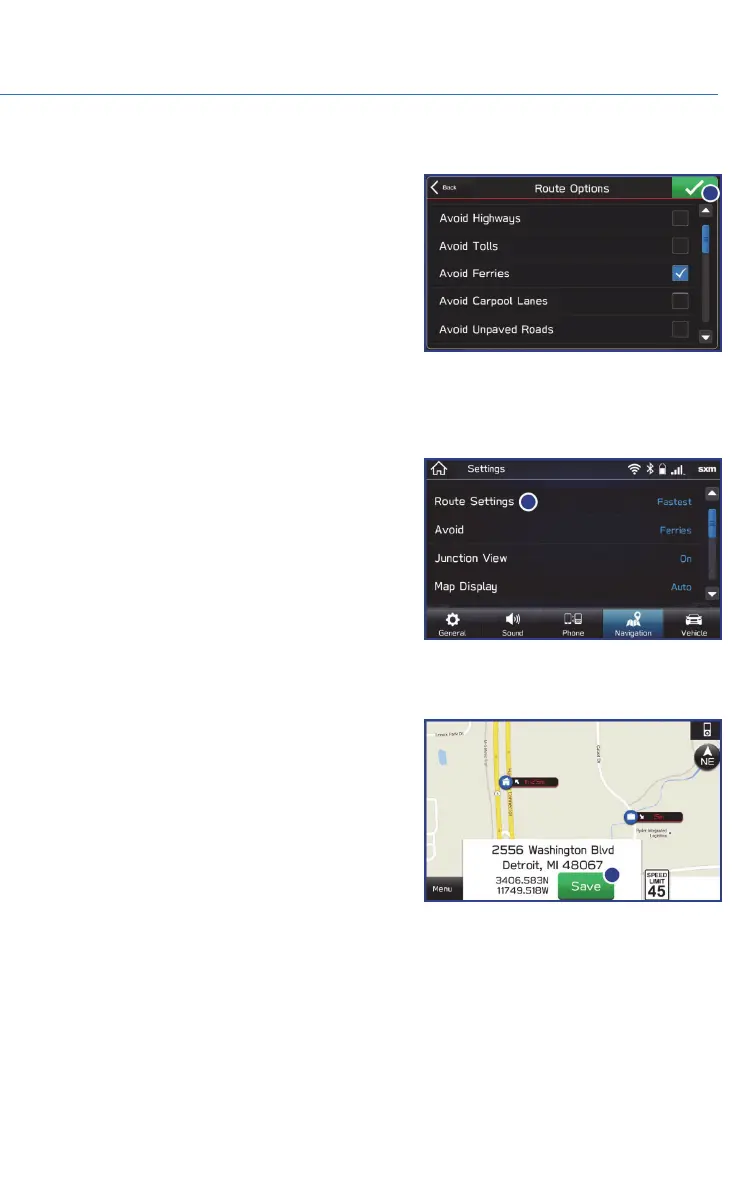
Route Options
You can set the navigation system to avoid
various types of routes:
1. Select “Route Options” on the route
calculation screen.
2. Select the desired item to avoid.
3. Select the check mark in the upper right
corner.
NOTE: The avoidance criteria for the route calculation can also be set from the navigation
settings screen.
Shortest/Fastest/Economic
You can set the route preferences to search for
the shortest, fastest, or most economic route.
To do this:
1. Touch “Settings” from the Home screen.
2. Select “Navigation”.
3. Select “Route Settings”.
4. Select the preference you would like to use:
Shortest, Fastest, or Most Economic.
Saving Destination as a Favorite
Registered points can be set as a destination.
To save a location as a favorite once you have
arrived:
1. Select the current street name.
2. Select “Save”.
3. Select to save as Home, Work, or Favorite.
MAPS (if equipped)
71















 To Next Page