Black plate (247,1)
一般Model "A2510GE-B" EDITED: 2015/ 6/ 25
Note symbol tab (except for Europe)
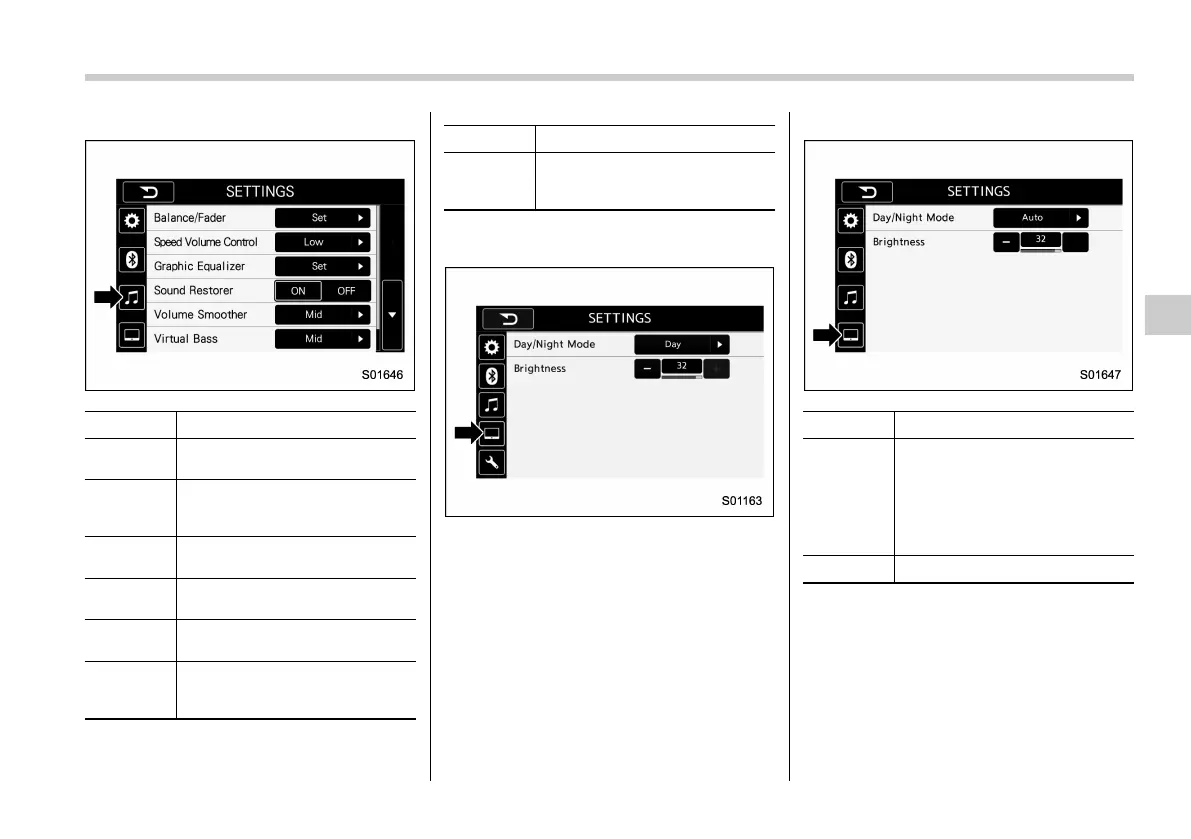
Item Function
Balance/
Fader
Select to adjust speaker volume
balance (right/left and front/rear).
Speed Vo-
lume Con-
trol
Select to adjust speaker volume
coupled to vehicle speed.
Graphic
Equalizer
Select to adjust sound quality in
each frequency band.
Sound Re-
storer
Select to add high-pitched tone
to the compressed audio file.
Volume
Smoother
Select to adjust volume differ-
ence between audio sources.
Virtual
Bass
Select to add harmonic tone so
that low-pitched tone is
strengthened.
Item Function
Vocal Im-
age Con-
trol
Select to pick-up vocal sound
signal from the sound data, and
adjust it to right/left or front/rear.
Monitor symbol tab (for Europe)
Monitor symbol tab (except for Europe)
Item Function
Day/Night
Mode
Select “Day/Night Mode”.
“Auto”, “Day”,or“Night” can be
selected on the pop-up screen.
When “Auto” is selected, the
screen changes to day or night
mode depending on the position
of the headlight switch.
Brightness
Select “Brightness”.
Audio/Other settings
5-15
– CONTINUED –
5















 To Next Page