Black plate (300,1)
一般Model "A2510GE-B" EDITED: 2015/ 6/ 25
5-68
Audio/Media operation
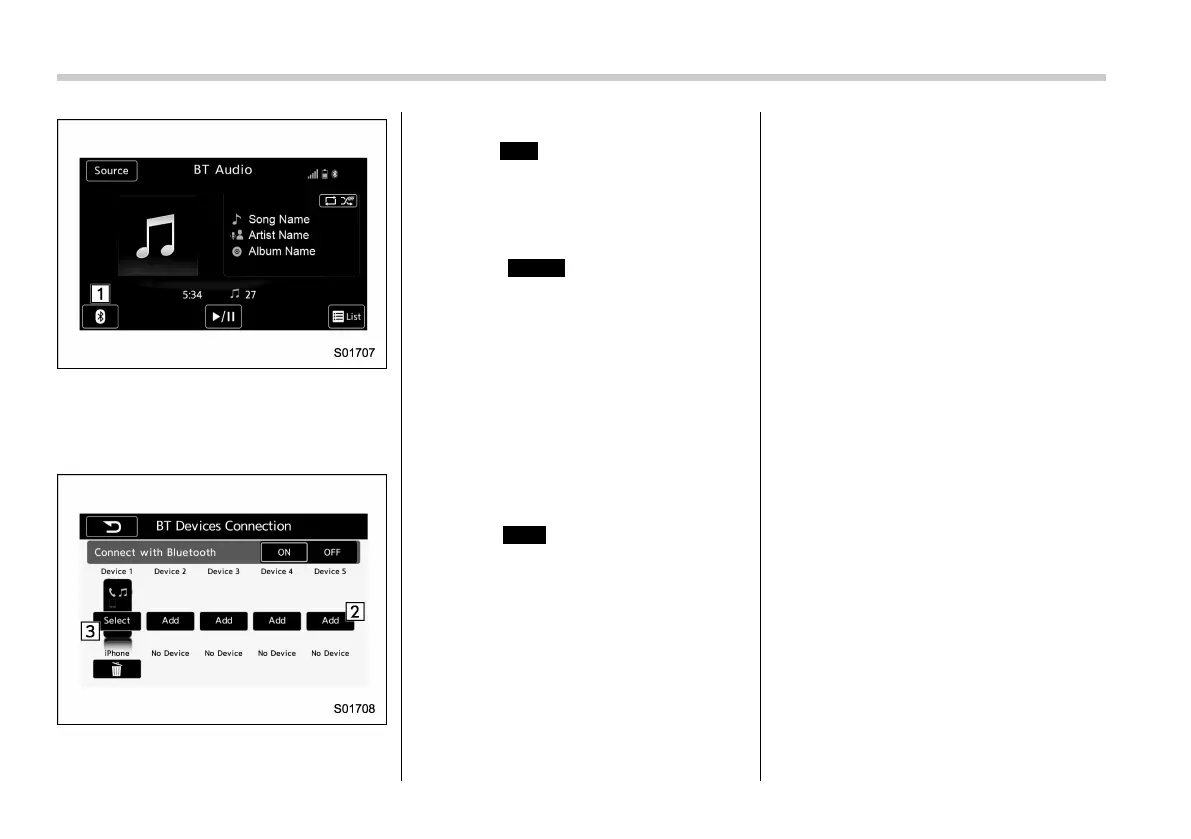
2. Select the Add key and register a
device.
3. Select the Select key, and then select
the registered device.
Registering an additional device
1. Select
Add
(Add) on the BT Devices
Connection screen.
2. For more information: Refer to “Regis-
tering a Bluetooth device” F5-77.
Selecting a registered device
1. Select
Select
(Select) on the BT
Devices Connection screen.
2. For more information: Refer to “Con-
necting a Bluetooth device” F5-78.
& AUX
! Overview
The AUX operation screen can be
reached by the following methods:
. Connect a portable audio device. Refer
to “Connecting and disconnecting a USB
memory/portable device” F5-8.
. Select
AUX
(AUX) on the “Select
Audio Sourc e (Sel ect Au dio So urce)”
screen. Refer to “Selectin g an audio
source” F5-17.















 To Next Page