Black plate (323,1)
一般Model "A2510GE-B" EDITED: 2015/ 6/ 25
. All contact data downloaded into the in-
vehicle equipment will be deleted.
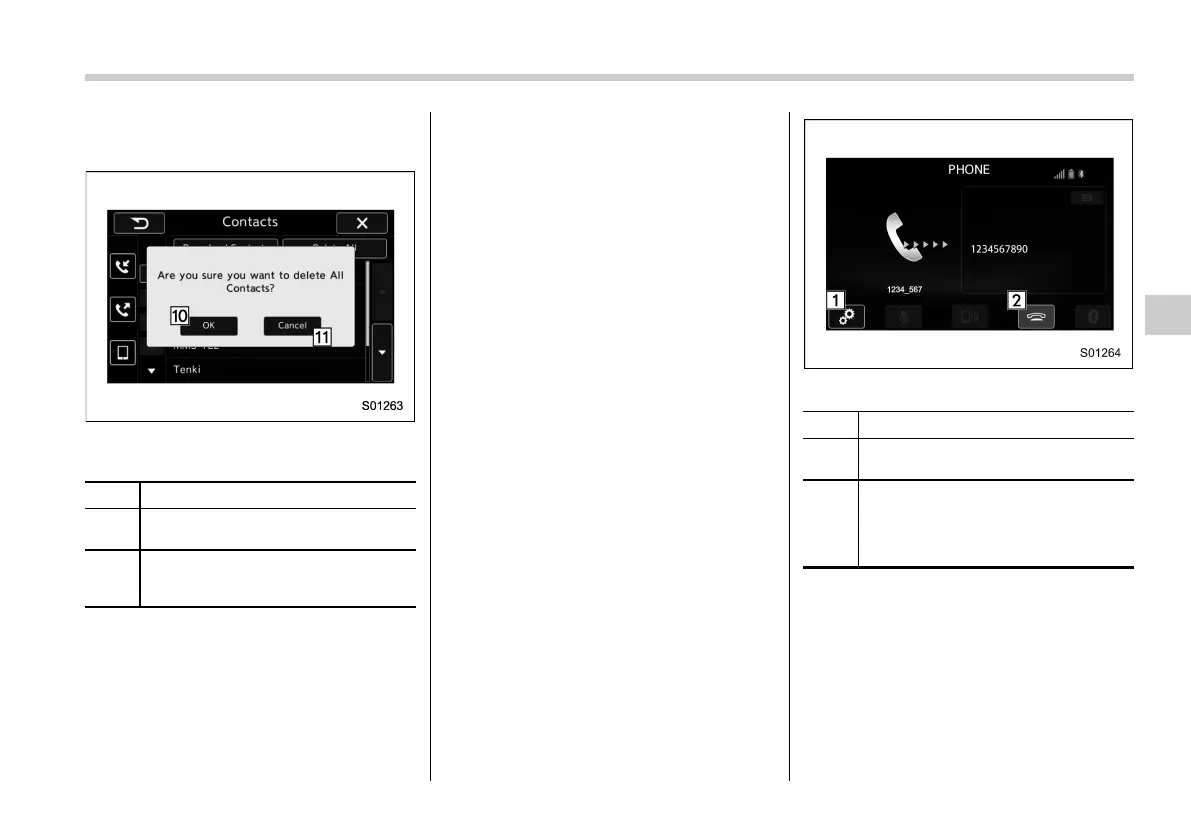
Contacts screen (Confirmation to delete
contact data)
No. Function
&
10
“OK” key: Deletes all downloaded
contact data.
&
11
“Cancel” key: Cancels the deletion.
The screen returns to the Contacts
screen.
NOTE
. Manual transfer operation cannot be
performed while driving.
. If your cellular phone is nei ther
PBAP nor OPP compatible, the con-
tacts cannot be transferred.
. Depending on the type of Bluetooth
phone:
– It may be necessary to perform
additional steps on the phone when
transferring contact data.
! By Dialpad
The Outgoing Call screen opens when
you perform the following operations.
. When you enter a phone number on
the PHONE (Dialpad) screen and select
the “OFF_Hook” key, the Outgoing Call
screen opens.
. When you select an item in the incom-
ing call history list on the Incoming Calls
screen, the Outgoing Call screen opens.
. When you select an item in the out-
going call history list on the Outgoing Call
screen, the Outgoing Call screen opens.
. When you select a phone number on
the Contacts (Phone Number List) screen,
the Outgoing Call screen opens.
Outgoing Call screen
No. Function
&
1
“Option” key: Opens the Options
(volume settings) screen.
&
2
“ON_Hook” key: Aborts the call. The
screen returns to the Phone (Menu)
screen. This is the same as pressing
the “ON_Hook” switch on the steering
wheel.
NOTE
Depending on the type of Bluetooth
phone being connected, it may be
necessary to perform additional steps
on the phone.
Audio/Phone operation (Hands–free system for cellular phones)
5-91
– CONTINUED –
5















 To Next Page