- 20 -
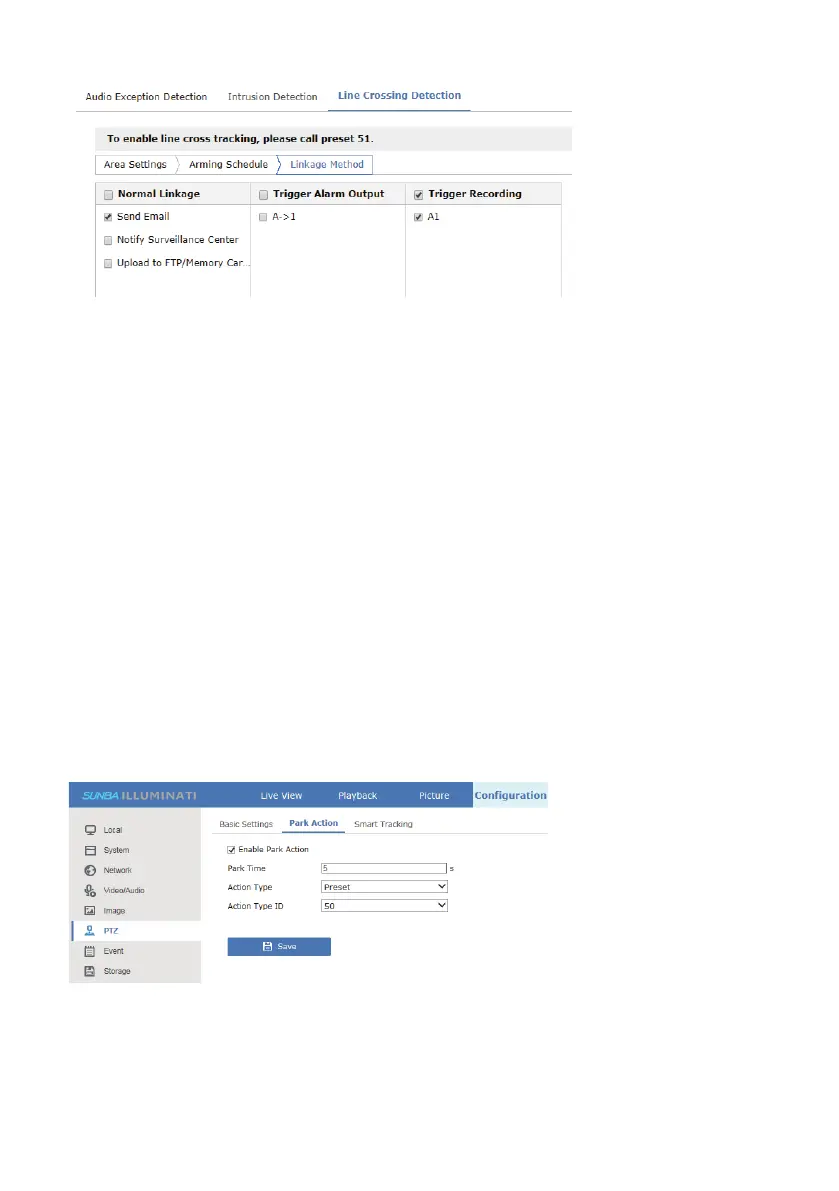
6.Call preset 51 to activate the line cross tracking
Select preset 51 from the list and hit the call button. Once preset 51 has
been called, a text prompt will appear on the upper left corner, which
indicates the tracking has been activated. After that, the camera will begin
tracking whenever a moving object crosses the cordon.
7.4 Intrusion Tracking
Intrusion tracking is an upgrade to conventional preset tracking to improve
tracking efficiency. Instead of tracking any moving object at the designated
view, it would only start tracking if a perimeter (a protected zone) from the
view has been intruded by a moving object.
For example, the perimeter can be a restricted zone in a museum where no
one should be allowed to enter.
If the user performs any other pan tilt zoom related action, the intrusion
tracking will stop. To continue intrusion tracking, add the tracking preset
(50) into Park Action (Configuration-PTZ-Park Action) so that the camera
will actively call the designated preset as long as it doesn’t receive other
commands from the user.
Steps to enable intrusion tracking:
1) Set the desired view as preset 50
2) Set an intrusion detection algorithm at Configuration->Event->Smart
Event->Intrusion Detection



 To Next Page