Cleaning and maintenance continued
Phase 1: Descaling
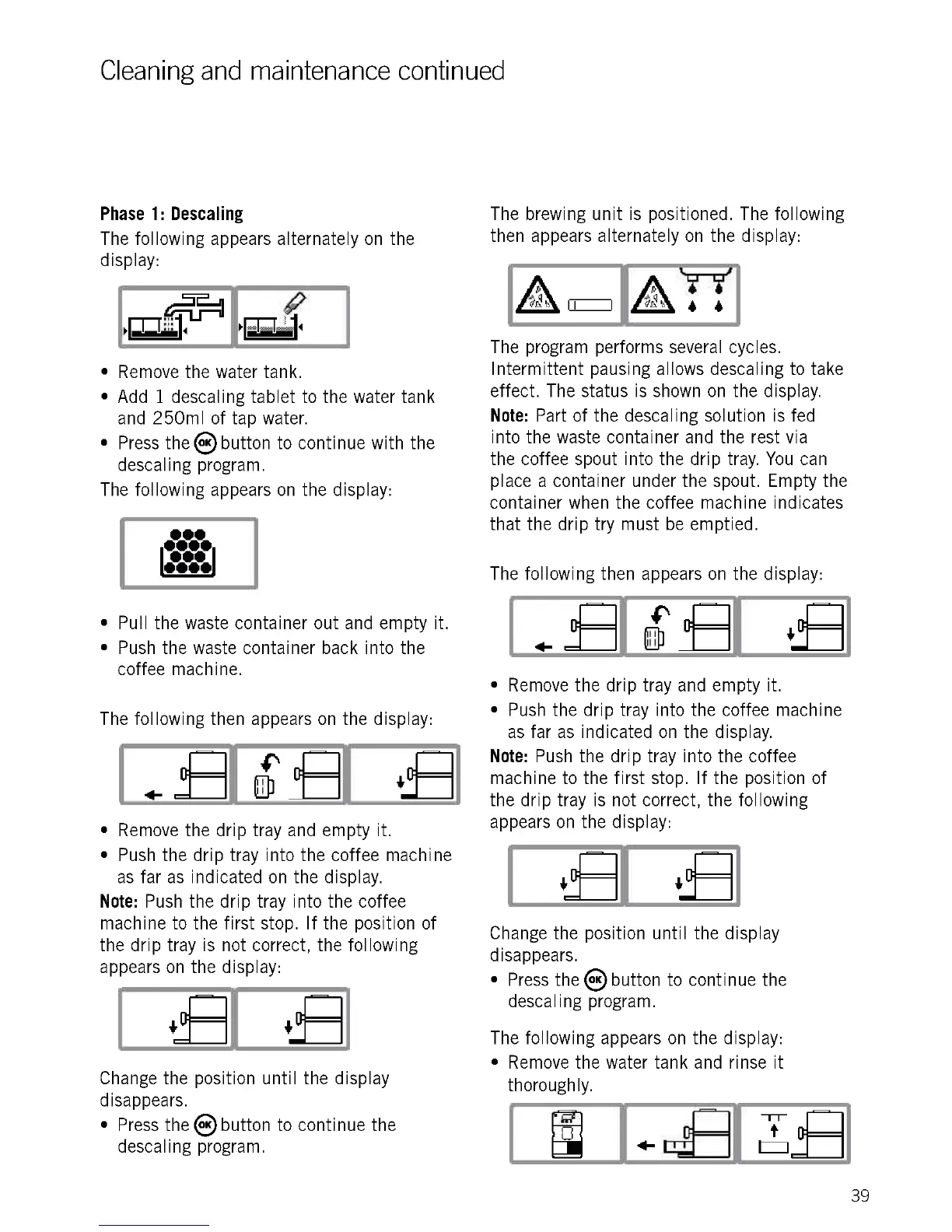
The following appears alternately on the
display:
Remove the water tank.
Add 1 descaling tablet to the water tank
and 250m1 of tap water.
Press thes button to continue with the
descaling program.
The following appears on the display:
00
0000
I m I
10000j
Pull the waste container out and empty it.
Push the waste container back into the
coffee machine.
The following then appears on the display:
fr-
.4- -
N I
D fr-
+
Remove the drip tray and empty it.
Push the drip tray into the coffee machine
as far as indicated on the display.
Note: Push the drip tray into the coffee
machine to the first stop. If the position of
the drip tray is not correct, the following
appears on the display:
Change the position until the display
disappears.
Press the 8 button to continue the
descaling program.
The brewing unit is positioned. The following
then appears alternately on the display:
`r. r
4 4
The program performs several cycles.
Intermittent pausing allows descaling to take
effect. The status is shown on the display.
Note: Part of the descaling solution is fed
into the waste container and the rest via
the coffee spout into the drip tray. You can
place a container under the spout. Empty the
container when the coffee machine indicates
that the drip try must be emptied.
The following then appears on the display:
.4- -
NI
+
Remove the drip tray and empty it.
Push the drip tray into the coffee machine
as far as indicated on the display.
Note: Push the drip tray into the coffee
machine to the first stop. If the position of
the drip tray is not correct, the following
appears on the display:
I
Change the position until the display
disappears.
Press the 8 button to continue the
descal ing program.
The following appears on the display:
Remove the water tank and rinse it
thoroughly.
Ct--
CI
39











 To Next Page