Troubleshooting continued
Display Cause Solution
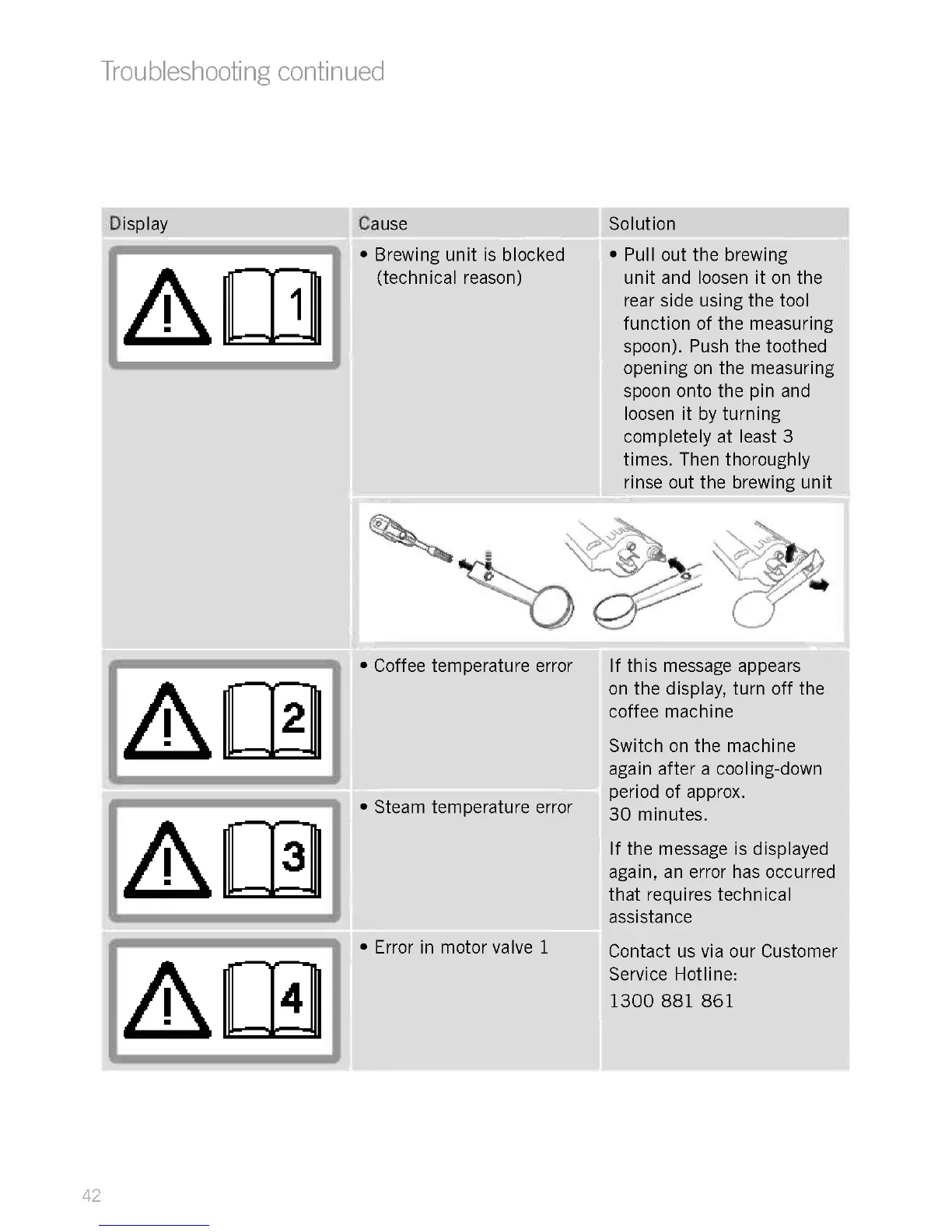
Brewing unit is blocked
(technical reason)
Pull out the brewing
unit and loosen it on the
rear side using the tool
function of the measuring
spoon). Push the toothed
opening on the measuring
spoon onto the pin and
loosen it by turning
completely at least 3
times. Then thoroughly
rinse out the brewing unit
Coffee temperature error
Steam temperature error
Error in motor valve 1
If this message appears
on the display, turn off the
coffee machine
Switch on the machine
again after a cooling-down
period of approx.
30 minutes.
If the message is displayed
again, an error has occurred
that requires technical
assistance
Contact us via our Customer
Service Hotline:
1300 881 861











 To Next Page