Troubleshooting continued
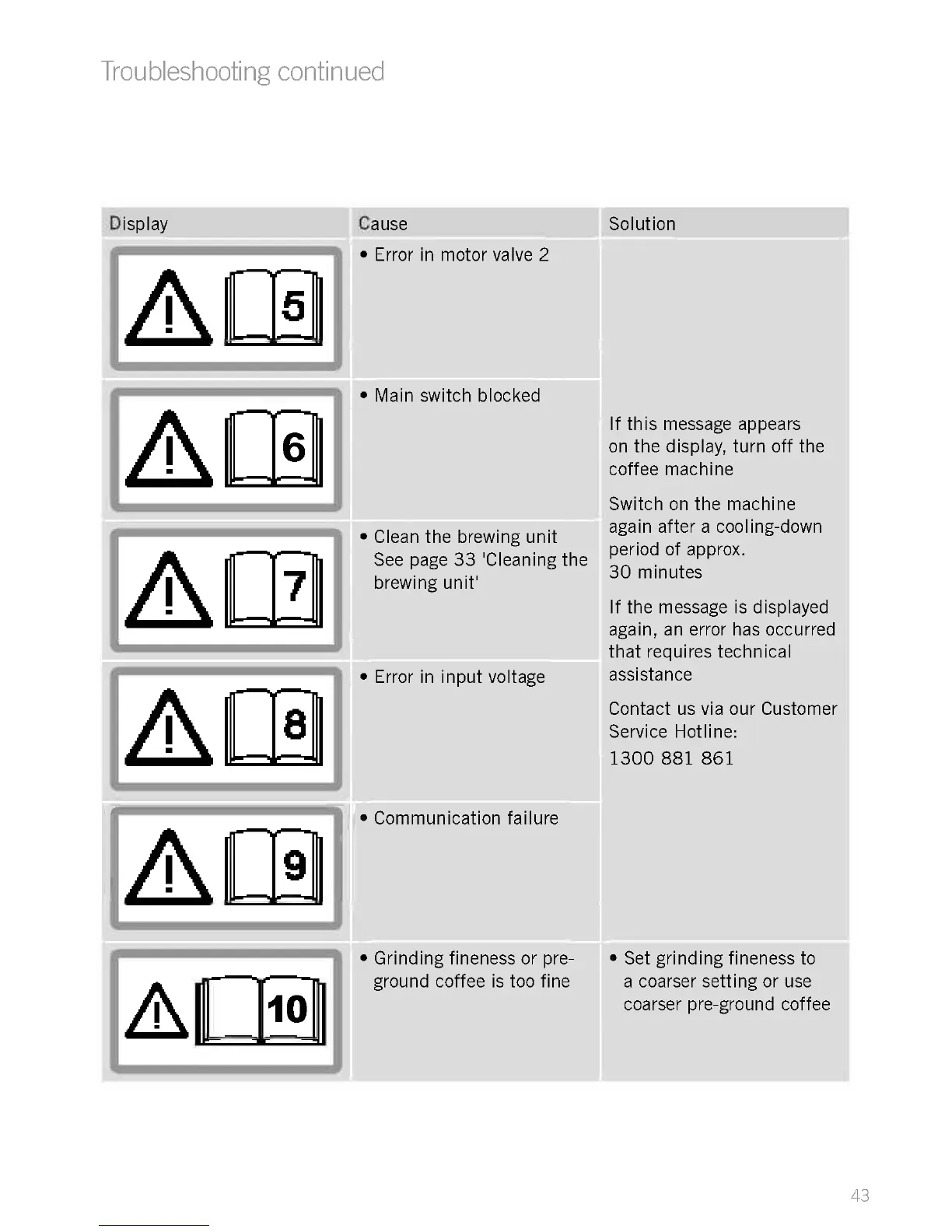
Display
El0
1
Cause Solution
Error in motor valve 2
Main switch blocked
Clean the brewing unit
See page 33 'Cleaning the
brewing unit'
Error in input voltage
Communication failure
Grinding fineness or pre-
ground coffee is too fine
If this message appears
on the display, turn off the
coffee machine
Switch on the machine
again after a cooling-down
period of approx.
30 minutes
If the message is displayed
again, an error has occurred
that requires technical
assistance
Contact us via our Customer
Service Hotline:
1300 881 861
Set grinding fineness to
a coarser setting or use
coarser pre-ground coffee
43











 To Next Page