62
Table 7-3 Description of PID function state
SSttaattee
DDeessccrriippttiioonn
PID recovery
running
The inverters perform PID recovery actively.
PID
abnormity
It is detected that the ISO impedance is abnormal or the PID function
cannot work normally after the PID function enabled.
If the inverter is running abnormally, the alarm or fault icon
will be displayed in the
lower right corner of the inverter icon in power flow chart. The user can tap this icon to
enter the alarm or fault screen to view detailed information and corrective measures.
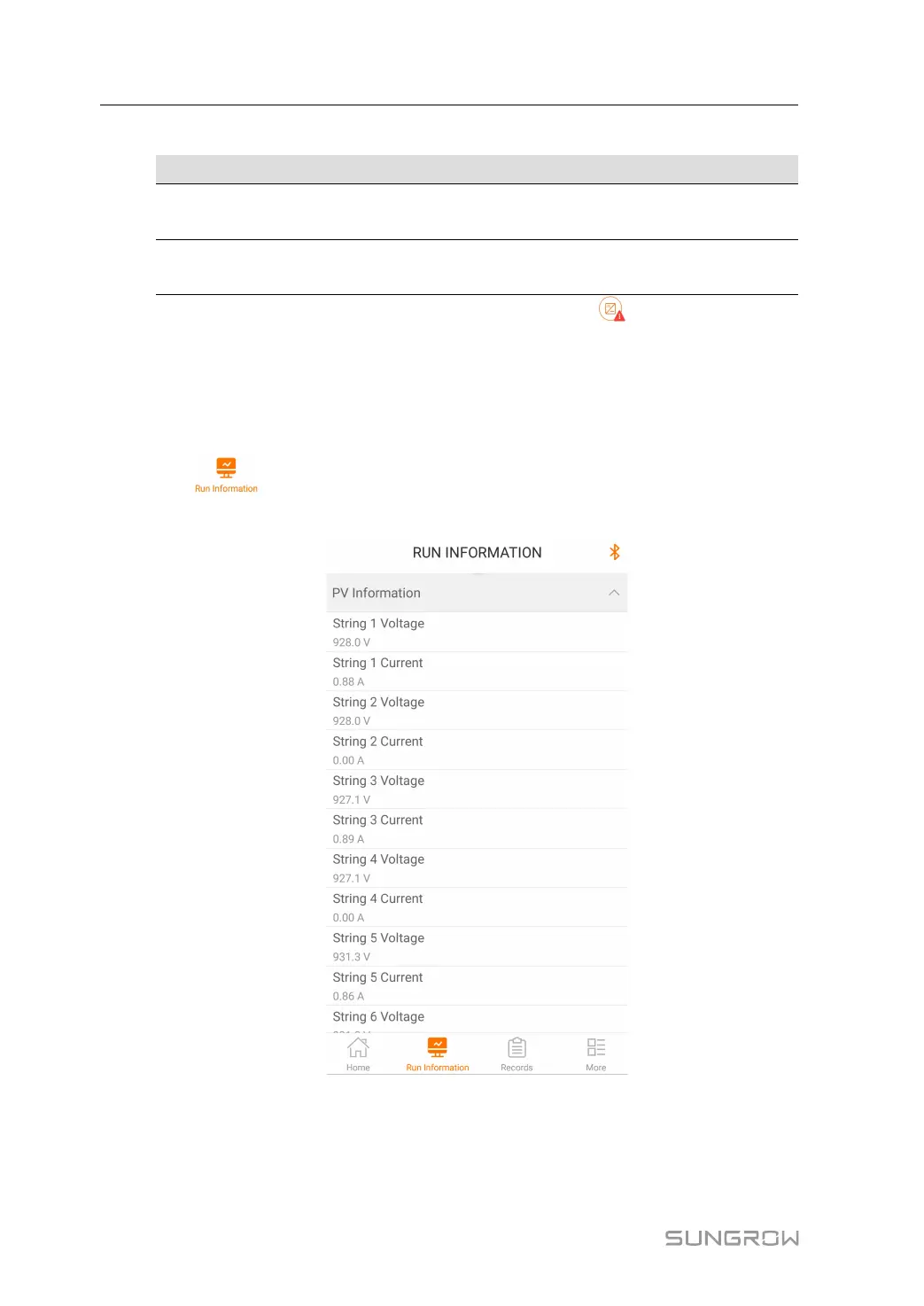
7.6 Running Information
Tap " " on the navigation bar to enter the running information screen, as shown
in the following Figure.
FFiigguurree 77--66 Running Information
The run information includes the PV information, inverter information, input and output
information.
7 iSolarCloud App User Manual




 To Next Page